Hello, We are getting "A projector unit error has been detected" error on one of our AOIs. We tried restarting the machine but error is still present. How do we fix? Thanks Brent Spradlin Senior Process Engineer [cid:keylogo_208x50_04c1f041-eeb2-4999-a226-f8eeef885a5b.png] [cid:badge_ps_25_f9cef8ef-7cf8-4ffd-adf1-2b4f3d8d1826.png] office: 2178 5564 Chief Truman Brewer Street fax: Springdale, AR 72764 [email] keytronic.com This e-mail message may contain confidential or legally privileged information and is intended only for the use of the intended recipient(s). Any unauthorized disclosure, dissemination, distribution, copying or the taking of any action in reliance on the information herein is prohibited. E-mails are not secure and cannot be guaranteed to be error free as they can be intercepted, amended, or contain viruses. Anyone who communicates with us by e-mail is deemed to have accepted these risks. Key Tronic Corporation is not responsible for errors or omissions in this message and denies any responsibility for any damage arising from the use of e-mail. Any opinion and other statement contained in this message and any attachment are solely those of the author and do not necessarily represent those of the company.
Conversation
Engineer and customer thread
72 messages
JS
Jeremiah SolizOmron reply | Aug 14, 2026 at 9:13 AM
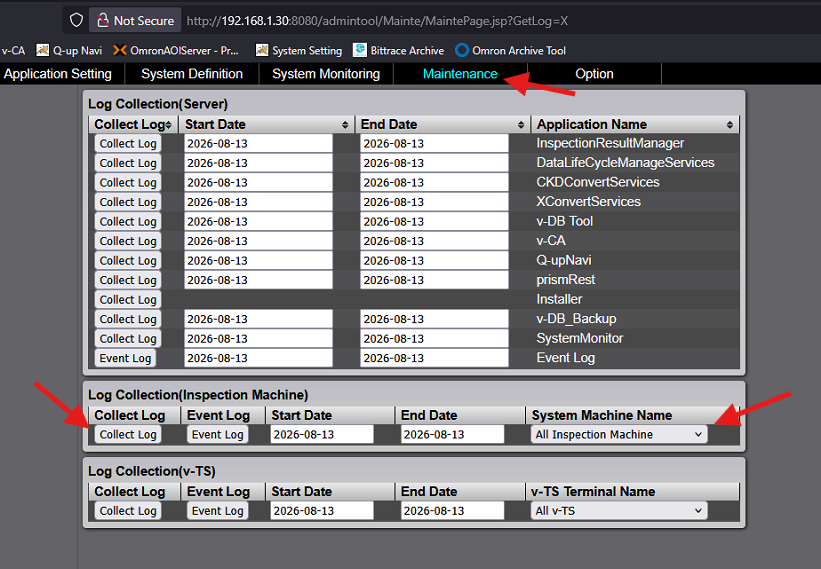
Hello Brent, Could you upload the logs from this machine to https://transfer.xmage.ninja/s/ndXXYtA6cQs6JLd so we can quickly review? You can pull the logs from the vDB webpage tool.
freshdesk-inline-150174150008.png
C
CustomerCustomer reply | Aug 14, 2026 at 9:24 AM
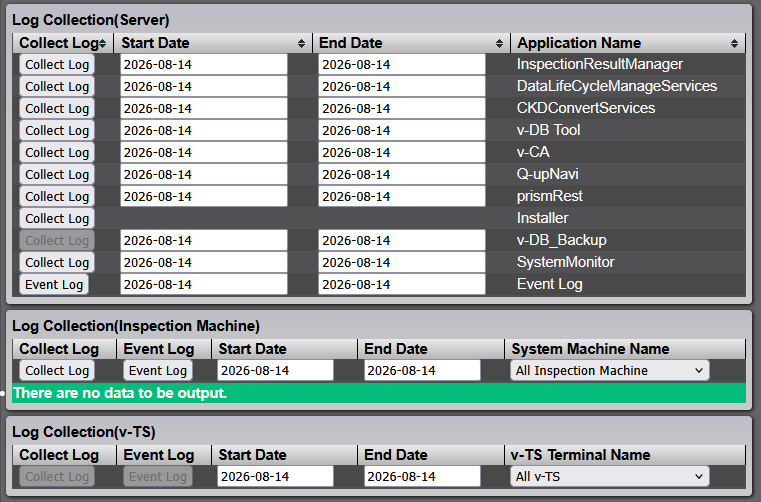
One of these? When I try to collect log for inspection machine there is no data [email] Brent Spradlin Senior Process Engineer [cid:keylogo_208x50_f356fb19-aa04-44c0-862b-f1d81a3536d7.png] [cid:badge_ps_25_1cbd7dca-4b20-44e4-ae87-dc58dbb0b0a7.png] office: 2178 5564 Chief Truman Brewer Street fax: Springdale, AR 72764 [email] keytronic.com
freshdesk-inline-150174151678.png
4 tiny or repeated images hidden.
JS
Jeremiah SolizOmron reply | Aug 14, 2026 at 10:15 AM
Hello Brent, Can you collect it from the machine itself? C:\Program Files\OMRON\VT-S730\log\ should be the loctation. You can collect the folder for today's date.
C
CustomerCustomer reply | Aug 14, 2026 at 10:28 AM
Brent Spradlin Senior Process Engineer [cid:keylogo_208x50_f356fb19-aa04-44c0-862b-f1d81a3536d7.png] [cid:badge_ps_25_1cbd7dca-4b20-44e4-ae87-dc58dbb0b0a7.png] office: 2178 5564 Chief Truman Brewer Street fax: Springdale, AR 72764 [email] keytronic.com
freshdesk-inline-150174164254.png
4 tiny or repeated images hidden.
JS
Jeremiah SolizOmron reply | Aug 14, 2026 at 10:41 AM
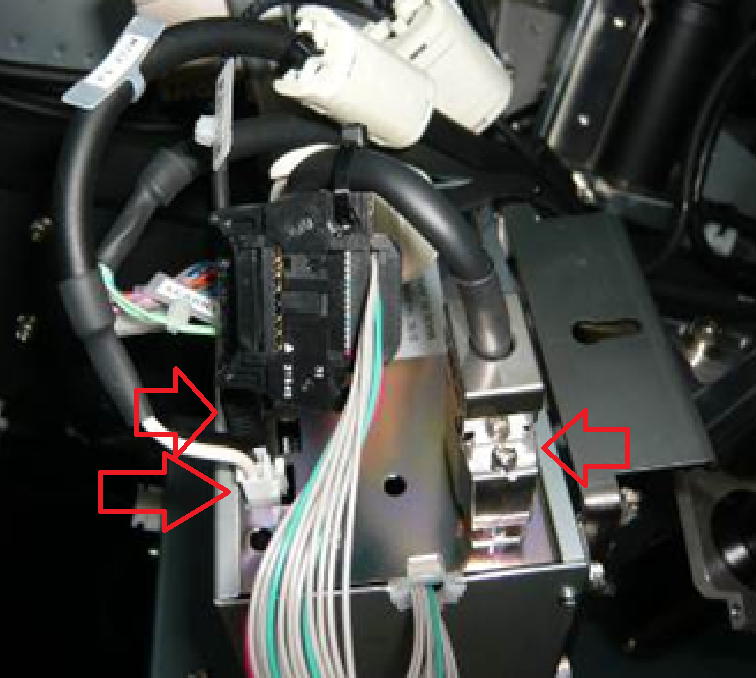
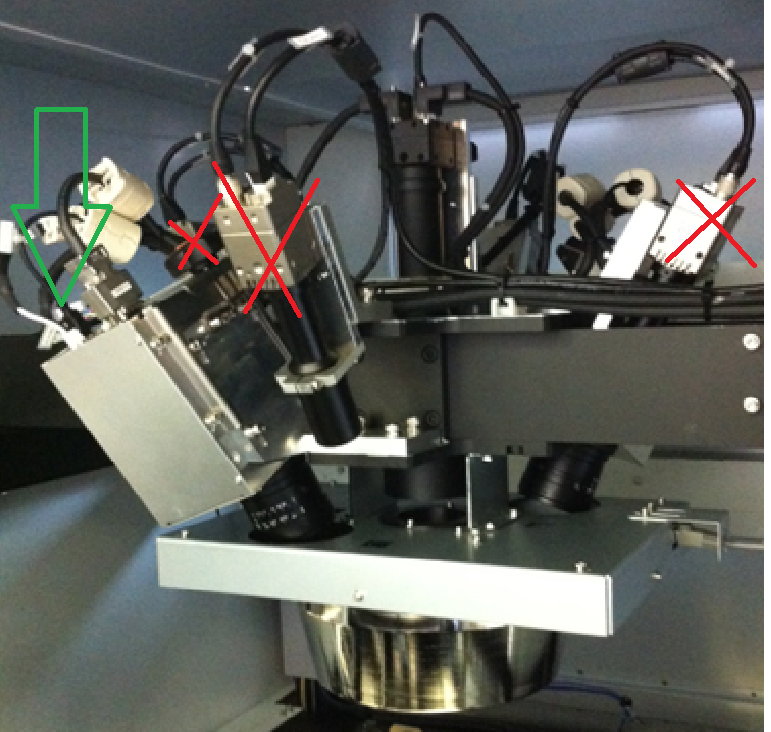
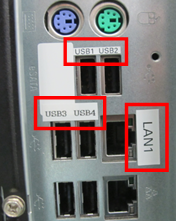
Hello Brent, Looks like it's the Left/Front projector. Can you try reseating the cables on that projector, as well as reseating the USB cable on the back of the PC, and restart the entire AOI system and check again?
C
CustomerCustomer reply | Aug 14, 2026 at 11:03 AM
Do you have a picture or something to show me exactly where these cables are? Don't want to accidently break anything Brent Spradlin Senior Process Engineer [cid:keylogo_208x50_f356fb19-aa04-44c0-862b-f1d81a3536d7.png] [cid:badge_ps_25_1cbd7dca-4b20-44e4-ae87-dc58dbb0b0a7.png] office: 2178 5564 Chief Truman Brewer Street fax: Springdale, AR 72764 [email] keytronic.com
freshdesk-inline-150174171229.png
4 tiny or repeated images hidden.
JS
Jeremiah SolizOmron reply | Aug 14, 2026 at 11:30 AM
Jeremiah SolizOmron reply | Aug 14, 2026 at 11:49 AM
Hello Brent, Also, can you run your calibration plate as well? So we can see the results of the Left/Front Projector?
C
CustomerCustomer reply | Aug 14, 2026 at 12:20 PM
Alright so I reseated the cables on projector and on PC then restarted but still getting projector error. It won’t let me run the calibration it just wants me to shut the machine down Brent Spradlin Senior Process Engineer [cid:keylogo_208x50_f356fb19-aa04-44c0-862b-f1d81a3536d7.png] [cid:badge_ps_25_1cbd7dca-4b20-44e4-ae87-dc58dbb0b0a7.png] office: 2178 5564 Chief Truman Brewer Street fax: Springdale, AR 72764 [email] keytronic.com
freshdesk-inline-150174185599.png
4 tiny or repeated images hidden.
JS
Jeremiah SolizPrivate note | Aug 14, 2026 at 12:35 PM
Private
Seems like Left/Front projector might be bad?
JS
Jeremiah SolizOmron reply | Aug 14, 2026 at 12:59 PM
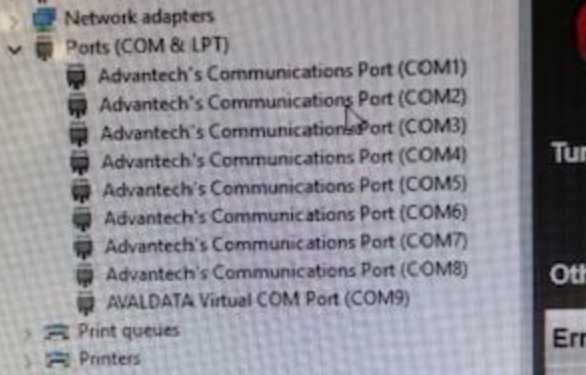
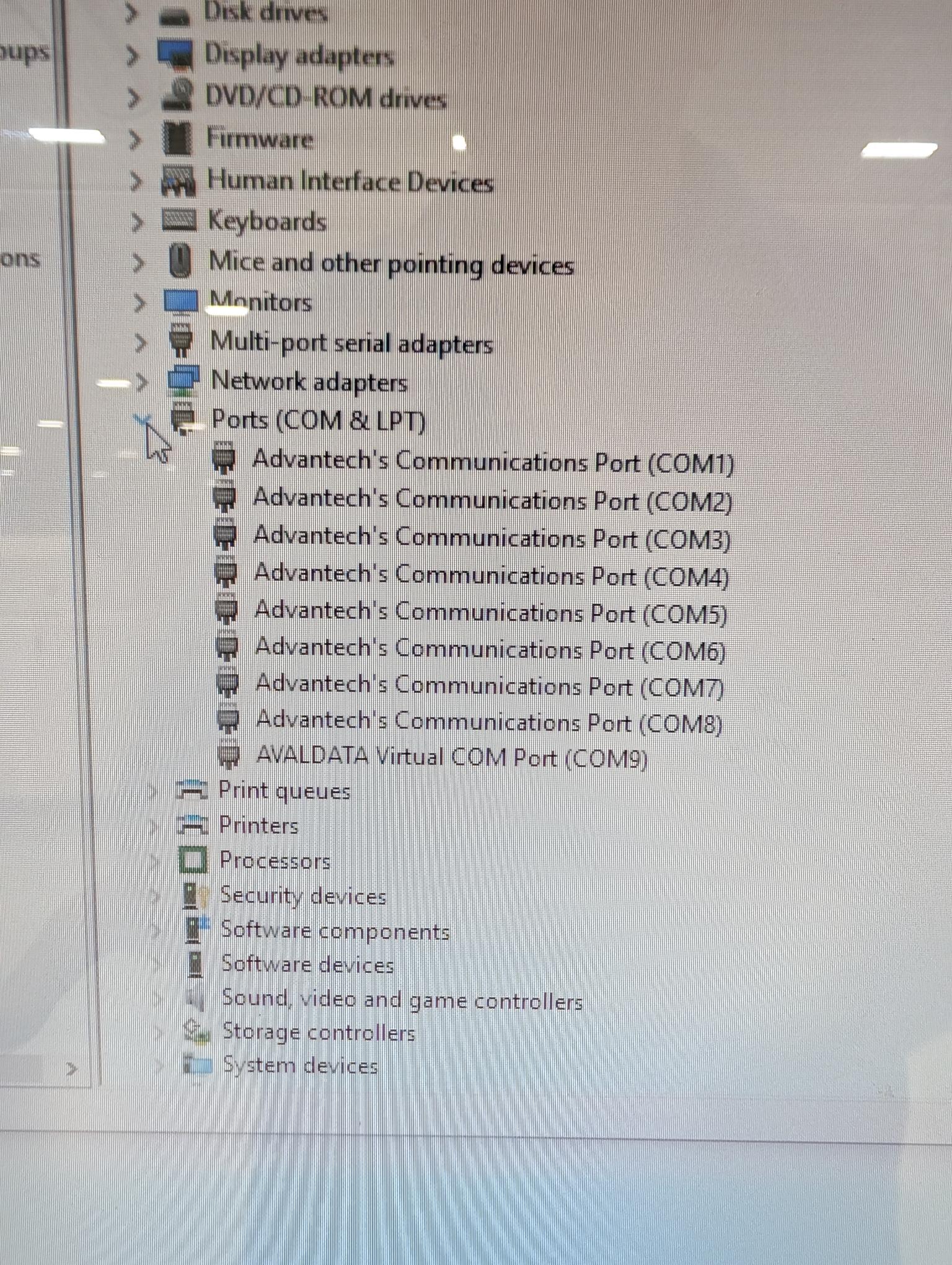
Hello Brent, When you rebooted the machine, did you have to power on the PC manually, or did the UPS power up the machine? Also, can you please also show us a screenshot of the Device manager under the COM ports?
C
CustomerCustomer reply | Aug 14, 2026 at 1:13 PM
The UPS powered up the machine. [email] Brent Spradlin Senior Process Engineer [cid:keylogo_208x50_f356fb19-aa04-44c0-862b-f1d81a3536d7.png] [cid:badge_ps_25_1cbd7dca-4b20-44e4-ae87-dc58dbb0b0a7.png] office: 2178 5564 Chief Truman Brewer Street fax: Springdale, AR 72764 [email] keytronic.com
Jeremiah SolizOmron reply | Aug 14, 2026 at 2:34 PM
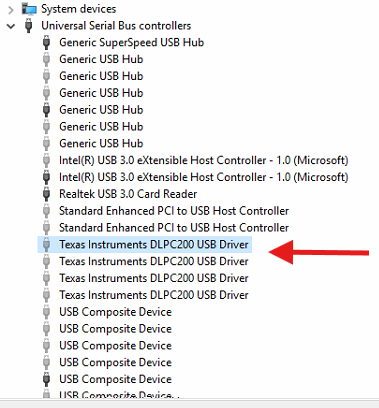
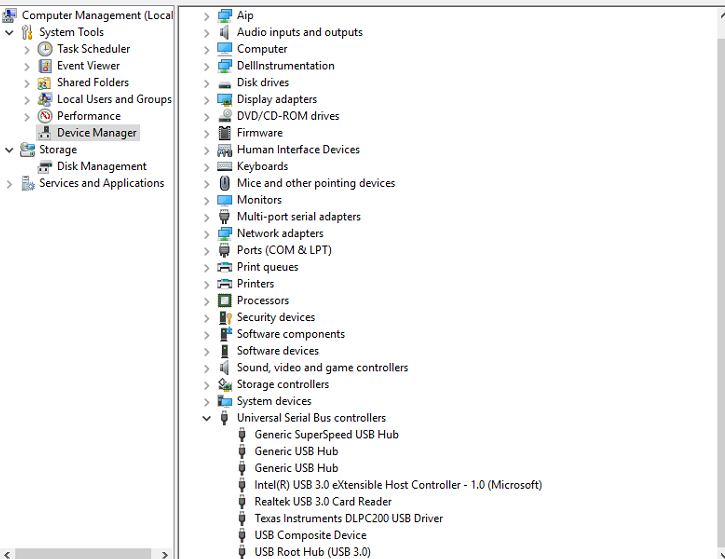
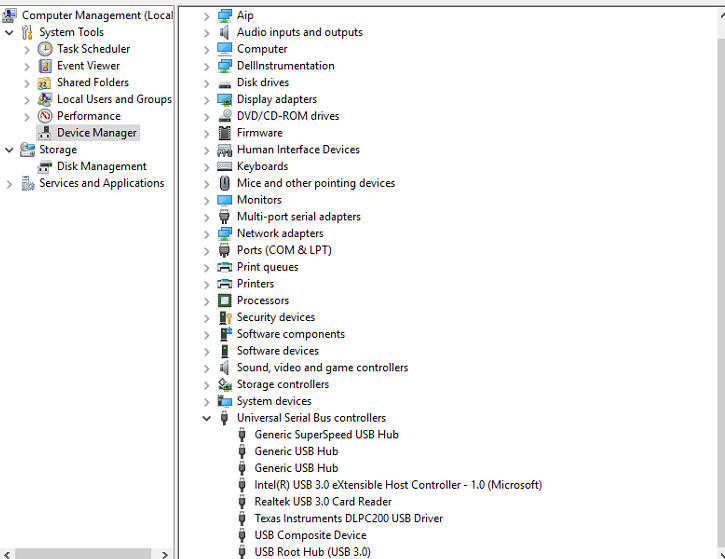
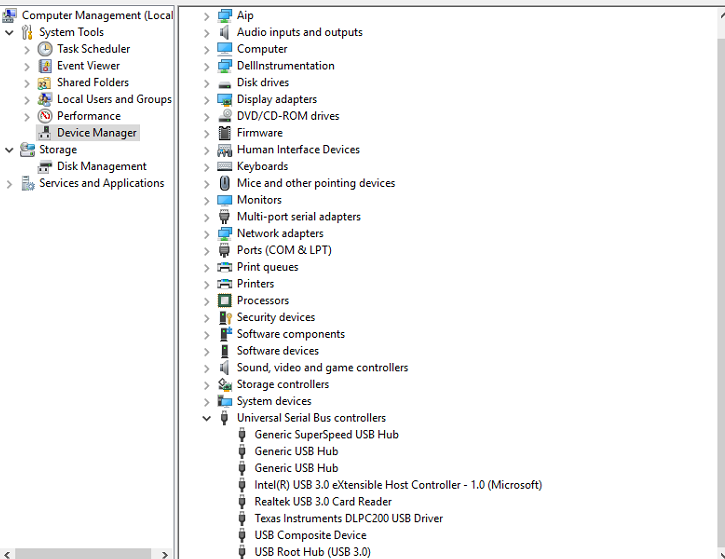
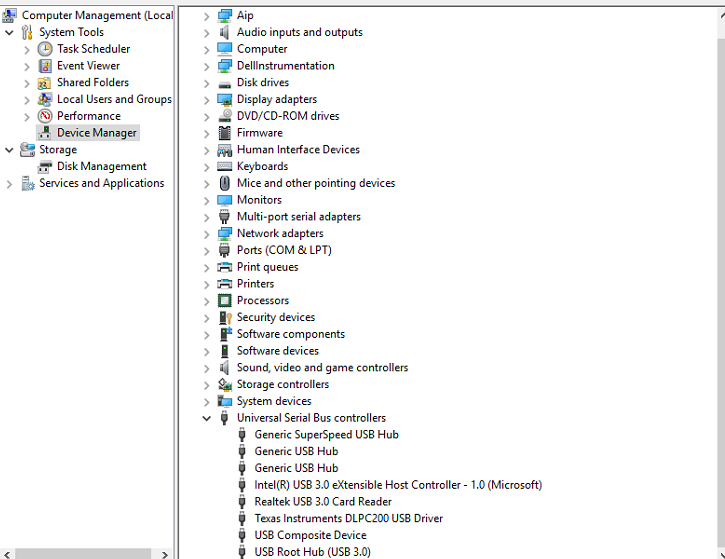
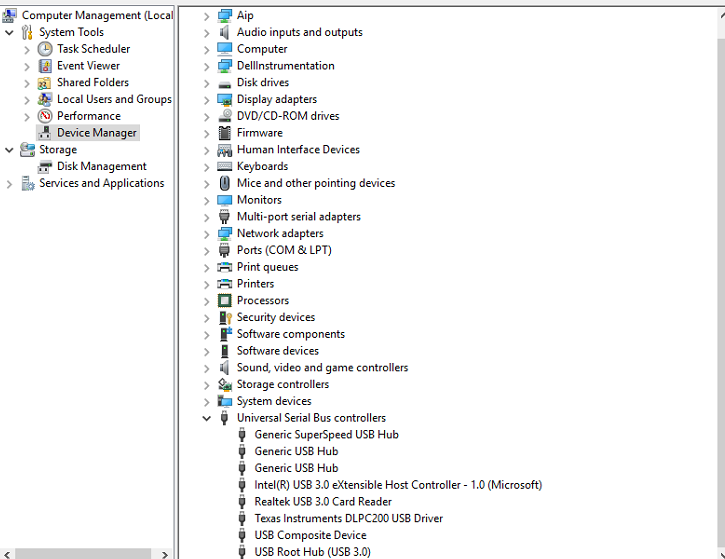
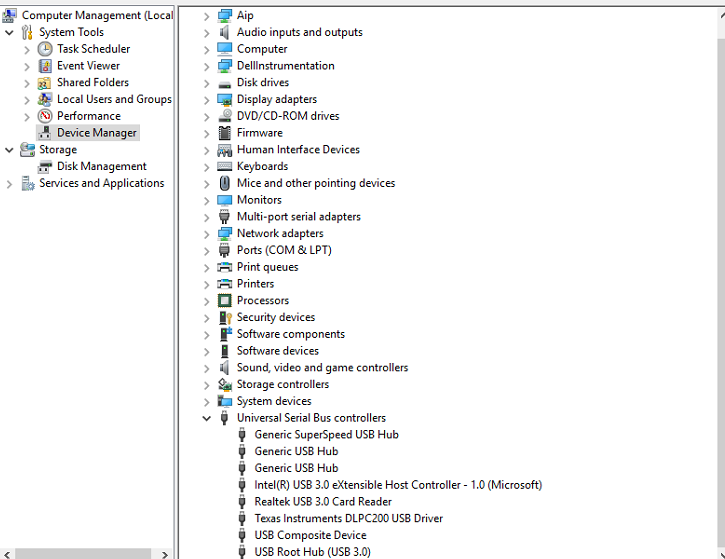
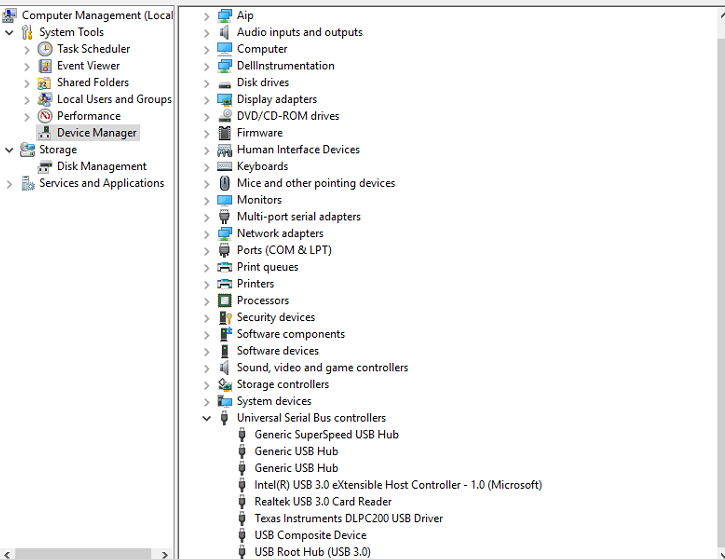
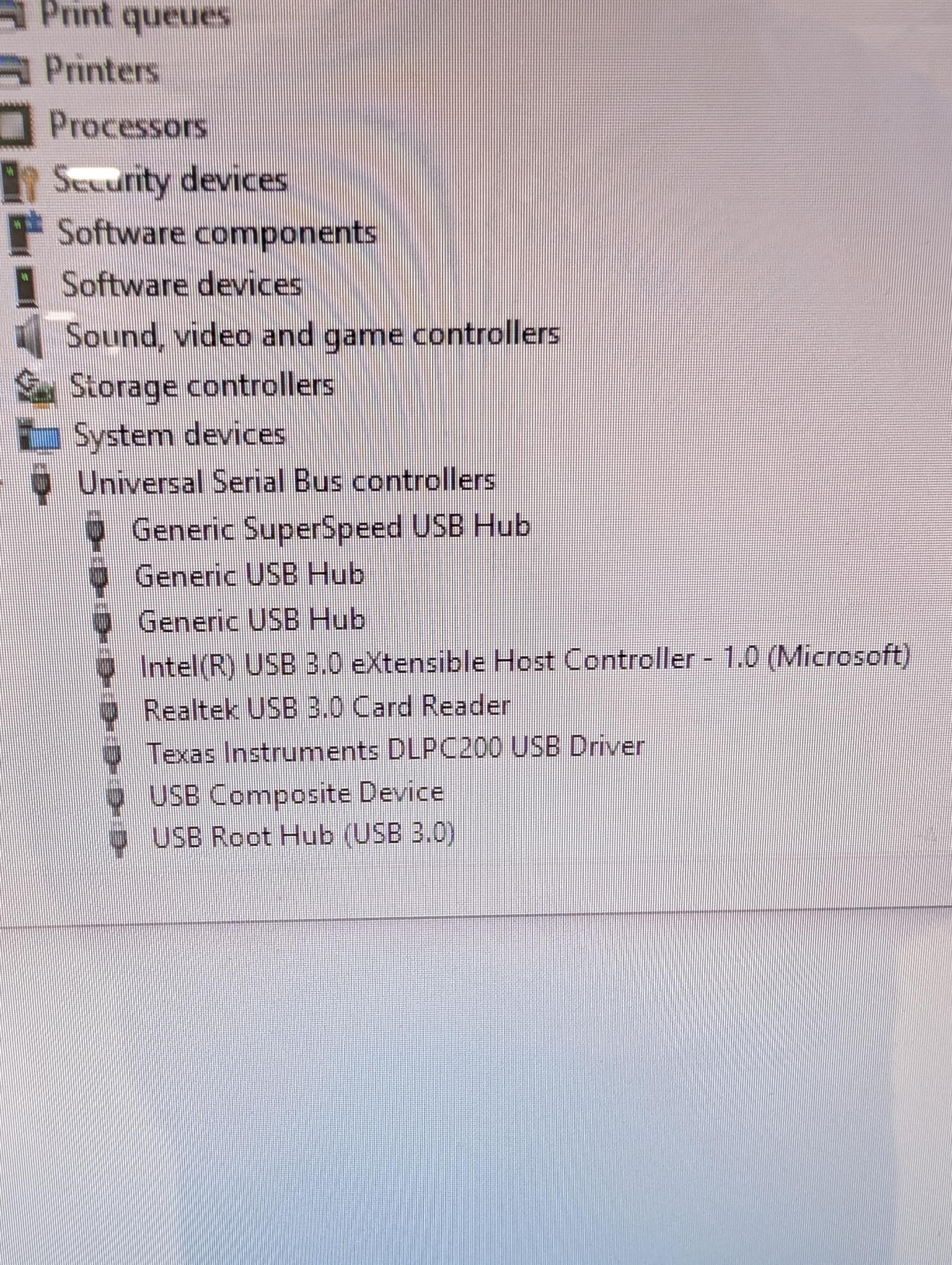
Hello Brent, Sorry for the delay Brent, can you show me screenshot of the Device Manager and the USB section? Should be two devices under there for the projectors.
JS
Jeremiah SolizOmron reply | Aug 14, 2026 at 2:36 PM
Hello Brent, Do you have teamviewer for that machine by chance?
C
CustomerCustomer reply | Aug 14, 2026 at 2:42 PM
Yes it has Teamviewer ID: 788 560 435 8k1347fn Brent Spradlin Senior Process Engineer [cid:keylogo_208x50_f356fb19-aa04-44c0-862b-f1d81a3536d7.png] [cid:badge_ps_25_1cbd7dca-4b20-44e4-ae87-dc58dbb0b0a7.png] office: 2178 5564 Chief Truman Brewer Street fax: Springdale, AR 72764 [email] keytronic.com
freshdesk-inline-150174207977.png
4 tiny or repeated images hidden.
C
CustomerCustomer reply | Aug 14, 2026 at 3:13 PM
Were you able to remote in? If you need something on my end can call me [phone] Brent Spradlin Senior Process Engineer [cid:keylogo_208x50_f356fb19-aa04-44c0-862b-f1d81a3536d7.png] [cid:badge_ps_25_1cbd7dca-4b20-44e4-ae87-dc58dbb0b0a7.png] office: 2178 5564 Chief Truman Brewer Street fax: Springdale, AR 72764 [email] keytronic.com
freshdesk-inline-150174212642.png
4 tiny or repeated images hidden.
JS
Jeremiah SolizOmron reply | Aug 14, 2026 at 3:44 PM
Hello Brent, Sorry for the delay, I am in the machine now.
JS
Jeremiah SolizOmron reply | Aug 14, 2026 at 3:48 PM
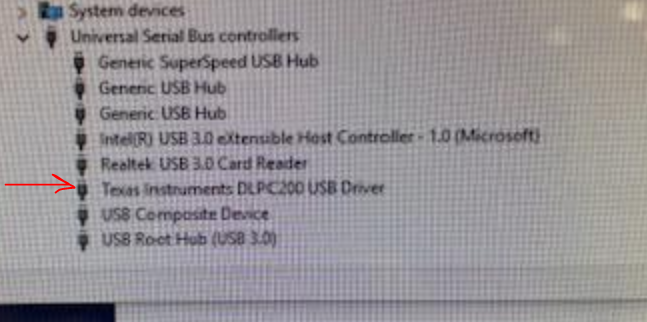
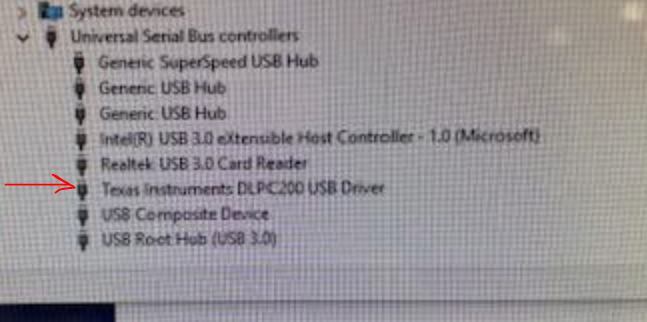
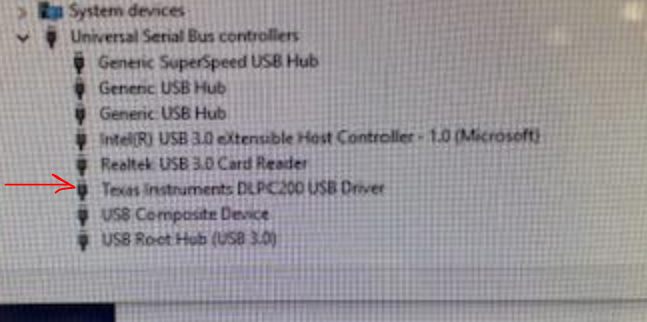
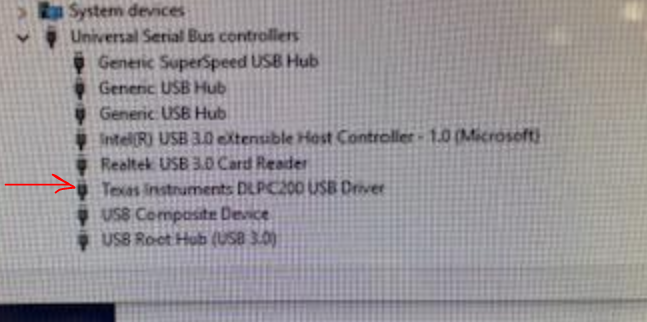
Hello Brent, This device is missing in the Device Manager. Did IT happen to disable USB ports? We need to figure out why this isn't showing up.
freshdesk-inline-150174217729.png
C
CustomerCustomer reply | Aug 14, 2026 at 3:53 PM
I don’t think so. Nobody from IT has been in this PC as far as I know. It was working fine yesterday but had this error first thing this morning. I will ask IT just to confirm. Brent Spradlin Senior Process Engineer [cid:keylogo_208x50_f356fb19-aa04-44c0-862b-f1d81a3536d7.png] [cid:badge_ps_25_1cbd7dca-4b20-44e4-ae87-dc58dbb0b0a7.png] office: 2178 5564 Chief Truman Brewer Street fax: Springdale, AR 72764 [email] keytronic.com
8 tiny or repeated images hidden.
JS
Jeremiah SolizOmron reply | Aug 14, 2026 at 4:22 PM
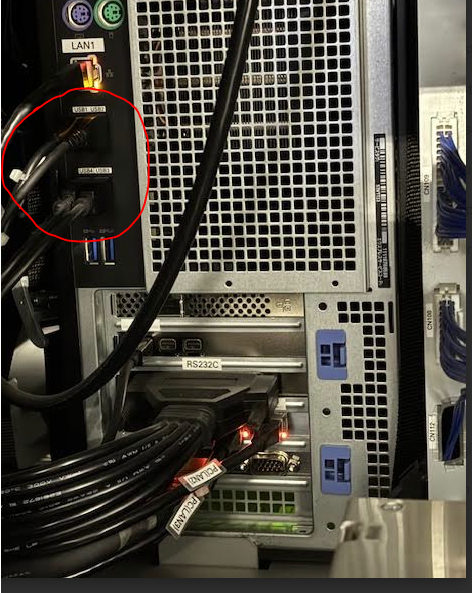
Hello Brent, Did you reseat these two USB plugs? Can you try taht if you havent?
freshdesk-inline-150174222028.png
C
CustomerCustomer reply | Aug 14, 2026 at 4:41 PM
Yes I did. Did it again just now Brent Spradlin Senior Process Engineer [cid:keylogo_208x50_f356fb19-aa04-44c0-862b-f1d81a3536d7.png] [cid:badge_ps_25_1cbd7dca-4b20-44e4-ae87-dc58dbb0b0a7.png] office: 2178 5564 Chief Truman Brewer Street fax: Springdale, AR 72764 [email] keytronic.com
11 tiny or repeated images hidden.
C
CustomerCustomer reply | Aug 14, 2026 at 5:00 PM
IT confirmed they haven’t block any ports. Getting ready to leave for the day anything need me to do before I go? You can stay remoted in as long as you need. Brent Spradlin Senior Process Engineer [cid:keylogo_208x50_f356fb19-aa04-44c0-862b-f1d81a3536d7.png] [cid:badge_ps_25_1cbd7dca-4b20-44e4-ae87-dc58dbb0b0a7.png] office: 2178 5564 Chief Truman Brewer Street fax: Springdale, AR 72764 [email] keytronic.com
13 tiny or repeated images hidden.
JS
Jeremiah SolizOmron reply | Aug 14, 2026 at 5:03 PM
Hello Brent, Not at the moment. I'll continue for a bit, but we might have to continue Monday. Thanks
C
CustomerCustomer reply | Aug 17, 2026 at 9:30 AM
Good morning, Here is new Team Viewer info 788 560 435 zgvhjtuq Please remote in when you can Thanks Brent Spradlin Senior Process Engineer [cid:keylogo_208x50_f356fb19-aa04-44c0-862b-f1d81a3536d7.png] [cid:badge_ps_25_1cbd7dca-4b20-44e4-ae87-dc58dbb0b0a7.png] office: 2178 5564 Chief Truman Brewer Street fax: Springdale, AR 72764 [email] keytronic.com
freshdesk-inline-150174382866.png
4 tiny or repeated images hidden.
C
CustomerCustomer reply | Aug 17, 2026 at 1:02 PM
Will you be able to remote in today? Brent Spradlin Senior Process Engineer [cid:keylogo_208x50_f356fb19-aa04-44c0-862b-f1d81a3536d7.png] [cid:badge_ps_25_1cbd7dca-4b20-44e4-ae87-dc58dbb0b0a7.png] office: 2178 5564 Chief Truman Brewer Street fax: Springdale, AR 72764 [email] keytronic.com
freshdesk-inline-150174423623.png
6 tiny or repeated images hidden.
AS
Adam StanleyOmron reply | Aug 17, 2026 at 1:45 PM
Hello Brent, I am logged in right now, I am not seeing either projectors currently connected to the system. Have you tried reseating and restarting the machine today ? Thanks, Adam Stanley Application Engineer Direct: [phone] | [email] Omron Automation Americas 2895 Greenspoint Parkway, Suite 200, Hoffman Estates, IL 60169 automation.omron.com
C
CustomerCustomer reply | Aug 17, 2026 at 1:58 PM
Hello, It has been restarted but have not reseated the USBs again. Just to be clear you only want me to reseat these USBs right? [email] Brent Spradlin Senior Process Engineer [cid:keylogo_208x50_f356fb19-aa04-44c0-862b-f1d81a3536d7.png] [cid:badge_ps_25_1cbd7dca-4b20-44e4-ae87-dc58dbb0b0a7.png] office: 2178 5564 Chief Truman Brewer Street fax: Springdale, AR 72764 [email] keytronic.com
freshdesk-inline-150174433373.png
4 tiny or repeated images hidden.
AS
Adam StanleyOmron reply | Aug 17, 2026 at 2:01 PM
Hello Brent, I just restarted the machine as well, and yes it is those bottom 2 USB cables. If it continues to longer be found, then the issue lies with either the cables or the latest windows update that was performed on 8/13. Thanks, Adam Stanley Application Engineer Direct: [phone] | [email] Omron Automation Americas 2895 Greenspoint Parkway, Suite 200, Hoffman Estates, IL 60169 automation.omron.com
C
CustomerCustomer reply | Aug 17, 2026 at 2:39 PM
Ok cables have been reseated Here is new Teamviewer info 788 560 435 kfku89nn Brent Spradlin Senior Process Engineer [cid:keylogo_208x50_f356fb19-aa04-44c0-862b-f1d81a3536d7.png] [cid:badge_ps_25_1cbd7dca-4b20-44e4-ae87-dc58dbb0b0a7.png] office: 2178 5564 Chief Truman Brewer Street fax: Springdale, AR 72764 [email] keytronic.com
freshdesk-inline-150174441300.png
4 tiny or repeated images hidden.
JO
Jeremy OrbachOmron reply | Aug 17, 2026 at 3:20 PM
Hello Brent, I will be joining via TeamViewer momentarily. Best regards, Jeremy
JO
Jeremy OrbachOmron reply | Aug 17, 2026 at 3:33 PM
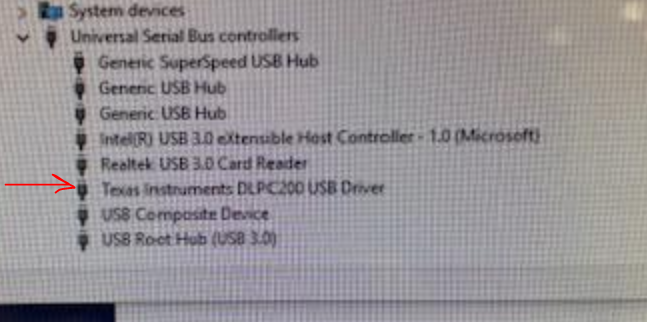
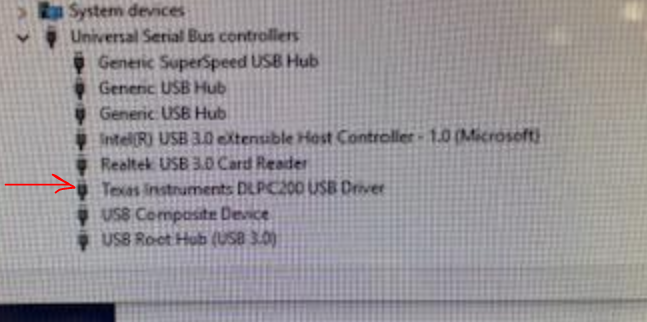
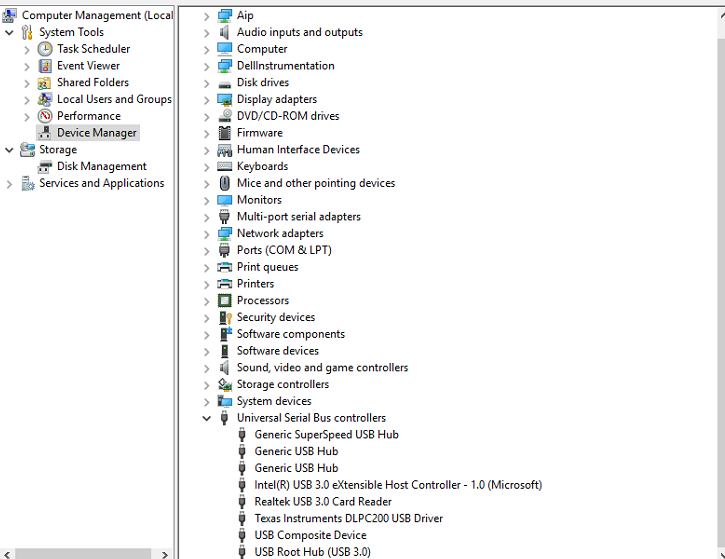
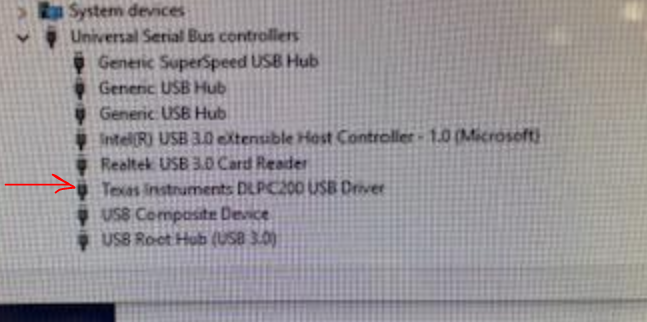
Hello Brent, Upon investigation, it appears as though a Windows Update may have corrupted the drivers for the projectors, resulting in the system no longer seeing that any projectors are installed at all. They should be visible in Device Manager and do not appear at all. If you can confirm that the projector is indeed connected (and showing signs of power), please direct IT to roll back updates to the machine and disable automatic updates from causing this to recur. In certain instances, we have found that a PC rebuild is necessary if under no circumstances the projectors will show up in Windows. If the projectors are not showing any signs of power, please test using other USB ports if plugging them in results in Texas Instruments DLP Projector appearing in Device Manager. There is an extremely low likelihood that both projectors failed unless a surge occurred that could have fried the projectors. The fact that the system updated on 8/13 and the issues began 8/14 shows us that the likely culprit is Windows Updates. There should be a recovery USB drive for the PC that can refresh the PC back to factory. This can be done as a last step, but would require additional setup steps from our side to ensure functionality. If the issue persists after refreshing the entire OS, likely the PC would need to be replaced. Depending on how long it takes to recover this issue, there may be a quote needed for services. As mentioned, we strongly advise against Windows Updates on the machine for this exact reason. Should they be enabled, its possible we end up in this exact same position again. Please let me know if you have any questions. Best regards, Jeremy
C
CustomerCustomer reply | Aug 17, 2026 at 4:27 PM
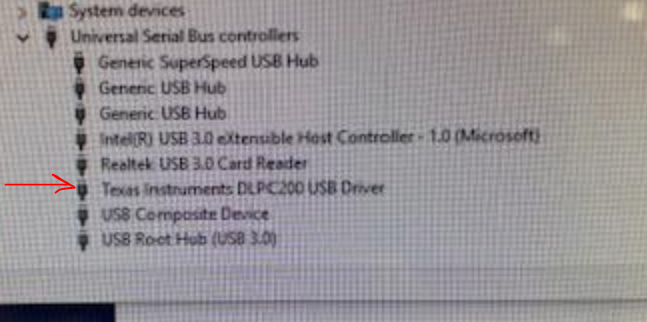
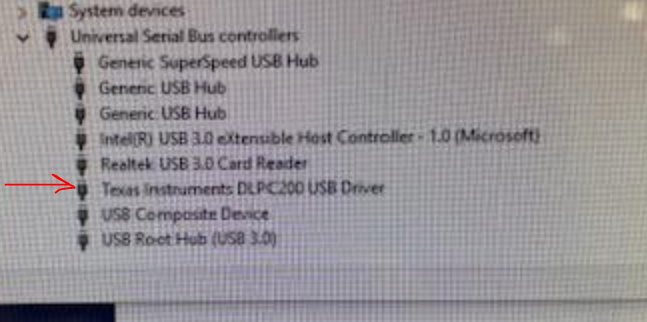
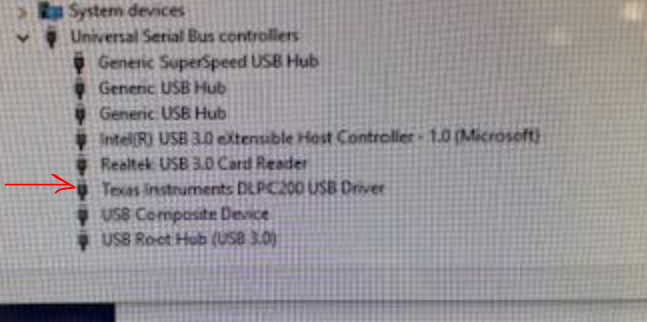
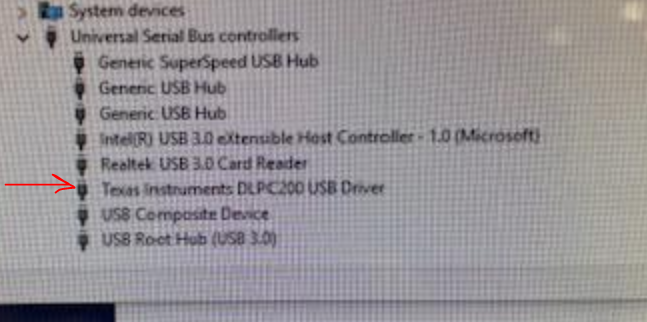
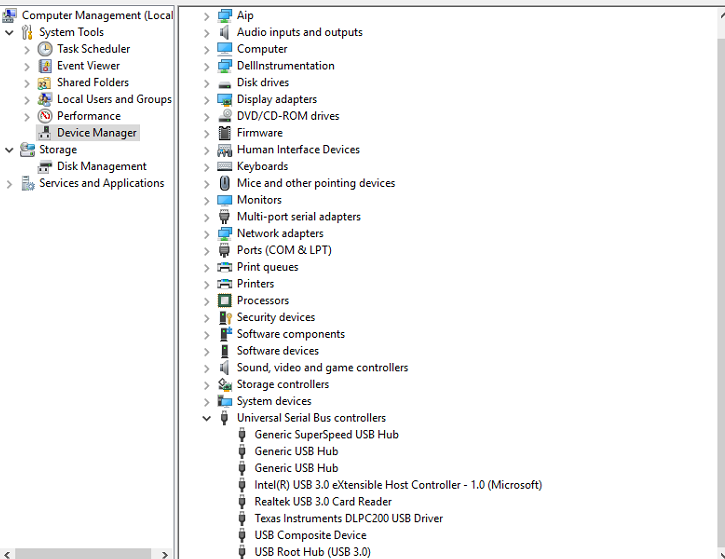
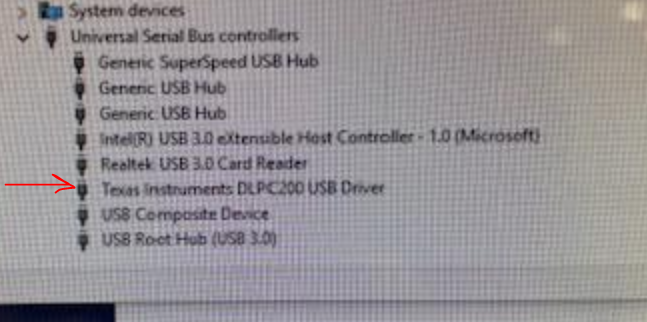
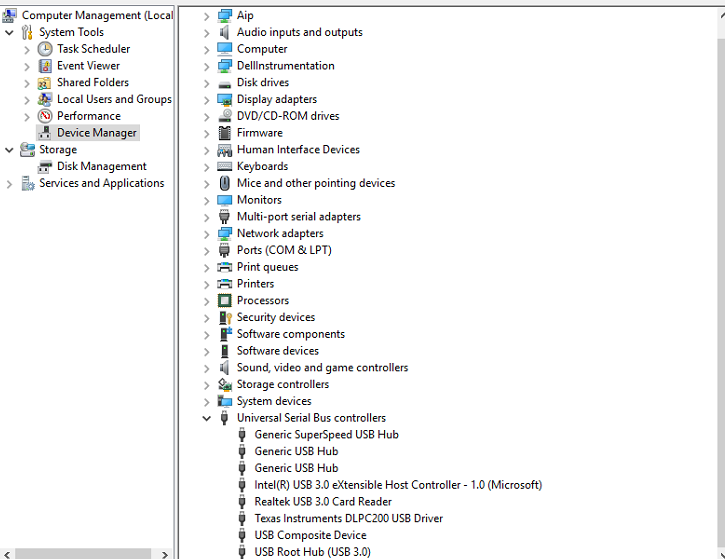
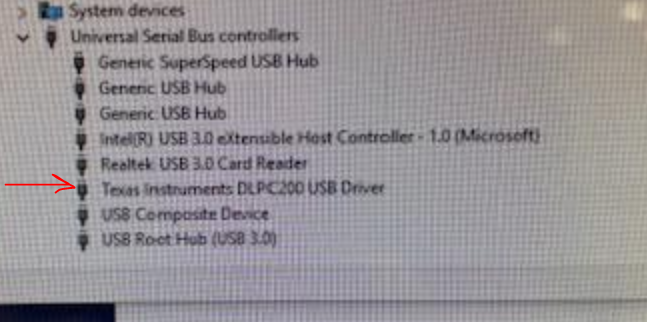
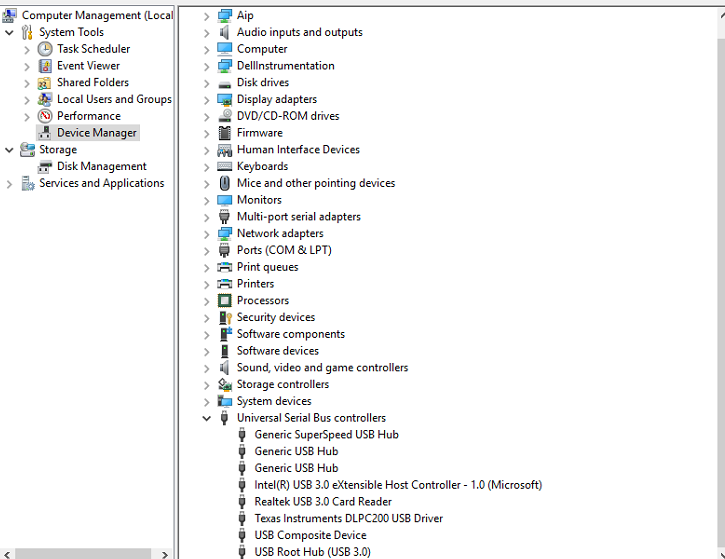
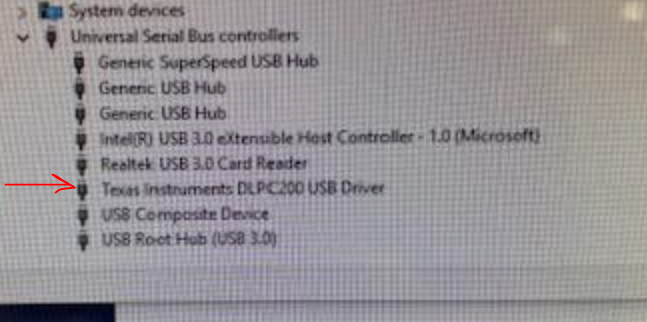
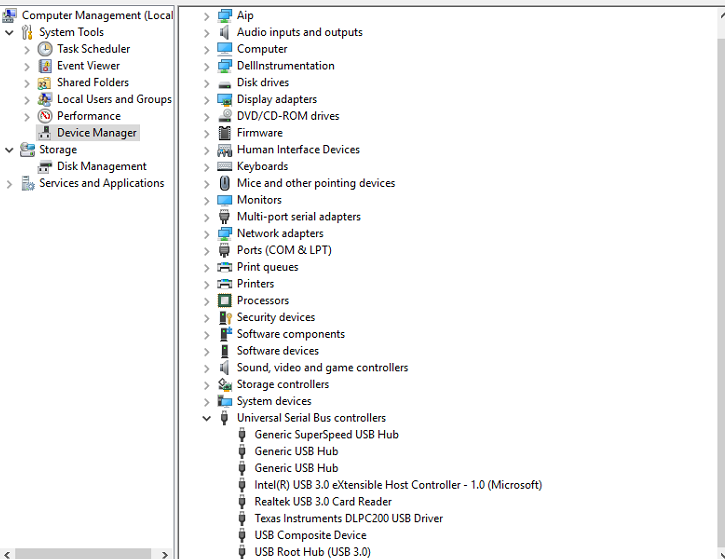
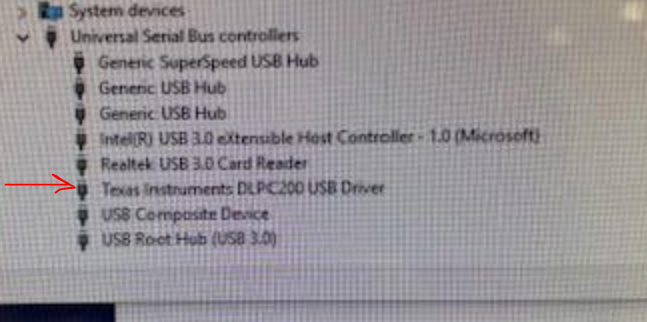
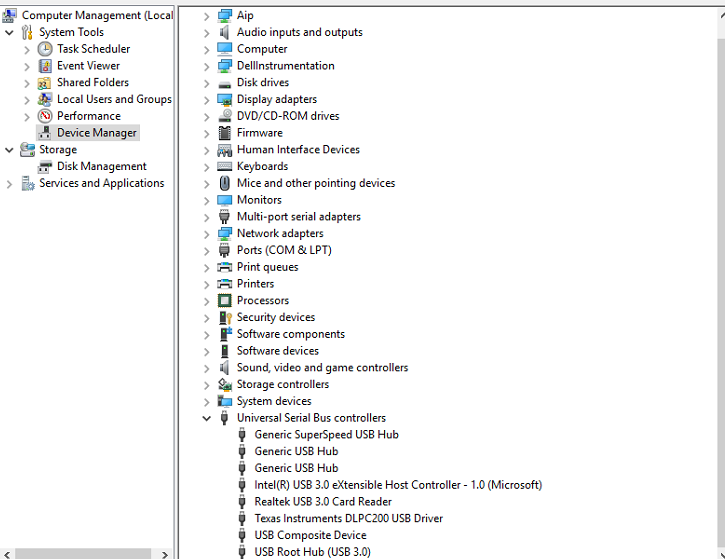
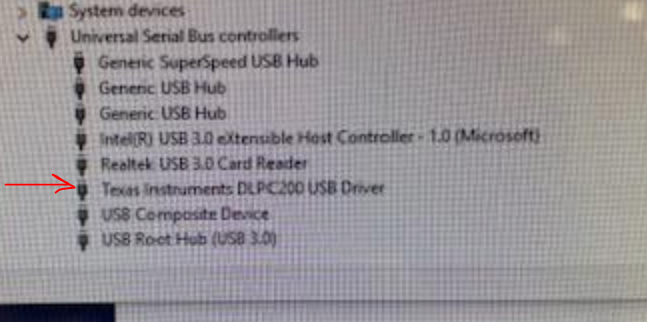
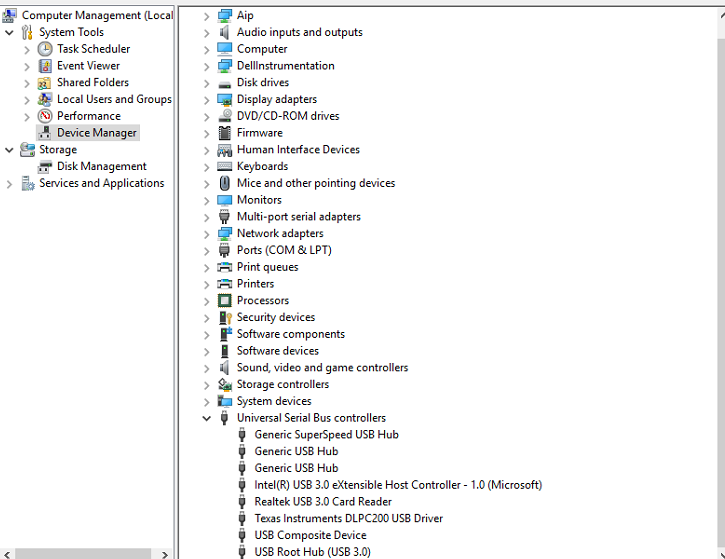
Jeremy, I moved USBs to different port and the “Texas Instruments DLPC200 USB Driver” appeared in device manager. [email] Brent Spradlin Senior Process Engineer [cid:keylogo_208x50_f356fb19-aa04-44c0-862b-f1d81a3536d7.png] [cid:badge_ps_25_1cbd7dca-4b20-44e4-ae87-dc58dbb0b0a7.png] office: 2178 5564 Chief Truman Brewer Street fax: Springdale, AR 72764 [email] keytronic.com
freshdesk-inline-150174459978.png
7 tiny or repeated images hidden.
C
CustomerCustomer reply | Aug 17, 2026 at 4:55 PM
Brent, Please confirm if one projector seems to be malfunctioning. If both projectors power on the same port and show, that would indicate an issue with the port. Either way, I would advise to roll back the updates and see what happens. Best regards, Jeremy Orbach Application Engineer II – Inspection Systems Direct: [phone] | [email] Omron Automation Americas 2895 Greenspoint Parkway, Suite 100, Hoffman Estates, IL 60169 automation.omron.com ________________________________
freshdesk-inline-150174463702.png
9 tiny or repeated images hidden.
C
CustomerCustomer reply | Aug 17, 2026 at 5:12 PM
Jeremy, So I moved USB #4 to the port that works for USB#3 and it still did not appear in device manager. I will go ahead and ask IT about the roll back. Thanks Brent Spradlin Senior Process Engineer [cid:keylogo_208x50_f356fb19-aa04-44c0-862b-f1d81a3536d7.png] [cid:badge_ps_25_1cbd7dca-4b20-44e4-ae87-dc58dbb0b0a7.png] office: 2178 5564 Chief Truman Brewer Street fax: Springdale, AR 72764 [email] keytronic.com
Jeremy, I am out of office tomorrow so adding some folks that can assist while I am out. I did put in request for the windows roll back with IT. Thanks Brent Spradlin Senior Process Engineer [cid:keylogo_208x50_f356fb19-aa04-44c0-862b-f1d81a3536d7.png] [cid:badge_ps_25_1cbd7dca-4b20-44e4-ae87-dc58dbb0b0a7.png] office: 2178 5564 Chief Truman Brewer Street fax: Springdale, AR 72764 [email] keytronic.com
When I logged into screen connect on this device, windows is saying it is not activated which could be the issue for this. Anyone have the license for this device? James Stout Computer Support Technician office: [phone] [cid:keylogo_208x50_bbd3eb93-6727-44fa-b710-bdda3b5dcba5.png] [cid:badge_ps_25_b443c943-8b12-4814-87e8-575bb98241a4.png] fax: 5564 Chief Truman Brewer Street cell: [phone] Springdale, AR 72764 [email] keytronic.com This e-mail message may contain confidential or legally privileged information and is intended only for the use of the intended recipient(s). Any unauthorized disclosure, dissemination, distribution, copying or the taking of any action in reliance on the information herein is prohibited. E-mails are not secure and cannot be guaranteed to be error free as they can be intercepted, amended, or contain viruses. Anyone who communicates with us by e-mail is deemed to have accepted these risks. Key Tronic Corporation is not responsible for errors or omissions in this message and denies any responsibility for any damage arising from the use of e-mail. Any opinion and other statement contained in this message and any attachment are solely those of the author and do not necessarily represent those of the company.
James, There should be a sticker on the PC, however this should not impact USB functionality. We can provide a quote for on-site support of this issue, especially if under no circumstances you can get both projectors to appear in Device Manager. Have the Windows Updates been rolled back? Best regards, Jeremy Orbach Application Engineer II – Inspection Systems Direct: [phone] | [email] Omron Automation Americas 2895 Greenspoint Parkway, Suite 100, Hoffman Estates, IL 60169 automation.omron.com ________________________________
Just to get on the same page... Product currently running? When can we take the line down to rollback? Work to identify the license? Schedule future date to domain join to allow for Windows Patch Management via new ConnectWise environment? Jeff Spray Director of CIS Extension: 5332 Mobile: [phone] Email: [email] [cid:a3840396-742c-4505-b545-edff592bc367] ________________________________
Windows update from 8/14 has been rolled back James Stout Computer Support Technician office: [phone] [cid:keylogo_208x50_0ac9ea0f-7f9d-4ec3-a3c7-8bb6a21f2376.png] [cid:badge_ps_25_e44ba8f1-1394-4cd2-bc08-c4fc88dbb807.png] fax: 5564 Chief Truman Brewer Street cell: [phone] Springdale, AR 72764 [email] keytronic.com
Can we confirm whether after rolling back the updates the USB ports can recognize the projectors? We have experience that it does not always function, and it may be necessary to restore the internal PC back to the factory image as a next step. Best regards, Jeremy [signature_1559069281] Jeremy Orbach Application Engineer II – Inspection Solutions Direct: [phone] | [email] Omron Automation Americas 2895 Greenspoint Parkway, Suite 200, Hoffman Estates, IL 60169 automation.omron.com [signature_1593825543] [signature_48633699] [signature_1432883732] [signature_1894500672] [signature_1099395179] This is a confidential message. If received in error, delete it and notify the sender. ________________________________
That did not work [email] James Stout Computer Support Technician office: [phone] [cid:keylogo_208x50_0ac9ea0f-7f9d-4ec3-a3c7-8bb6a21f2376.png] [cid:badge_ps_25_e44ba8f1-1394-4cd2-bc08-c4fc88dbb807.png] fax: 5564 Chief Truman Brewer Street cell: [phone] Springdale, AR 72764 [email] keytronic.com
Just to confirm troubleshooting: 1). Is one projector unable to be powered under any circumstances? Or is the issue moving based on what port is used? In the documentation and accessories provided with the machine there should be a series of DVDs for the purposes of re-imaging the PC. Can you confirm these can be located? If so, and no hardware issue is present, I would advise re-imaging the PC using these DVDs. Best regards, Jeremy Orbach Application Engineer II – Inspection Systems Direct: [phone] | [email] Omron Automation Americas 2895 Greenspoint Parkway, Suite 100, Hoffman Estates, IL 60169 automation.omron.com ________________________________
Adding Jason Harry and Dave Mathison for their experience. Jeff Spray Director of CIS Extension: 5332 Mobile: [phone] Email: [email] [cid:8f63af76-661a-4997-97f0-31a25fbd383d] ________________________________
Folks, Please let us know if you desire on-site support for this issue. If a projector has gone bad (unlikely based on troubleshooting), we will need to be on-site either way. Also, please be aware that further troubleshooting from our technical support staff will be considered billable, and therefore a quote will need to be generated for the work expected. Due to the line-down nature of this, we can retroactively quote this as long as you approve. Best regards, Jeremy [signature_1559069281] Jeremy Orbach Application Engineer II – Inspection Solutions Direct: [phone] | [email] Omron Automation Americas 2895 Greenspoint Parkway, Suite 200, Hoffman Estates, IL 60169 automation.omron.com [signature_1593825543] [signature_48633699] [signature_1432883732] [signature_1894500672] [signature_1099395179] This is a confidential message. If received in error, delete it and notify the sender. ________________________________
After troubleshooting I can confirm the lower 2 usb ports in the rear are in fact not working/functional and are dead. Along with the every restart it does ask for an app the be installed, along with Windows has become non activated. James Stout Computer Support Technician office: [phone] [cid:keylogo_208x50_0ac9ea0f-7f9d-4ec3-a3c7-8bb6a21f2376.png] [cid:badge_ps_25_e44ba8f1-1394-4cd2-bc08-c4fc88dbb807.png] fax: 5564 Chief Truman Brewer Street cell: [phone] Springdale, AR 72764 [email] keytronic.com
James, I then want to confirm that utilizing different USB ports, but projectors appear in the Device Manager. Can you confirm? Can you also confirm that something like a mouse plugged in also doesn't function? We are at the point that I would advise if both projectors appear in Device Manager utilizing different ports, let's proceed with Windows reset. Given Windows Updates occurred and then this issue occurred, there is little other logic to support a hardware issue. Let me know if you have any questions, and whether you understand our retroactive quoting / billing for services moving forward. Best regards, Jeremy [signature_1559069281] Jeremy Orbach Application Engineer II – Inspection Solutions Direct: [phone] | [email] Omron Automation Americas 2895 Greenspoint Parkway, Suite 200, Hoffman Estates, IL 60169 automation.omron.com [signature_1593825543] [signature_48633699] [signature_1432883732] [signature_1894500672] [signature_1099395179] This is a confidential message. If received in error, delete it and notify the sender. ________________________________
I confirmed with a mouse that it does not work in those ports nor do the projectors show in device manager. The lower 2 ports no longer function James Stout Computer Support Technician office: [phone] [cid:keylogo_208x50_0ac9ea0f-7f9d-4ec3-a3c7-8bb6a21f2376.png] [cid:badge_ps_25_e44ba8f1-1394-4cd2-bc08-c4fc88dbb807.png] fax: 5564 Chief Truman Brewer Street cell: [phone] Springdale, AR 72764 [email] keytronic.com
Noted. PC reset is the next step.l Best regards, Jeremy [signature_1559069281] Jeremy Orbach Application Engineer II – Inspection Solutions Direct: [phone] | [email] Omron Automation Americas 2895 Greenspoint Parkway, Suite 200, Hoffman Estates, IL 60169 automation.omron.com [signature_1593825543] [signature_48633699] [signature_1432883732] [signature_1894500672] [signature_1099395179] This is a confidential message. If received in error, delete it and notify the sender. ________________________________
Folks, In doing some deeper research, I believe that consumer Windows Updates are being pushed to machines that are not running consumer Windows. Be aware that all AOI machines run Windows 10 Enterprise IoT LTSC, which utilizes a different update schedule than normal consumer Windows. It would appear as though a consumer Windows update pushed to this version of Windows may be the culprit for a lack of USB functionality. Be advised that Windows Updates should only be pushed from the LTSC servers, and the update schedules should indicate that the updates are specifically for the version you are running. In my initial investigation, I saw evidence that consumer updates had been applied. Let me know if you have any questions. Best regards, Jeremy [signature_1559069281] Jeremy Orbach Application Engineer II – Inspection Solutions Direct: [phone] | [email] Omron Automation Americas 2895 Greenspoint Parkway, Suite 200, Hoffman Estates, IL 60169 automation.omron.com [signature_1593825543] [signature_48633699] [signature_1432883732] [signature_1894500672] [signature_1099395179] This is a confidential message. If received in error, delete it and notify the sender. ________________________________
Jeremy, Please provide quote for what is needed to fix our issue. Thanks Brent Spradlin Senior Process Engineer [cid:keylogo_208x50_f356fb19-aa04-44c0-862b-f1d81a3536d7.png] [cid:badge_ps_25_1cbd7dca-4b20-44e4-ae87-dc58dbb0b0a7.png] office: 2178 5564 Chief Truman Brewer Street fax: Springdale, AR 72764 [email] keytronic.com
Brent, Can you confirm if the OS install discs could be located? If it is what I think it is, the OS needs to be reinstalled and then we need to link COM ports. If your IT can refresh the PC, we should be able to remotely link the COM ports. A quote will be created to support these services. If you cannot locate the PC refresh discs, let us know. Best regards, Jeremy Orbach Application Engineer II – Inspection Systems Direct: [phone] | [email] Omron Automation Americas 2895 Greenspoint Parkway, Suite 100, Hoffman Estates, IL 60169 automation.omron.com ________________________________
Brent, These are the correct discs. If you install the boot disc first, it should prompt to install Windows upon reboot. I would instruct IT to insert the boot disc and then follow the prompts on screen to re-image the PC. When these steps are complete and the PC is running, please confirm that the USB ports begin to function again. Best regards, Jeremy [signature_1559069281] Jeremy Orbach Application Engineer II – Inspection Solutions Direct: [phone] | [email] Omron Automation Americas 2895 Greenspoint Parkway, Suite 200, Hoffman Estates, IL 60169 automation.omron.com [signature_1593825543] [signature_48633699] [signature_1432883732] [signature_1894500672] [signature_1099395179] This is a confidential message. If received in error, delete it and notify the sender. ________________________________
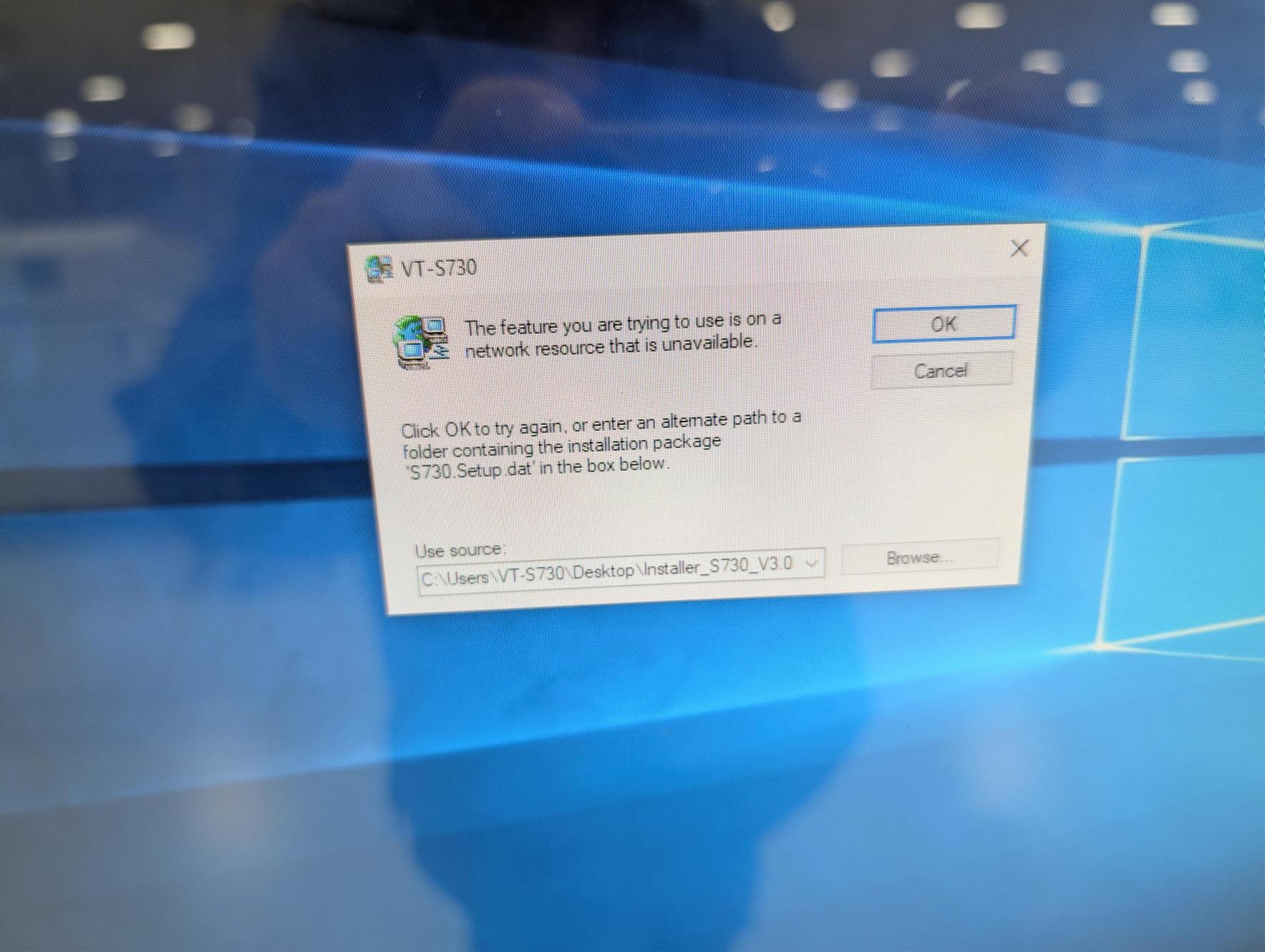
Jeremy, We started the boot disc but its only partially in English so not sure what to do… [email] Brent Spradlin Senior Process Engineer [cid:keylogo_208x50_04c1f041-eeb2-4999-a226-f8eeef885a5b.png] [cid:badge_ps_25_f9cef8ef-7cf8-4ffd-adf1-2b4f3d8d1826.png] office: 2178 5564 Chief Truman Brewer Street fax: Springdale, AR 72764 [email] keytronic.com This e-mail message may contain confidential or legally privileged information and is intended only for the use of the intended recipient(s). Any unauthorized disclosure, dissemination, distribution, copying or the taking of any action in reliance on the information herein is prohibited. E-mails are not secure and cannot be guaranteed to be error free as they can be intercepted, amended, or contain viruses. Anyone who communicates with us by e-mail is deemed to have accepted these risks. Key Tronic Corporation is not responsible for errors or omissions in this message and denies any responsibility for any damage arising from the use of e-mail. Any opinion and other statement contained in this message and any attachment are solely those of the author and do not necessarily represent those of the company.
Hello Brent, Do you have a backup of machines C/Program Files / Omron folder? If you do you can recover PC. First clone another AOI's C drive (please have your IT assist) to this machines C drive. Once you have cloned drive just update PC name and IP information to match original. Then replace cloned Omron folder with that of original Omron. Make sure AOI you clone has same PC model. Thanks,
freshdesk-inline-150174814929.png
C
CustomerCustomer reply | Aug 20, 2026 at 12:31 PM
Before i continue with reimagining. Just an update before I continue with reimaging, diagnostics did not find anything and reported it was good however, in troubleshooting I have swapped ports via extension and usb hub and there was no detection of said devices. I was able to clone line 1 AOI and will use that to reimage line 3 AOI. James Stout Computer Support Technician office: [phone] [cid:keylogo_208x50_bbd3eb93-6727-44fa-b710-bdda3b5dcba5.png] [cid:badge_ps_25_b443c943-8b12-4814-87e8-575bb98241a4.png] fax: 5564 Chief Truman Brewer Street cell: [phone] Springdale, AR 72764 [email] keytronic.com This e-mail message may contain confidential or legally privileged information and is intended only for the use of the intended recipient(s). Any unauthorized disclosure, dissemination, distribution, copying or the taking of any action in reliance on the information herein is prohibited. E-mails are not secure and cannot be guaranteed to be error free as they can be intercepted, amended, or contain viruses. Anyone who communicates with us by e-mail is deemed to have accepted these risks. Key Tronic Corporation is not responsible for errors or omissions in this message and denies any responsibility for any damage arising from the use of e-mail. Any opinion and other statement contained in this message and any attachment are solely those of the author and do not necessarily represent those of the company. ________________________________
22 tiny or repeated images hidden.
TL
Tony LeeOmron reply | Aug 20, 2026 at 12:44 PM
Hello Brent, Thanks for update. Current actions are to recover the AOI PC and bring software back online. There is a possibility of projector error returning. Thanks,
freshdesk-inline-150174960494.png
C
CustomerCustomer reply | Aug 20, 2026 at 12:44 PM
Private
Dear sender, I am out of the office returning Thursday, August 28th due to: ( x ) business trip ( ) workshop / training / meeting / exhibition ( ) leave / holiday / vacation E-mails will ( ) neither be read nor forwarded ( x ) only be read occasionally For technical support and inquiries, please e-mail [email] for assistance.
C
CustomerCustomer reply | Aug 20, 2026 at 2:07 PM
After successfully cloning AOI from line 1 and reimaging line 3, the system still does not see those ports, after confirming those ports are dead. James Stout Computer Support Technician office: [phone] [cid:keylogo_208x50_bbd3eb93-6727-44fa-b710-bdda3b5dcba5.png] [cid:badge_ps_25_b443c943-8b12-4814-87e8-575bb98241a4.png] fax: 5564 Chief Truman Brewer Street cell: [phone] Springdale, AR 72764 [email] keytronic.com This e-mail message may contain confidential or legally privileged information and is intended only for the use of the intended recipient(s). Any unauthorized disclosure, dissemination, distribution, copying or the taking of any action in reliance on the information herein is prohibited. E-mails are not secure and cannot be guaranteed to be error free as they can be intercepted, amended, or contain viruses. Anyone who communicates with us by e-mail is deemed to have accepted these risks. Key Tronic Corporation is not responsible for errors or omissions in this message and denies any responsibility for any damage arising from the use of e-mail. Any opinion and other statement contained in this message and any attachment are solely those of the author and do not necessarily represent those of the company.
23 tiny or repeated images hidden.
TL
Tony LeeOmron reply | Aug 20, 2026 at 2:14 PM
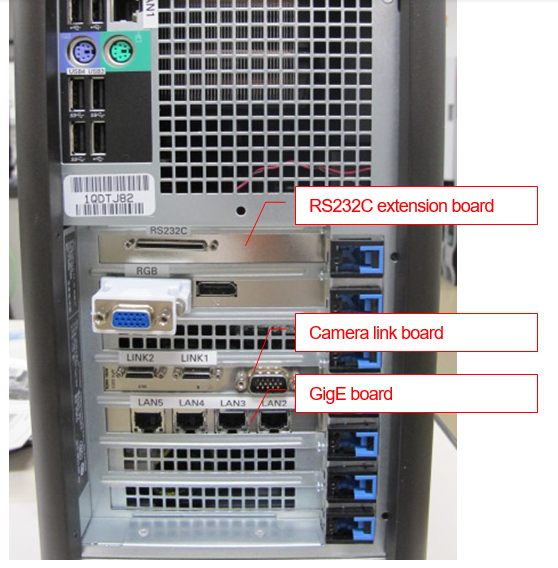
Hello James, Are all PC connections returned to their proper locations? Also check that PC extension boards are properly seated. Can you please provide image of COM port list in Device Manager for AOI. Which devices (ports) are not showing? Thanks,
TL
Tony LeeOmron reply | Aug 20, 2026 at 2:27 PM
Hello Brent or James, Once everything is back online can you please provide Team Viewer info again. Thanks,
C
CustomerCustomer reply | Aug 20, 2026 at 2:39 PM
This is what i am seeing James Stout Computer Support Technician office: [phone] [cid:keylogo_208x50_bbd3eb93-6727-44fa-b710-bdda3b5dcba5.png] [cid:badge_ps_25_b443c943-8b12-4814-87e8-575bb98241a4.png] fax: 5564 Chief Truman Brewer Street cell: [phone] Springdale, AR 72764 [email] keytronic.com This e-mail message may contain confidential or legally privileged information and is intended only for the use of the intended recipient(s). Any unauthorized disclosure, dissemination, distribution, copying or the taking of any action in reliance on the information herein is prohibited. E-mails are not secure and cannot be guaranteed to be error free as they can be intercepted, amended, or contain viruses. Anyone who communicates with us by e-mail is deemed to have accepted these risks. Key Tronic Corporation is not responsible for errors or omissions in this message and denies any responsibility for any damage arising from the use of e-mail. Any opinion and other statement contained in this message and any attachment are solely those of the author and do not necessarily represent those of the company. ________________________________
Tony, Team viewer is no longer on the machine. Do you have install files you could share so we can re-install? Thanks Brent Spradlin Senior Process Engineer [cid:keylogo_208x50_f356fb19-aa04-44c0-862b-f1d81a3536d7.png] [cid:badge_ps_25_1cbd7dca-4b20-44e4-ae87-dc58dbb0b0a7.png] office: 2178 5564 Chief Truman Brewer Street fax: Springdale, AR 72764 [email] keytronic.com
29 tiny or repeated images hidden.
TL
Tony LeeOmron reply | Aug 20, 2026 at 2:59 PM
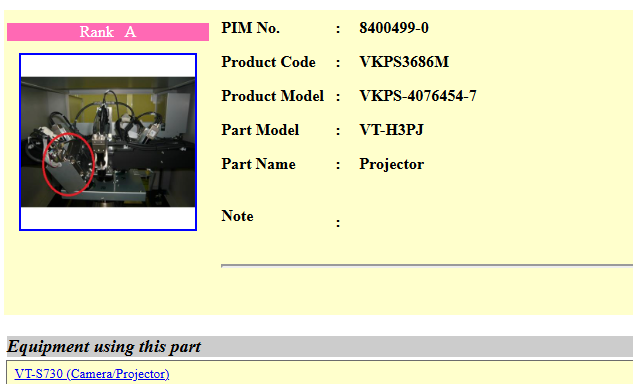
Hello James, Thank you and Brent for all the hard work. So it still appears as if the second projector is not connecting. I was expecting this as it was original fault with AOI. One of the 3D projectors is not coming online, it may be faulty and require replacement. I believe Keytronic has verified that all connections going to both projectors are secure, if not please do so. Do you have any spare projectors in your inventory? replacement and calibration of a new projector may require onsite support. Thanks,
freshdesk-inline-150174984526.png
C
CustomerCustomer reply | Aug 20, 2026 at 5:04 PM
Tony, We do not have any spare projectors. Yes, all connections to both projectors are secure. Can you please provide quote to get support on site? Thanks Brent Spradlin Senior Process Engineer [cid:keylogo_208x50_f356fb19-aa04-44c0-862b-f1d81a3536d7.png] [cid:badge_ps_25_1cbd7dca-4b20-44e4-ae87-dc58dbb0b0a7.png] office: 2178 5564 Chief Truman Brewer Street fax: Springdale, AR 72764 [email] keytronic.com
32 tiny or repeated images hidden.
TL
Tony LeeOmron reply | Aug 20, 2026 at 5:30 PM
Hello Brent, Yes, Omron will provide a quote for a replacement S730 AOI projector and onsite replacement service. Would you like to add a spare projector to quote for future use? Thanks,
freshdesk-inline-150175006391.png
C
CustomerCustomer reply | Aug 20, 2026 at 5:44 PM
Tony, Ok, thanks. I don’t want to add a spare to the replacement and service quote but I would like a separate quote for spare projector. Thanks Brent Spradlin Senior Process Engineer [cid:keylogo_208x50_f356fb19-aa04-44c0-862b-f1d81a3536d7.png] [cid:badge_ps_25_1cbd7dca-4b20-44e4-ae87-dc58dbb0b0a7.png] office: 2178 5564 Chief Truman Brewer Street fax: Springdale, AR 72764 [email] keytronic.com
35 tiny or repeated images hidden.
C
CustomerCustomer reply | Aug 21, 2026 at 11:19 AM
Good morning, Following up on quote request for the projector and onsite service. We are needing to get this line up soon as possible. Thanks Brent Spradlin Senior Process Engineer [cid:keylogo_208x50_f356fb19-aa04-44c0-862b-f1d81a3536d7.png] [cid:badge_ps_25_1cbd7dca-4b20-44e4-ae87-dc58dbb0b0a7.png] office: 2178 5564 Chief Truman Brewer Street fax: Springdale, AR 72764 [email] keytronic.com
35 tiny or repeated images hidden.
C
CustomerCustomer reply | Aug 21, 2026 at 1:46 PM
Private
Tony, I need part number and how much time is required on site. [This is Max Fabiano's card. Their email is [email] Their phone number is +[phone].]
freshdesk-inline-150175134722.png
35 tiny or repeated images hidden.
ST
Saqib ToorPrivate note | Aug 21, 2026 at 1:59 PM
Private
Max, Here is the part number and it would take about 4 hours minimum to replace the projector. Best regards, Saqib Toor Sr. Application Engineer– Inspection Systems [email] [phone] (ITAR authorized) Omron Automation Americas 2895 Greenspoint Parkway, Suite 100, Hoffman Estates, IL 60169 automation.omron.com
freshdesk-inline-150175136858.png
FV
Francisco VillalpandoOmron reply | Aug 21, 2026 at 2:16 PM
Hello Brent, Max will provide the quote shortly. We currently have a projector in stock, and once we receive the PO, we will do our best to ship it as soon as possible. Additionally, regarding our conversation today and considering that some of the USB ports are no longer working, I would recommend checking the PC BIOS to confirm that both the USB 2.0 and USB 3.0 ports are enabled. I would also recommend adding additional USB ports to the PC. Since two of the existing ports are already not working, having a few additional ports available as spares could be very helpful in the future. On the following link, you can find a PCI-to-USB expansion card similar to the one we use in one of our machines. If you can obtain something similar, it would provide additional USB ports and give you some redundancy in case another onboard USB port fails. https://www.amazon.com/StarTech-4-Port-PCIe-10Gbps-PEXUSB314A2V2/dp/B08W58HZ1T?th=1 Francisco Villalpando Engineering Supervisor Direct: +[phone] [email] (Non-ITAR)
C
CustomerCustomer reply | Aug 21, 2026 at 2:54 PM
Private
Hi Brent, Sorry for the delay. Please find quote attached for the immediate replacement needed as well as a spare. There are two in stock now so we can usually ship within a day or two. Thank you, [This is Max Fabiano's card. Their email is [email] Their phone number is +[phone].]