A - Reply Open, A - 1 Hour Delay rslv, AOI - New CSAT Sent, LOCKED
Current case
Customer issue
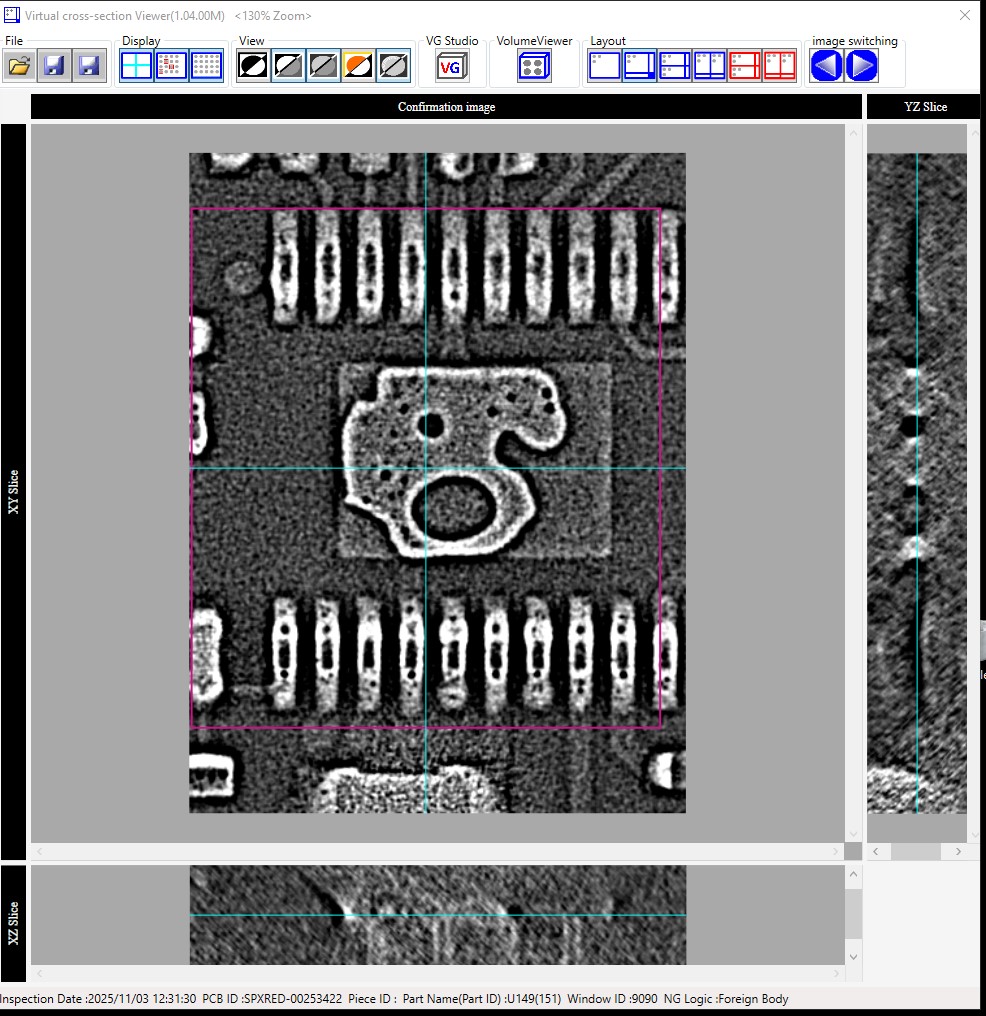
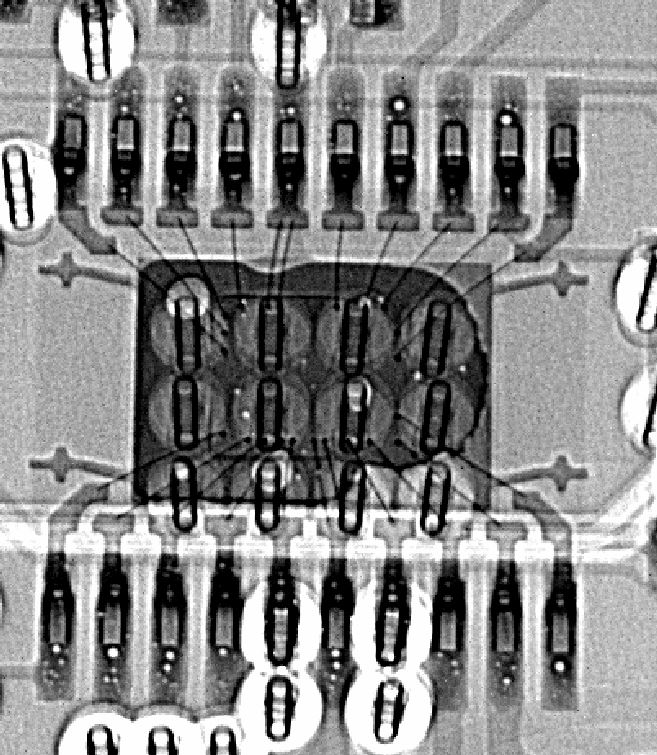
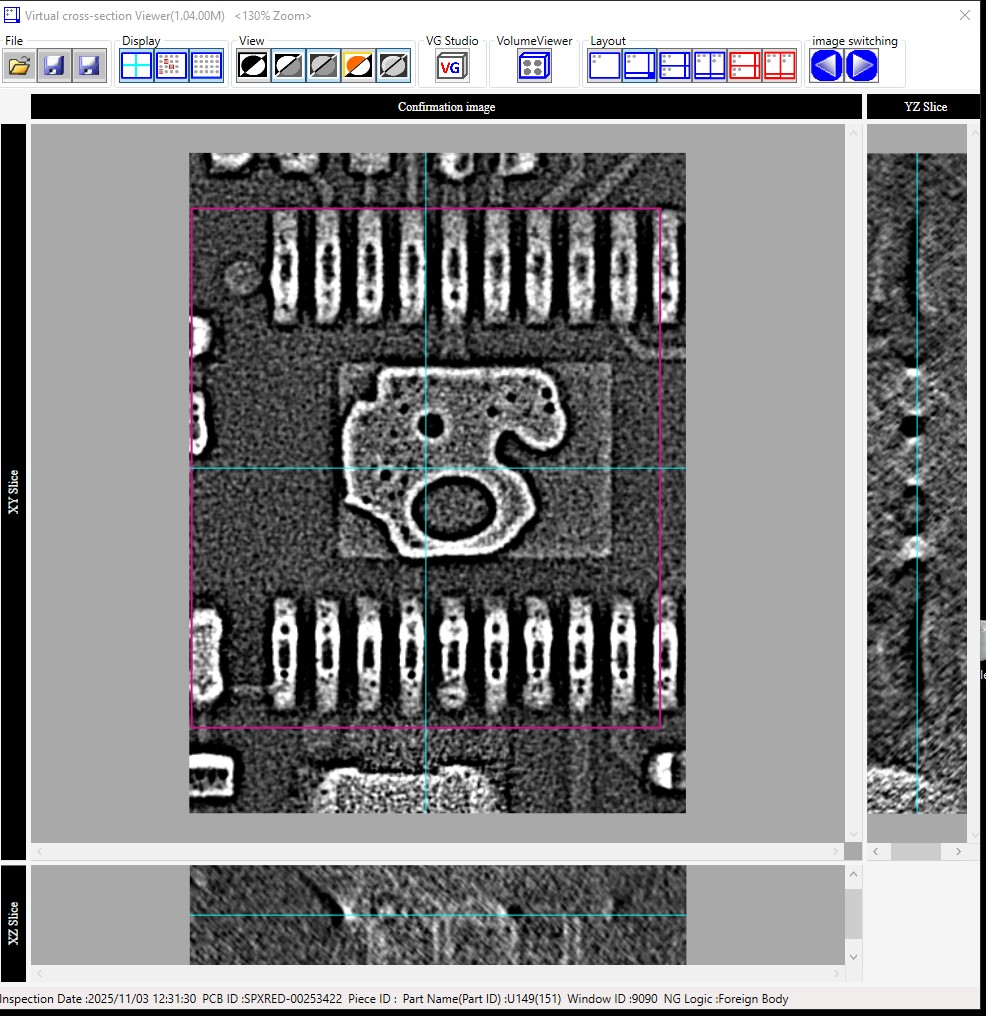
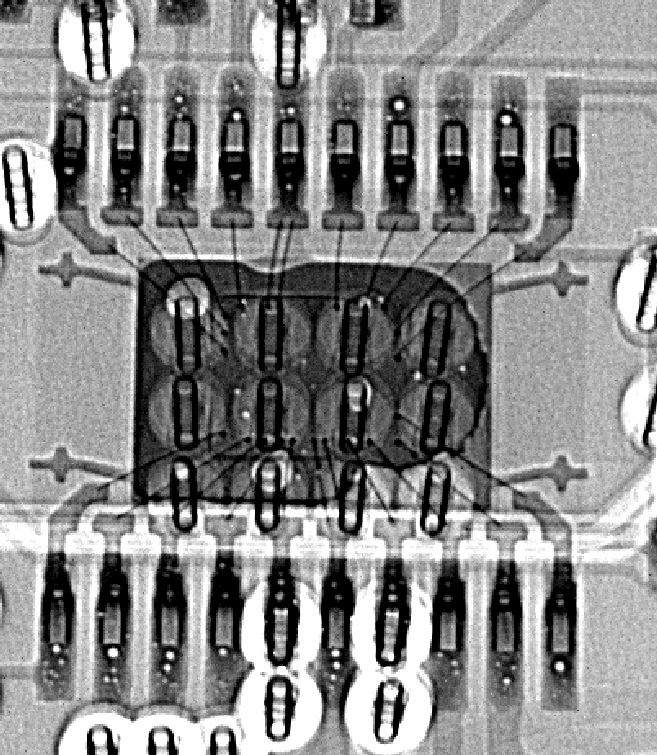
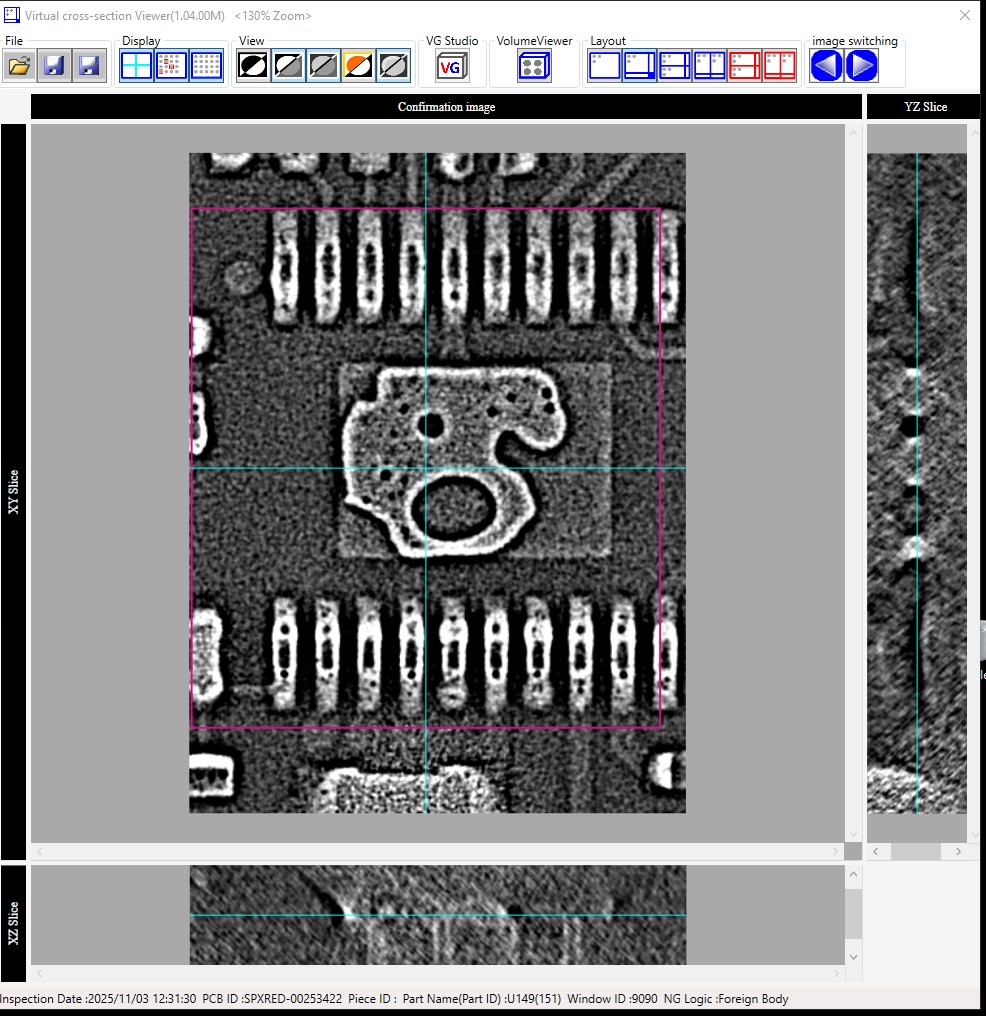
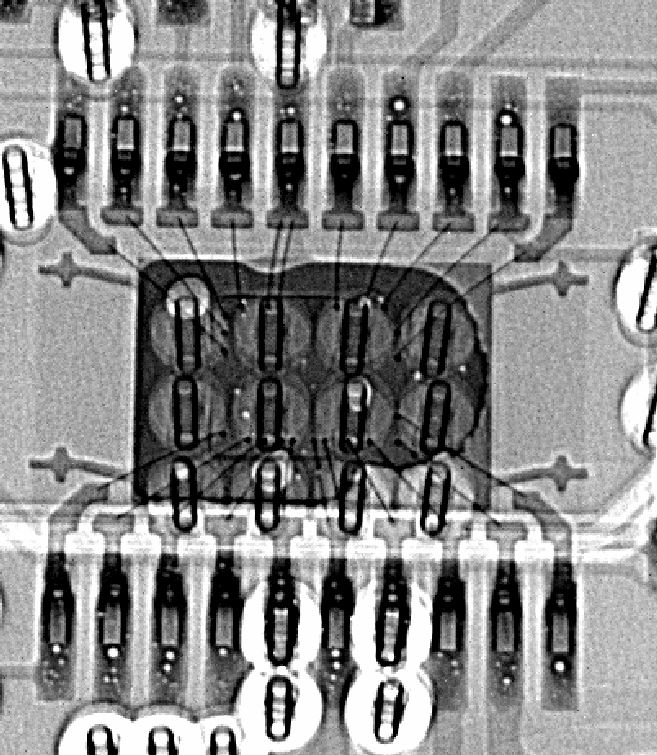
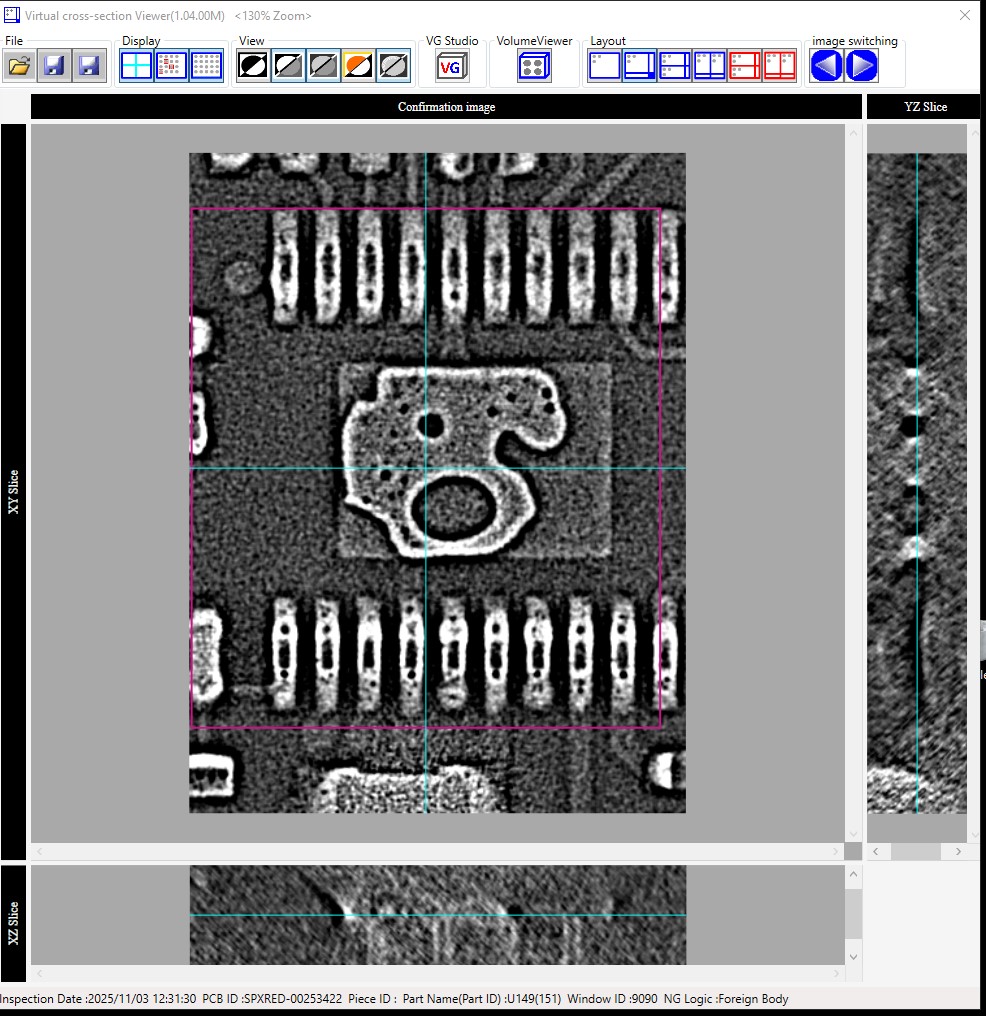
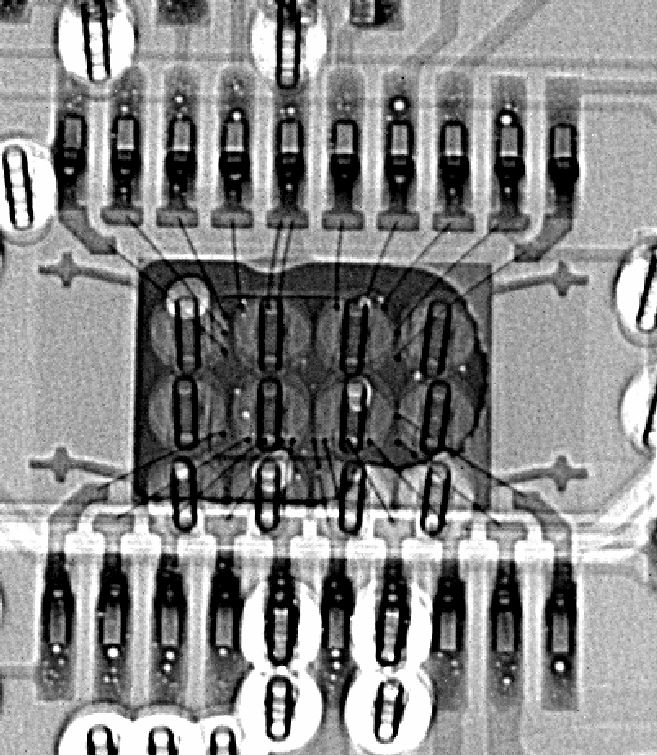
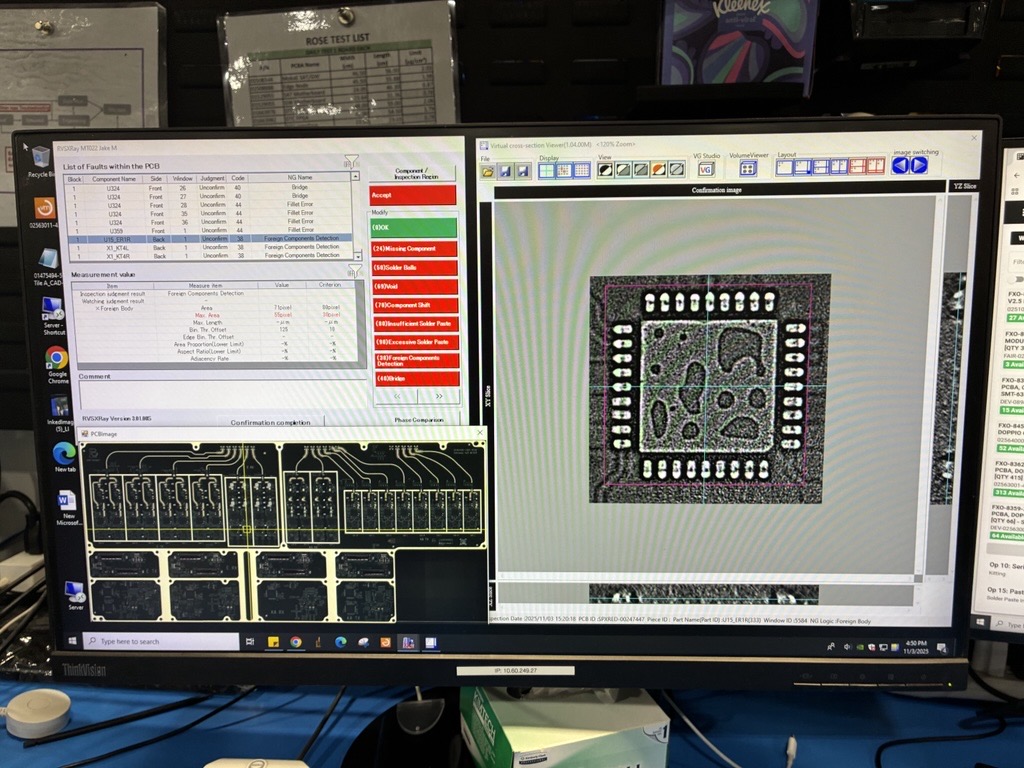
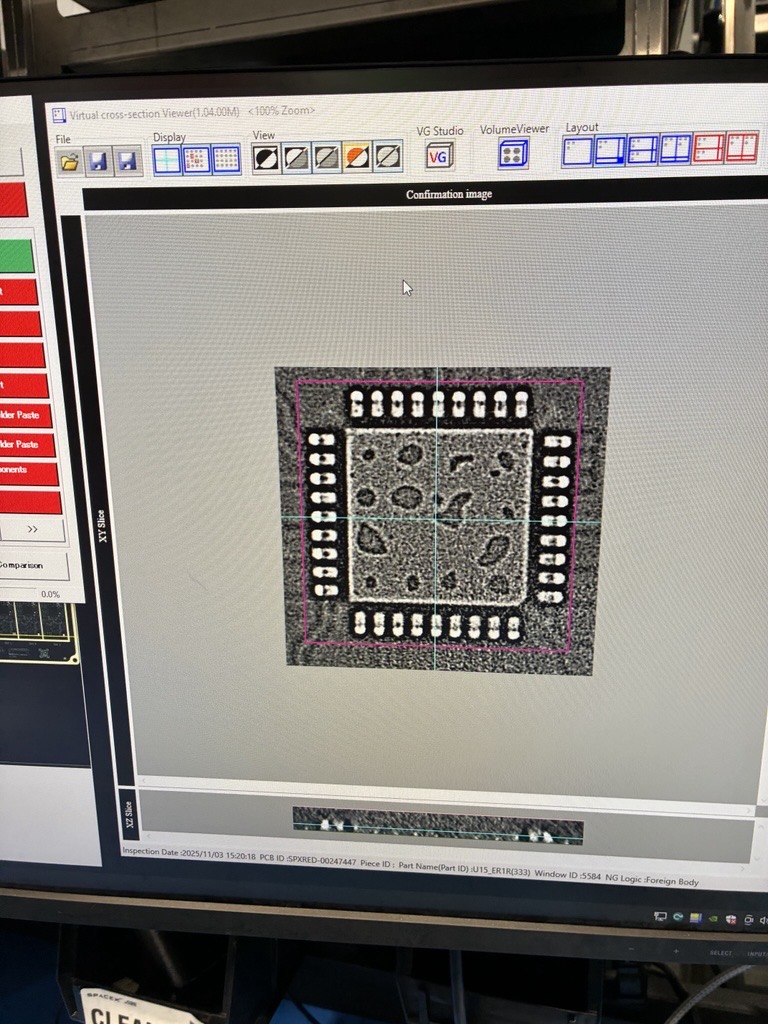
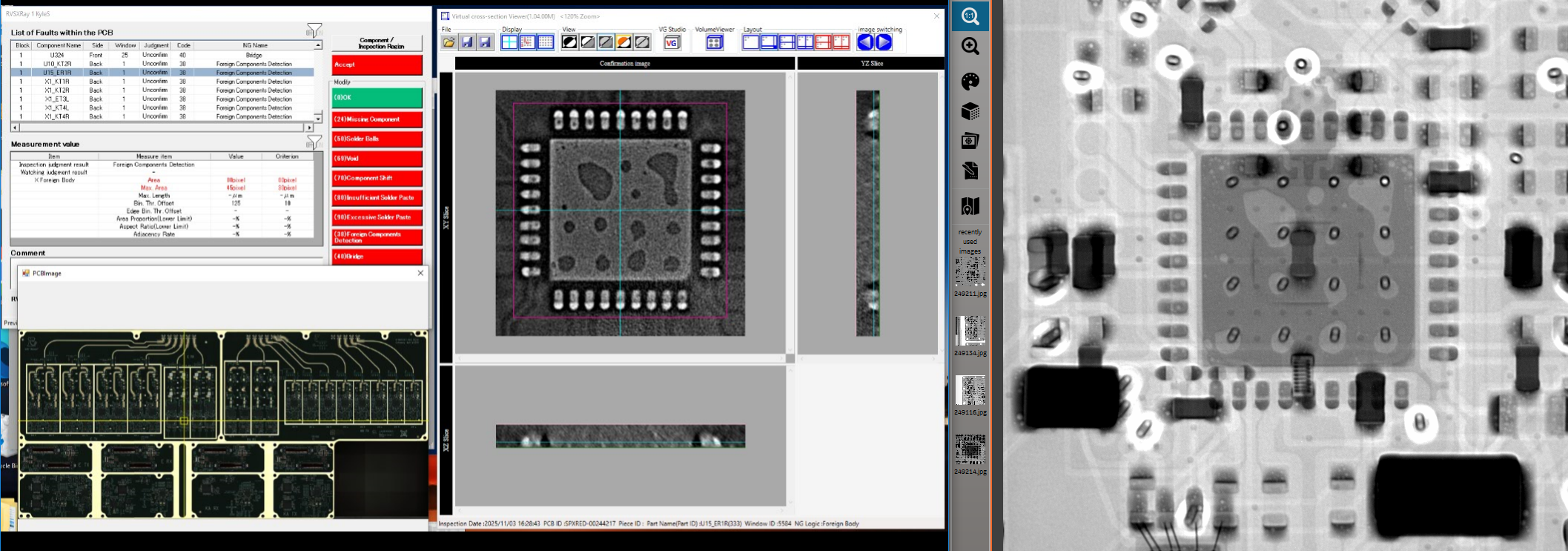
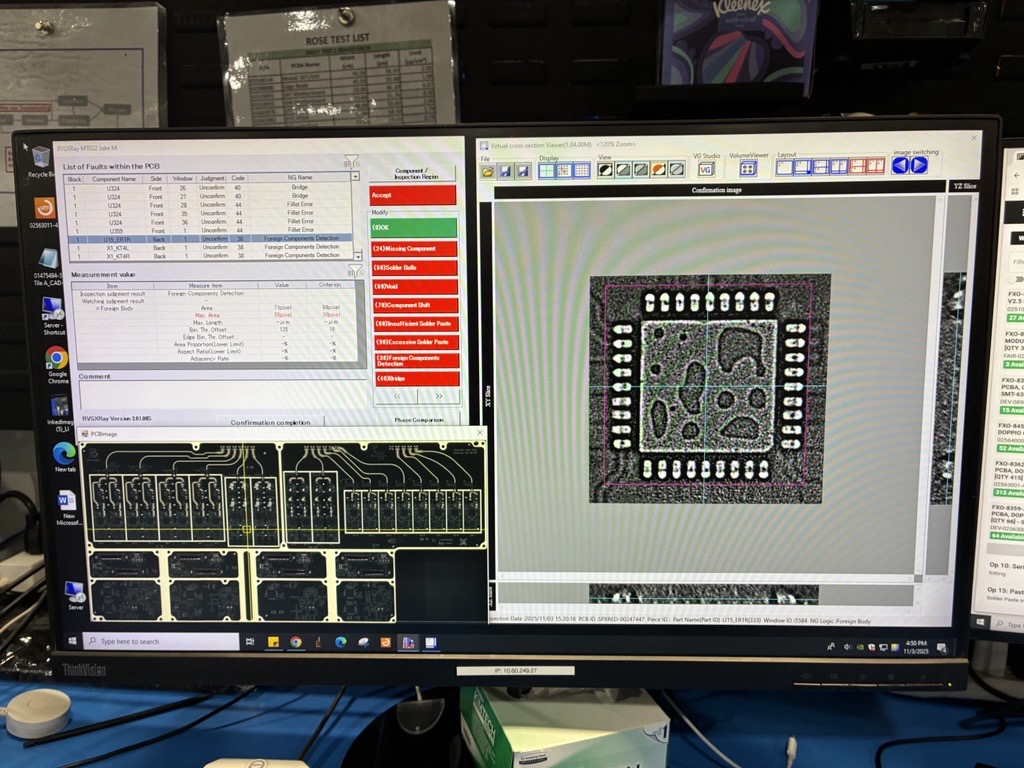
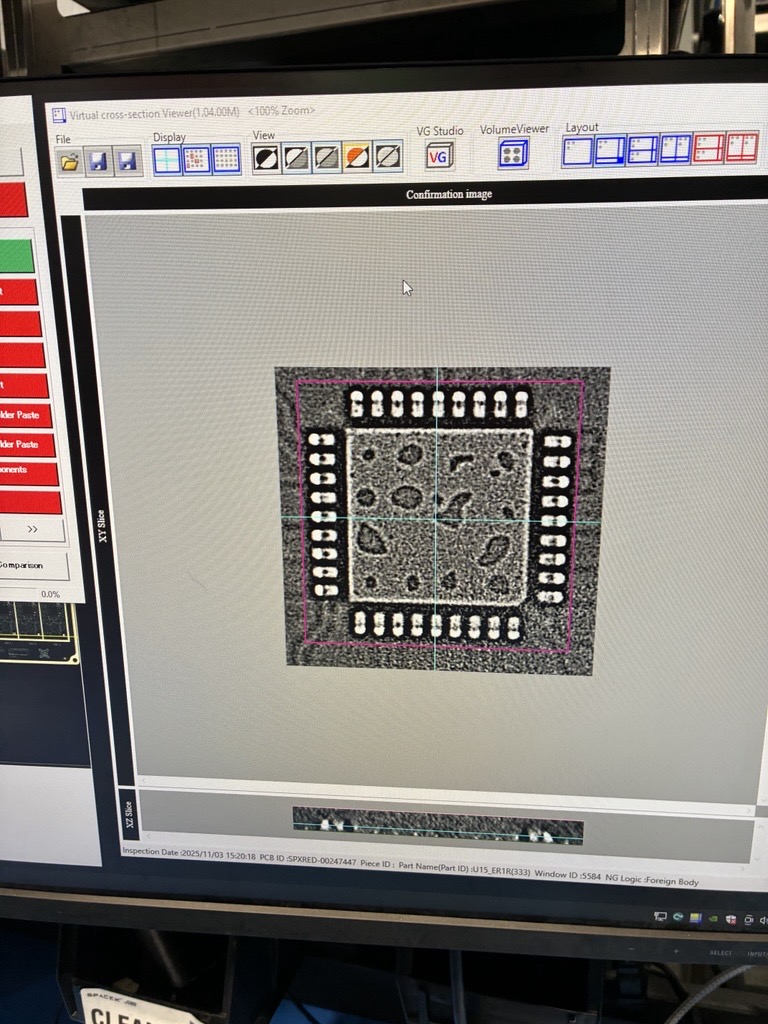
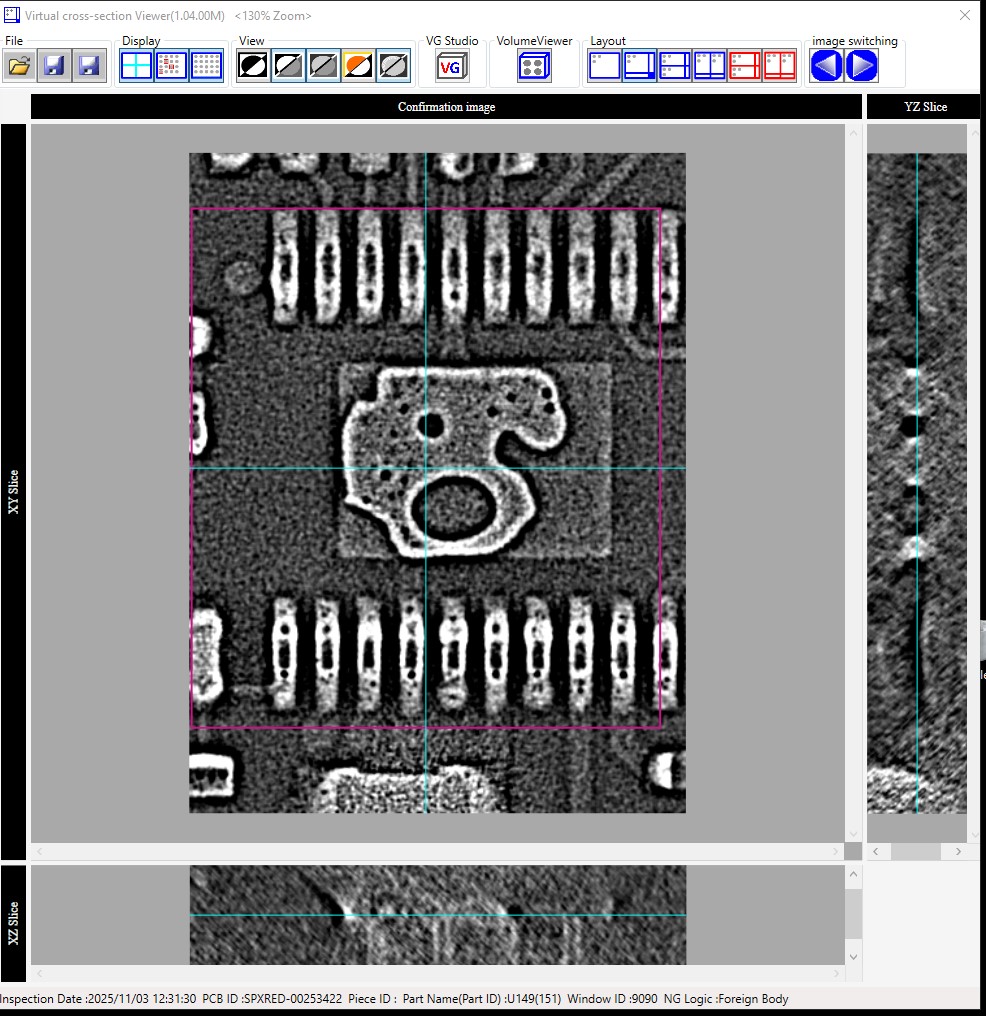
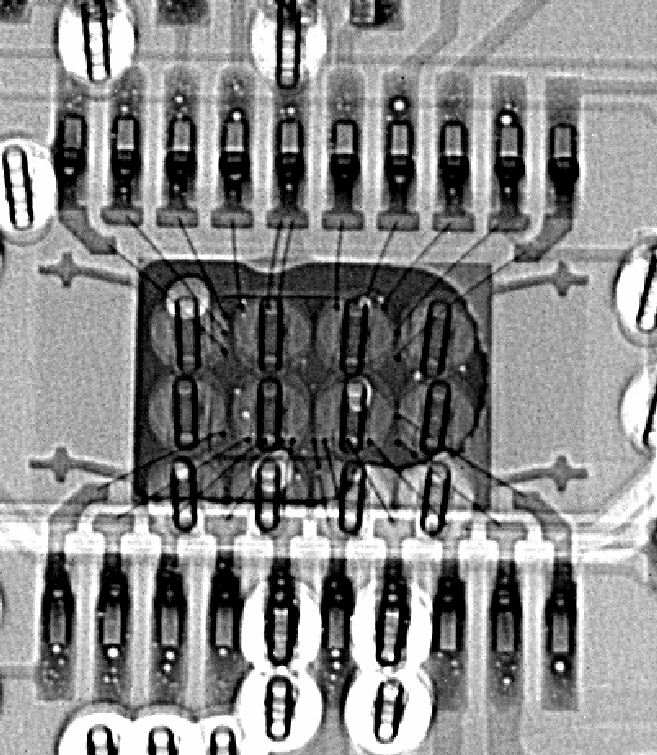
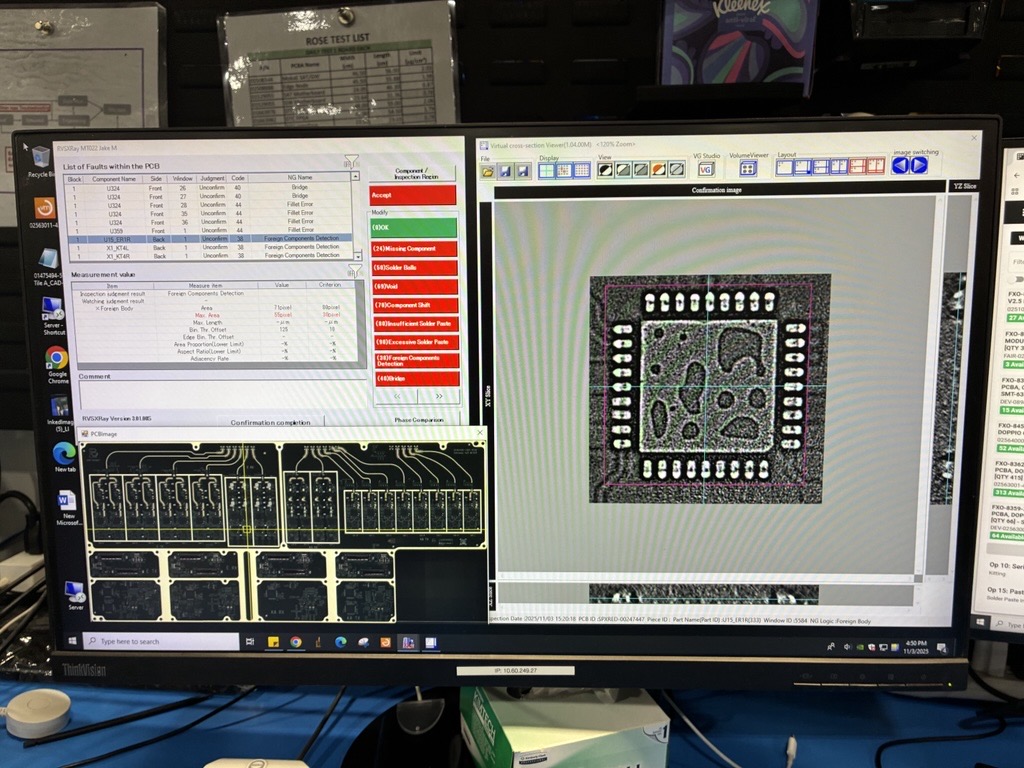
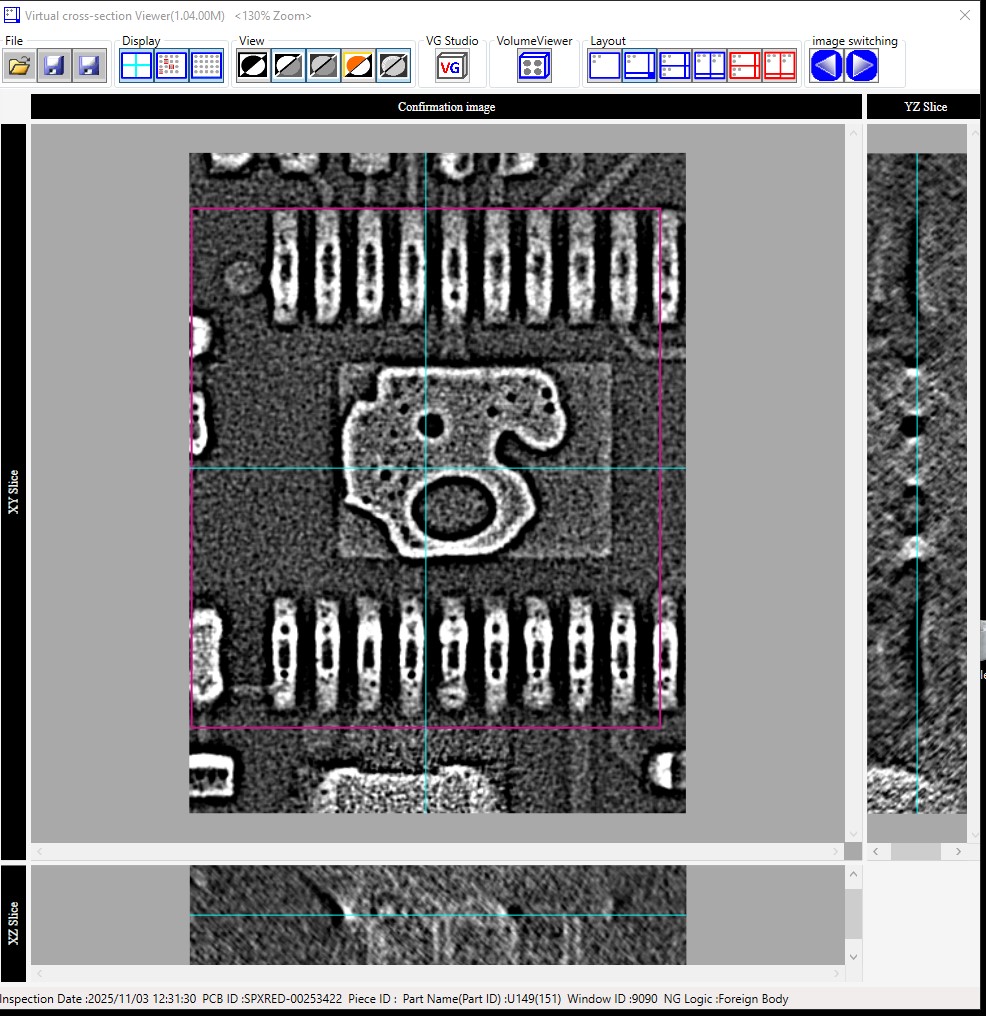
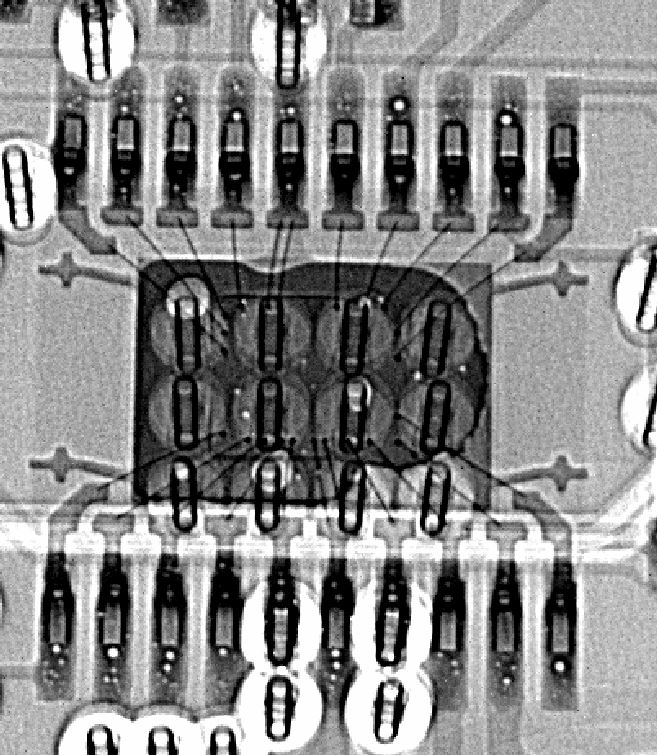
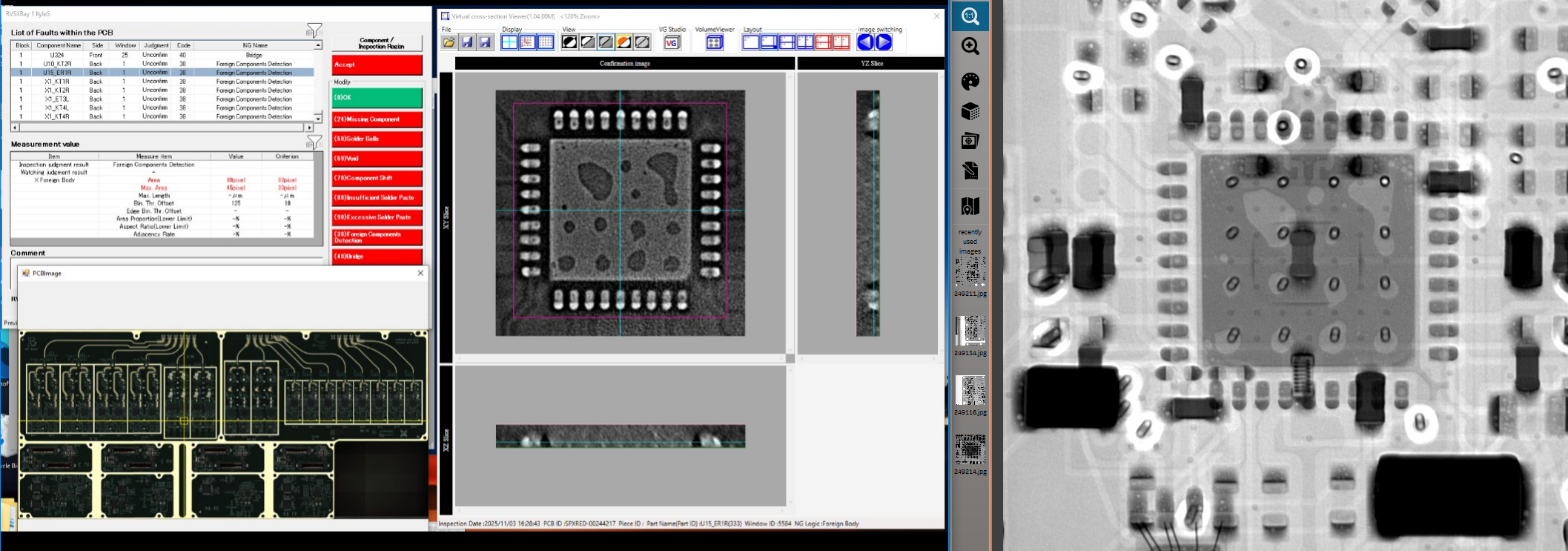
Hey Brian, Tonight, one of our technicians noticed the images being shown during X750 review were different than what was shown on one of our cabinet x-ray systems. Earlier in the year it was escalated by another technician that upon completion of x-ray review, re-opening the review showed a different set of images however, due to the issue of repeatability this concern was dismissed. Today we were able to pull several examples comparing images from X750 and our cabinet system and can confirm through voiding patterns, that X750 is showing an incorrect set of images, such as the example below. Within FileXchange folder titled “5DX Investigation” you will find log files from X750-0621 along with images of our findings. Folders: SPXRED-00248965: Shows two images, one upon initial opening of review and another after a rescan of the board. The cross-sectional view shows component reference designator and serial number. KARX (panelized 2-up PCBAS): Shows images comparing ref des U55 across 3 panels. The images provided by X750 repeatedly shows the same cross-sectional image across 3 different serial numbers UTTC: Shows more examples of conflicting x-ray images also identifiable by the ref des and serial number on the cross-sectional viewer Given the loss of confidence in the system, this issue is of extreme urgency. Timeline of resolution? Is a temporary workaround available to prevent us from blocking production? When did this issue start? What system level is this issue occurring at (Machine/Server/Review)? How can we build confidence in the system displaying correct data? Thanks, Kyle Sarygin Kyle Sarygin SMT Specialist | Starlink [email] | +[phone]
Conversation
Engineer and customer thread
34 messages
OA
Omron Application EngineerOmron reply | Nov 1, 2025 at 9:34 AM
Hello Kyle, We have a ticket system now that will help us keep multiple eyes on the situation. I have created a ticket for SpaceX. Please in the future always include [email] in the email so it generates this automatically. I will login to FileXchange and grab those files. Thanks,
OI
Omron internalPrivate note | Nov 1, 2025 at 9:37 AM
Private
Attached is the file from FileXchange.
OA
Omron Application EngineerOmron reply | Nov 1, 2025 at 1:48 PM
Hello Kyle, I wanted to let you know that we’ve submitted a formal inquiry to our development team in Japan regarding the issue you reported. The inquiry includes all relevant logs and screenshots from your system. Please be assured that maintaining data integrity and traceability is our top priority. We’ll provide you with progress updates as soon as additional details become available from Japan. Thank you again for your patience and cooperation while this is being reviewed. Best regards,
C
CustomerCustomer reply | Nov 1, 2025 at 2:00 PM
Thanks all, Please let us know if there is any more data/files needed from SpaceX to root cause this. We are monitoring this issue closely on every board, cross referencing several components with our manual x-ray system to verify data integrity the best we can. We need to find a resolution to this asap as this could directly impact satellite quality assurance with a scope currently unknown. After further internal investigation, we have learned from technicians that there may have been occurrences of this well over a year ago. Thanks, Tyler Ramirez SMT Specialist | Starlink [email] | Work: ([phone] [email]
Hi Brian, who would be available for a meeting today to review this issue and its corrective actions? We’re currently depending on our 2DX machine in production, which is not at all sustainable. Please let me know who we can meet with to get a path forward on this ASAP. Thanks, Sam
2 tiny or repeated images hidden.
OA
Omron Application EngineerOmron reply | Nov 3, 2025 at 1:15 PM
Hello Kyle and Sam, We are still investigating this issue and I don't have a clear resolution timeline yet. It seems like every time the wrong image is shown, the correct image will appear when reopening the inspection in RVSXRay. Is it also fair to assume that the initial NG images are seen when the operator opens the review immediately after the scan is completed? I would like the following logs from the RVSXray PC which demonstrated the issue: C:\Program Files\OMRON\RVS_APL300\RVSXRay\AppLog\ All .txt files modified on or after 10/31 C:\Program Files\OMRON\VirtualCrossSectionViewer\log\ All .txt files modified on or after 10/31 C:\Program Files (x86)\OMRON\VcsVService\log\ All .txt files modified on or after 10/31 It looks like these reviews always happened on 10/31, so would it be safe to assume the first time the operator opened the review is close to the time of Inspection? Regards,
C
CustomerCustomer reply | Nov 3, 2025 at 1:32 PM
Hi Brian, please find attached logs. For the 3rd bullet point, there were no .txt files in that folder. I’ve been told this issue has occurred previously but am not sure what the situation was. When we ran this past Saturday the issue arose multiple times. Thank you, Sam
2 tiny or repeated images hidden.
OA
Omron Application EngineerOmron reply | Nov 3, 2025 at 2:38 PM
Hello Sam, Can you please double check that these log files came from the RVSXray PC that demonstrated the issue, and not a different PC? I am trying to match the logs with the images that were send earlier, and none of the board serials in the photos appear in the logs at all. Regards,
C
CustomerCustomer reply | Nov 3, 2025 at 5:50 PM
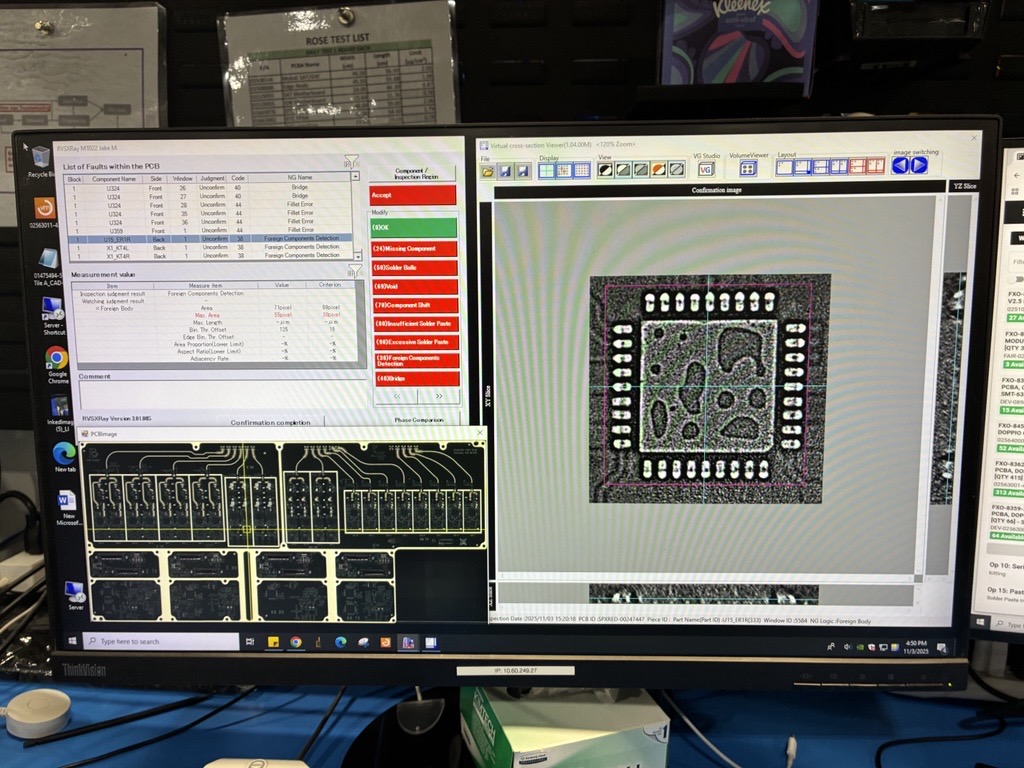
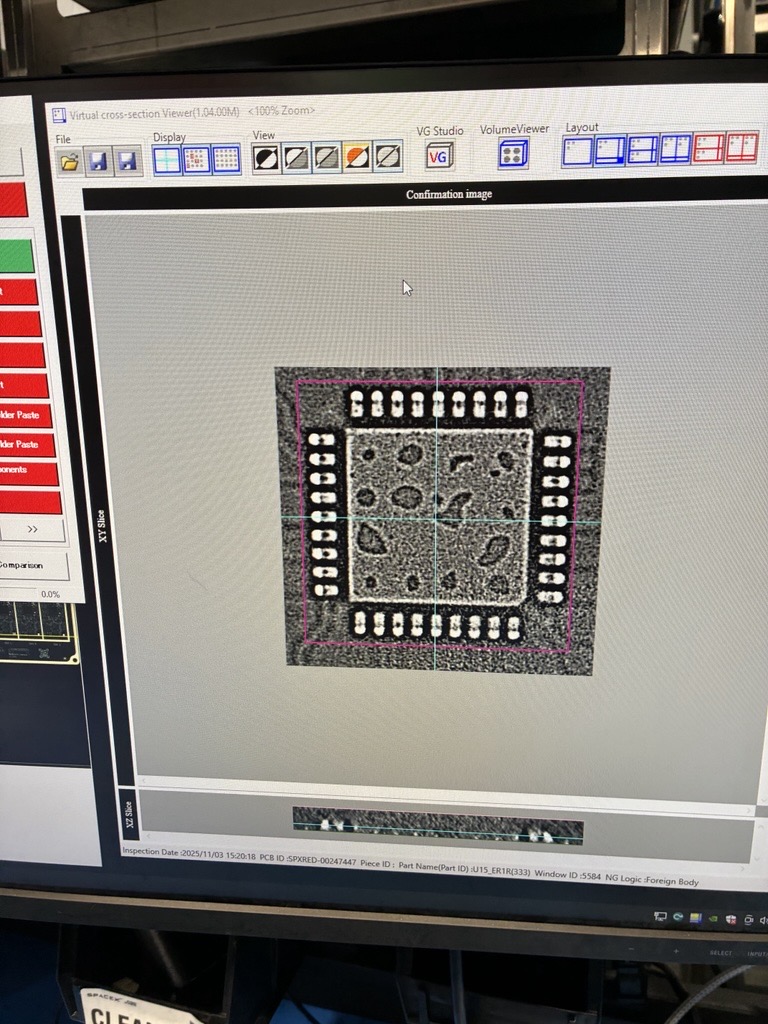
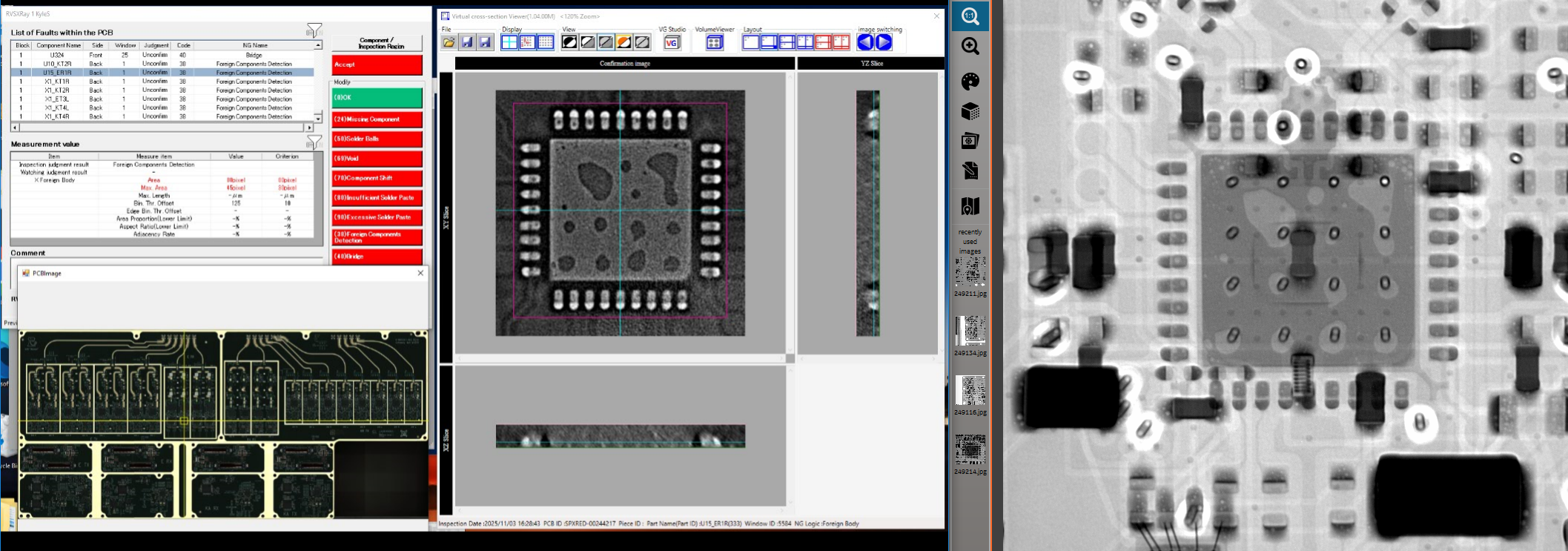
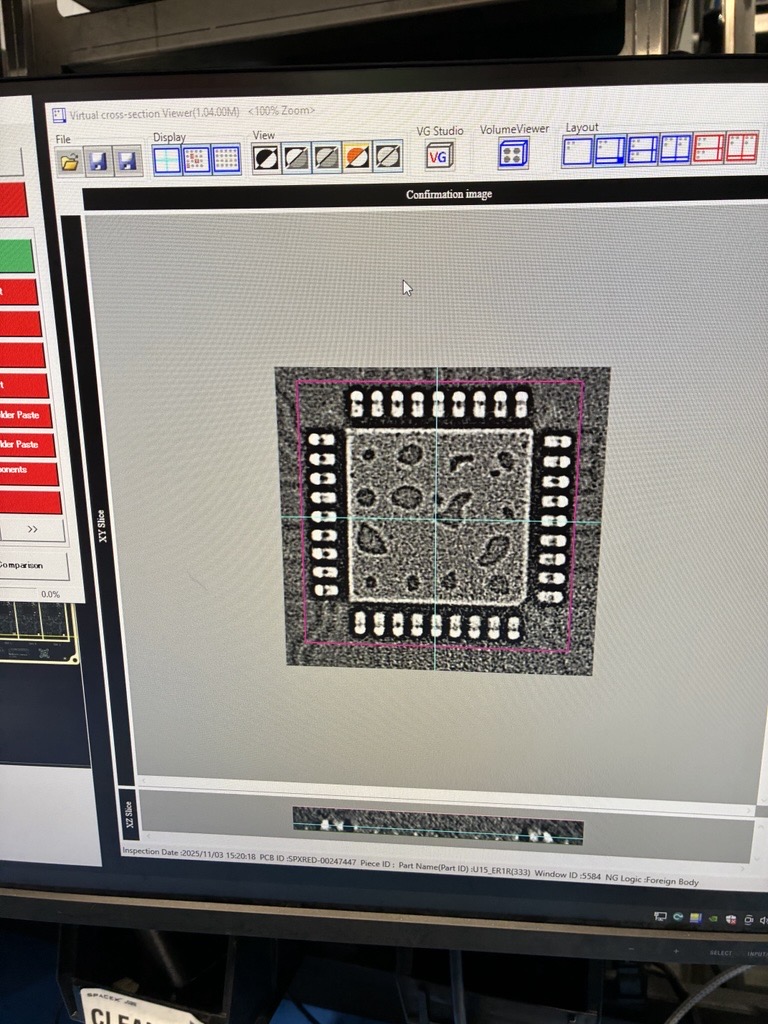
I believe that review station was correct, @Kyle Sarygin can confirm where the issue was discovered. We just ran into another instance of this on another review station, below are images for reference. I cross referenced the rvs image and located the part on the manual x-ray myself and can confirm rvs is showing the wrong image. Reloading the review software did not resolve this, I set the board aside and am considering rerunning it. Ill collect and send over the files from this review station shortly. [email]
The images in FileXchange “5DX Investigation” were reviewed on RVSX2 10.60.249.144. @Tyler Ramirez Will be adding those log files into FileXchange folder titled “RVSX2 Log Files”
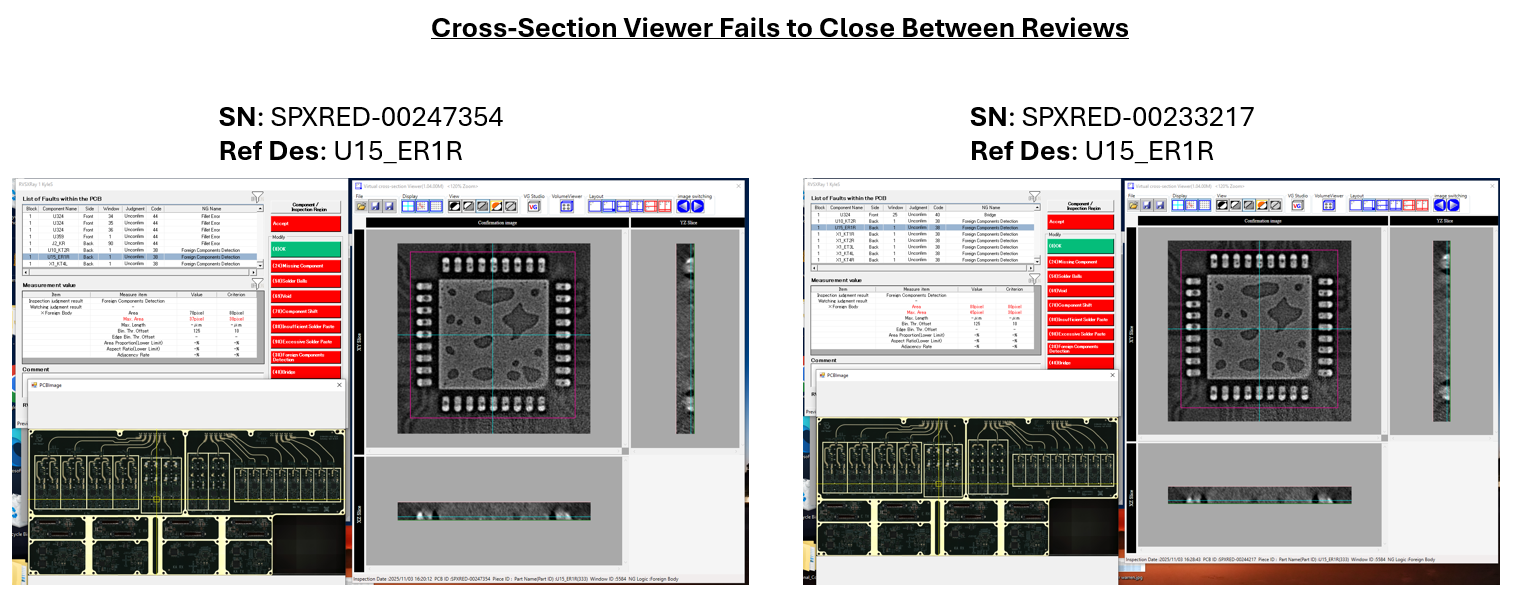
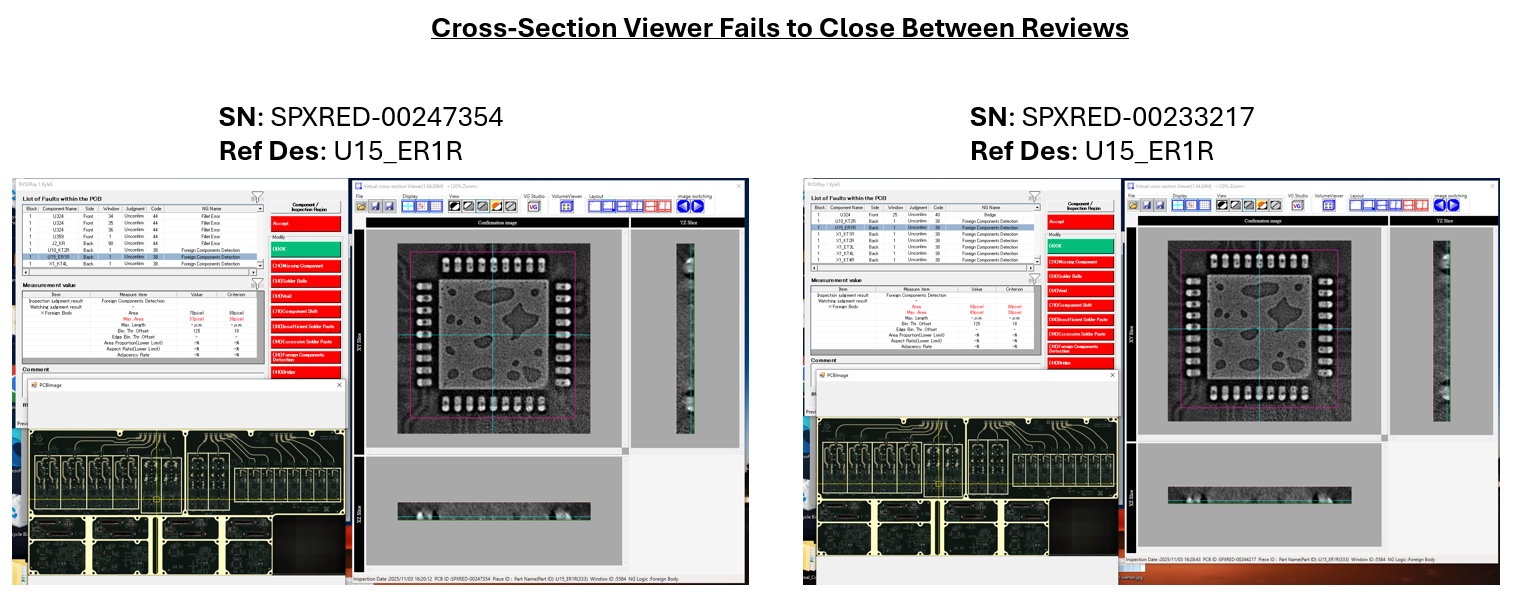
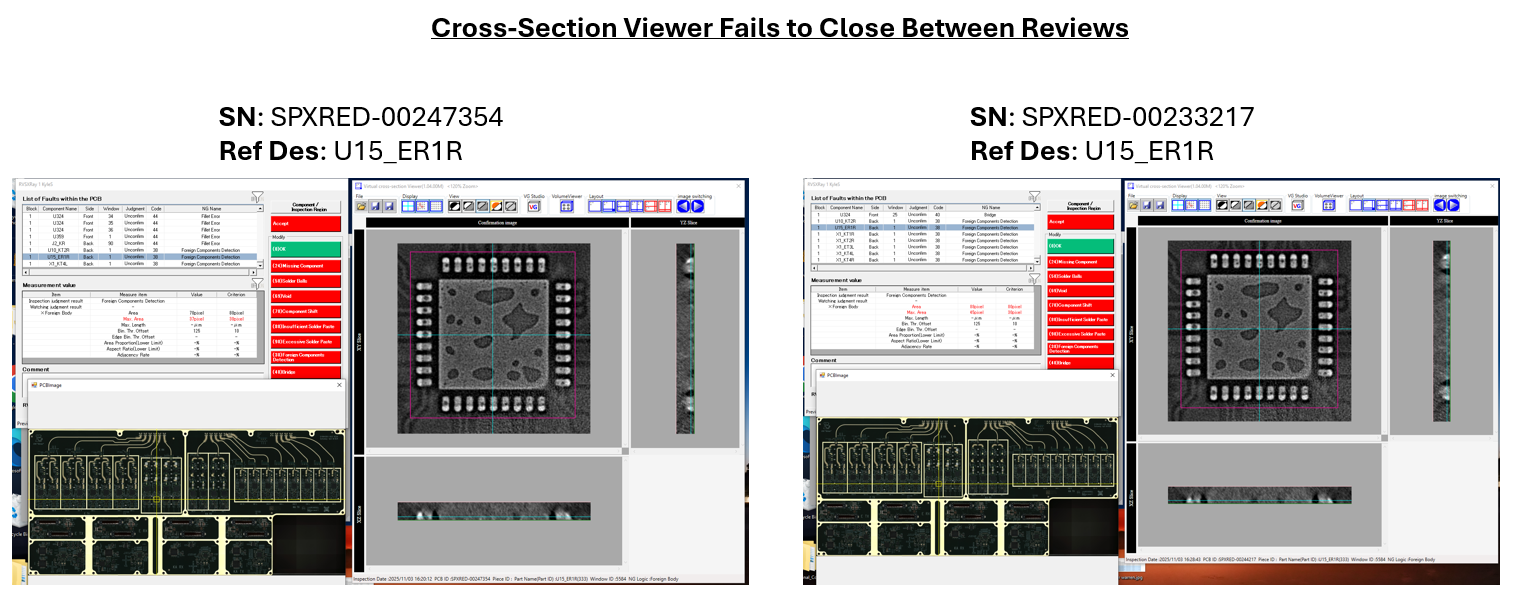
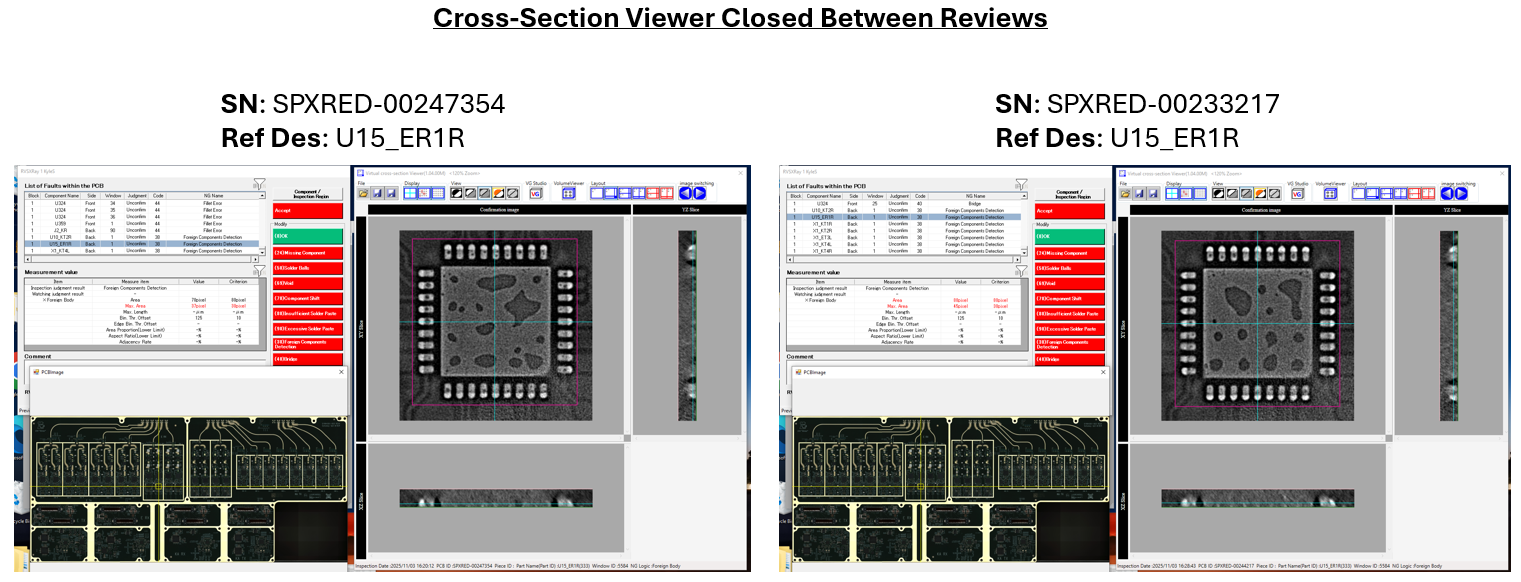
All, A pattern we are seeing is that when this occurs, the images presented are from the board reviewed immediately before. It seems the images from the previous board might be reserved in a cache that is not being reset after completing the classification. Is there someone from Omron who can come onsite ASAP to troubleshoot this? Below are two images from our review stations with identical identifying data at the bottom, though the x-ray images are different. [email] Thanks, Tyler
Omron internalPrivate note | Nov 4, 2025 at 12:19 AM
Private
Brian Andersen I’ve been running tests on OEI’s VTX server to understand how the database handles image references. I’d like to run a similar SQL query on SpaceX’s server to confirm that each inspection record points to a unique image on their AXI system. That will help rule out the possibility of the database reusing or mislinking images, even if that’s unlikely. Do you know if SpaceX still allows remote access? If not, I can reach out to Tyler to coordinate a data pull or confirm their access policy. Let me know if you’re already in contact with someone in Japan about this, so we don’t overlap efforts.
C
CustomerCustomer reply | Nov 4, 2025 at 2:57 AM
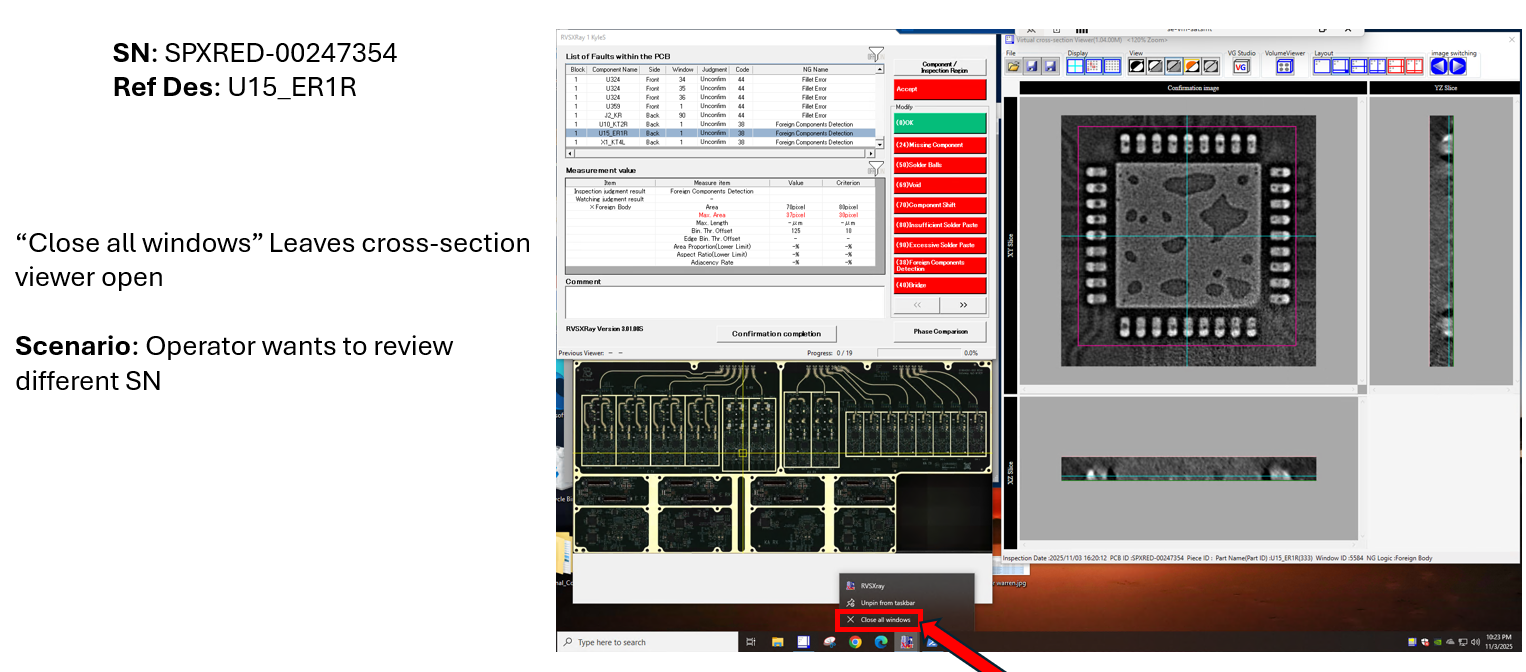
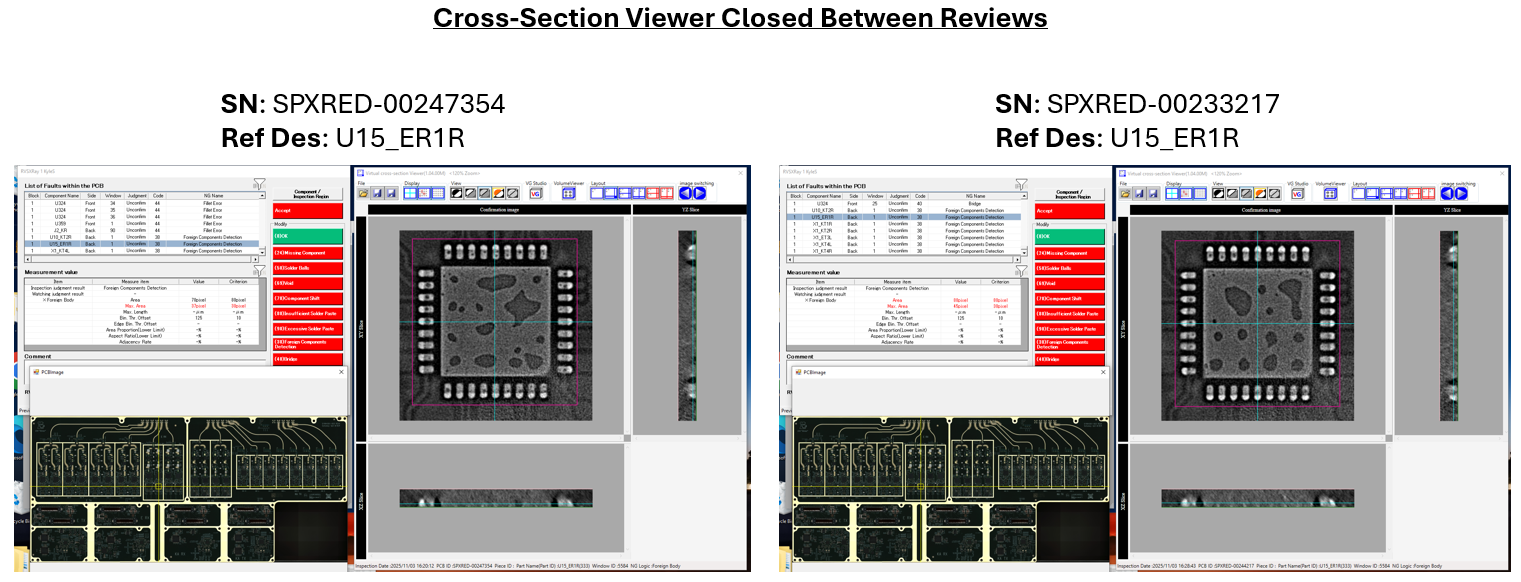
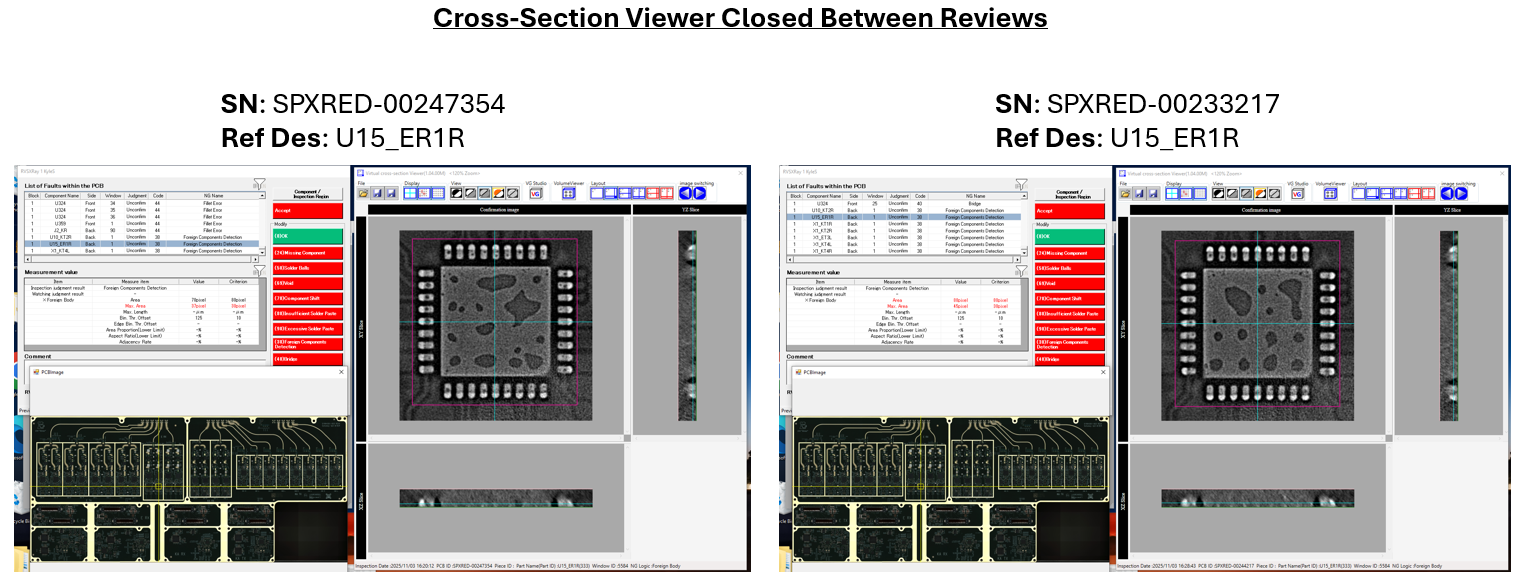
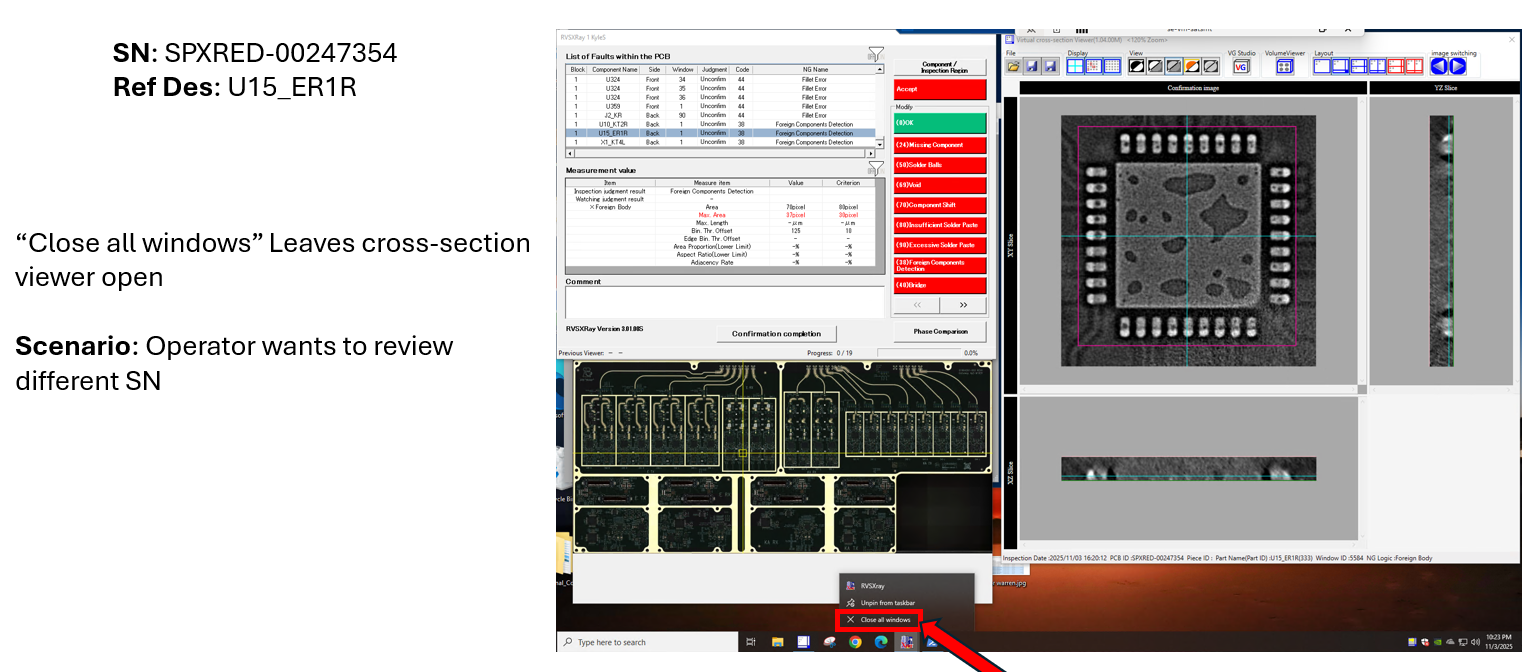
Hey Team, Believe we have found the pattern to reproduce this behavior. Scenarios where the cross-section viewer remains open between reviews, will pull an incorrect set of x-ray images. [email] SN: SPXRED-00233217 is the next PCBA scanned. Note similar voiding pattern displayed. [email] At any point if the cross-section viewer is closed out, manually or through “Confirmation Completion” a new set of images are displayed [email] Verified under cabinet system x-ray via voiding pattern (4x components successfully verified) [email] Given the loss of confidence in the system, can the Omron team * Replicate the behavior described above and ensure the correct data source is being displayed? * Provide a timeline to address this issue? Thanks, Kyle
Omron Application EngineerOmron reply | Nov 4, 2025 at 9:02 AM
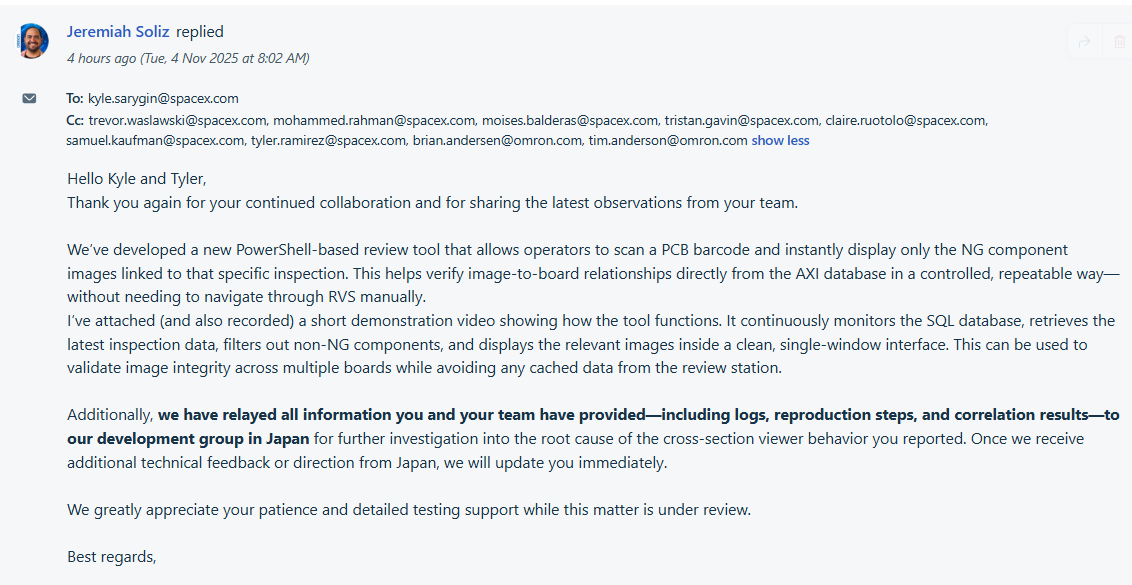
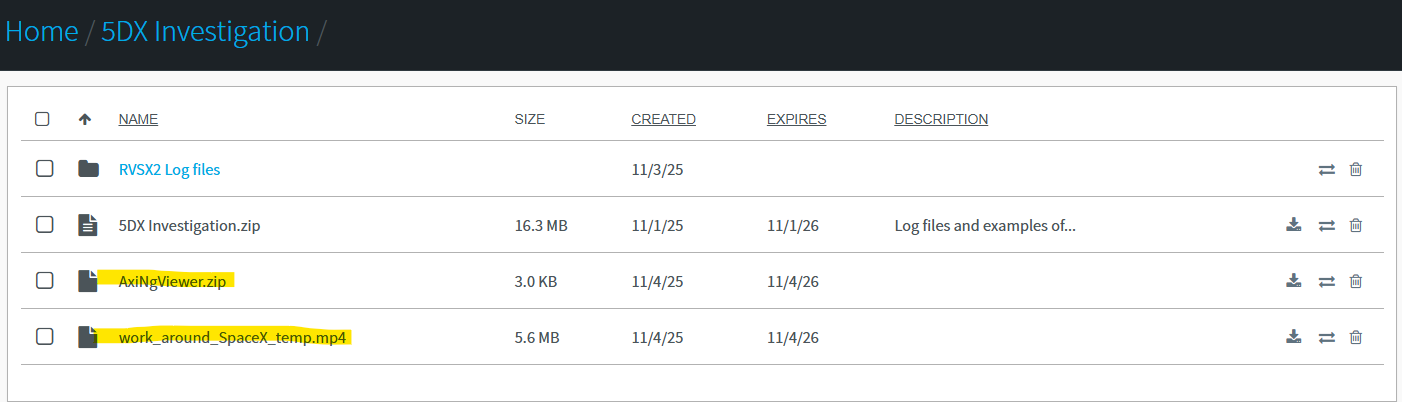
Hello Kyle and Tyler, Thank you again for your continued collaboration and for sharing the latest observations from your team. We’ve developed a new PowerShell-based review tool that allows operators to scan a PCB barcode and instantly display only the NG component images linked to that specific inspection. This helps verify image-to-board relationships directly from the AXI database in a controlled, repeatable way—without needing to navigate through RVS manually. I’ve attached (and also recorded) a short demonstration video showing how the tool functions. It continuously monitors the SQL database, retrieves the latest inspection data, filters out non-NG components, and displays the relevant images inside a clean, single-window interface. This can be used to validate image integrity across multiple boards while avoiding any cached data from the review station. Additionally, we have relayed all information you and your team have provided—including logs, reproduction steps, and correlation results—to our development group in Japan for further investigation into the root cause of the cross-section viewer behavior you reported. Once we receive additional technical feedback or direction from Japan, we will update you immediately. We greatly appreciate your patience and detailed testing support while this matter is under review. Best regards,
C
CustomerCustomer reply | Nov 4, 2025 at 12:20 PM
Hi Omron Team, As a reminder, SpaceX purchased an expedited service support package on PO 3366512 where Omron committed to specified turnaround times for remote and onsite support. As stated in the service level agreement, maximum response time for distant support shall be 4 hours, and maximum turnaround time for onsite support shall be 48 hours from the time when remote support is deemed insufficient. We look forward to Omron adhering to these guarantees that SpaceX purchased. Thanks, Claire Ruotolo Sr. Sourcing Specialist, SpaceX Starlink Satellite Production 22842 NE Marketplace Dr Redmond, WA 98053
Claire, I checked this, and we responded ~4 hours ago, around 8:02am CST. After some investigation, it appear that the attachments in Jeremiah's email must have been blocked by both SpasceX and Omron. Here is the original email message for everyone's reference: [cid:77ca2b86-d406-4da5-afb4-32da45d98a80] I will try to send the Powershell script to FileXchange instead so that the dialogue still works. Regards, [This is Brian Andersen's card. Their email is [email] Their email is [email] Their phone number is +[phone].] ________________________________
Omron Application EngineerOmron reply | Nov 4, 2025 at 1:29 PM
Hello All, Jeremiah's Powershell script and instructional video have been uploaded to FileXChange. Please try this on the RVSXRay PC and let us know if it helps.
freshdesk-inline-150136899386.png
OA
Omron Application EngineerOmron reply | Nov 4, 2025 at 2:53 PM
Hello Tyler, Thanks for letting me know the error. I have reuploaded a couple of files. 1. Can you please get create_rvs_app_win_auth_FROM_AXI_SERVER.zip file, extract this onto your AXI server, and run this .bat file inside. This will create the rvs_app user on your SQL database. 2. Then download the RUN_AFTER_ON_REVIEW_STATION_AxiNgViewer.zip file from FileXchange, and extract this onto the review station. You can run this now and shouldn't have that authentication issue we had before. Let me know? I will text you as well to let you know these files are here. Thanks.
1 tiny or repeated image hidden.
C
CustomerCustomer reply | Nov 4, 2025 at 3:10 PM
All, Jeremiah and I are working together to get the temporary NgViewer working on our review stations. This will help us quickly verify the integrity of each board’s images at the review station instead of having to utilize our 2dx machine. If Omron can confirm that the root cause suggested by Kyle last night is accurate, there shouldn’t be a need to use the NgViewer and we can continue production by ensuring to close the cross-section viewer so a new instance generates for each review. Moving forward, will Omron be providing a software update to ensure that the cross-section viewer is always up to date with the loaded review data? Thanks, Tyler Ramirez SMT Specialist | Starlink [email] | Work: ([phone] [email]
13 tiny or repeated images hidden.
OA
Omron Application EngineerOmron reply | Nov 4, 2025 at 3:17 PM
Hello Tyler, I have uploaded a new file for you to test. Please test and send me a screenshot if it doesn't work. We were able to validate we connected to the DB, now just need the images to come back cleanly. This had to do with the code in the powershell script and the naming convention of your REF designators. Let me know? Thanks.
1 tiny or repeated image hidden.
C
CustomerCustomer reply | Nov 4, 2025 at 8:04 PM
Jeremiah and I were able to get the NgViewer powershell script working on our system, eliminating the need for 2DX verification. This acts as a bandaid fix to the issue at hand. We are waiting on follow up if the behavior previously described is correctly defined. On our end traceability and scope are topics for concern. Kyle Sarygin SMT Specialist | Starlink [email] | +[phone] [email]
13 tiny or repeated images hidden.
OI
Omron internalPrivate note | Nov 4, 2025 at 9:52 PM
Private
Going to need help convincing these guys. 1. Order of Operations 2. Only use tool to validate your "Order of Operations" is correct. 3. Stop using tool.
OA
Omron Application EngineerOmron reply | Nov 5, 2025 at 3:10 PM
Hello Kyle, We've done some testing and although the issue does not reproduce here, we have a generally good idea of the process. Can you confirm a few details here? Issue occurs only when RVSXRay is closed manually via the Taskbar Issue does not have any relation to how quickly the review is opened after scan When RVSXRay is manually closed by an operator, VirtualCrossSectionViewer does NOT close Issue occurs only when VirtualCrossSectionViewer is left OPEN after RVSXRay is closed manually I also have a few questions: When the image displayed is WRONG, what happens when you click a different component line item in the RVSXray menu? Does it hang on the wrong component, or change to a correct one? When the image displayed is WRONG, what happens when you click the VolumeViewer icon? Does it open the wrong volume, the wrong volume, or just crash? Please let me know. Regards,
C
CustomerCustomer reply | Nov 5, 2025 at 6:55 PM
I can confirm statements 1-3. Addressing statement 4, from our experience this is one method to surely trigger this issue, but we cannot confirm that this is the only way to trigger this behavior. To address your first question (Board A: initial board scanned, Board B: second board scanned showing incorrect images). When reviewing board B, if a different line item is selected and is a shared call (by reference designator) to board A, board A’s image will be displayed. If a line item from board B which is not a shared call from board A is selected, then the correct image will be displayed. Addressing your second question, volume viewer opens successfully. I cannot determine whether the rendering I am seeing is correct, nominally we use volume viewer for through hole components and it is challenging to find unique features to make a conclusion. Thanks, Kyle
1 tiny or repeated image hidden.
OA
Omron Application EngineerOmron reply | Nov 6, 2025 at 11:28 AM
Hello Kyle, Thank you for confirming. That lines up with the behavior that we discussed in the meeting. Basically, the impact of opening a review when the Virtual Cross Section Viewer is in the stale state is that any number of the images could be incorrect. I got some more information from Japan about the issue. Like I mentioned before, force closing is not a standard operation, so it has not been considered in-scope for the development team thus far. That being said, they were able to reproduce VirtualCrossSectionViewer NOT closing. Here is the basic situation: RVSXRay version 3.01.00S (used by SpaceX): When force closing, VirtualCrossSectionViewer does NOT close RVSXRay version 3.01.00T or later: When force closing, VirtualCrossSectionViewer closes automatically Obviously, this means an upgrade would change the behavior. Unfortunately, SpaceX is still locked out of upgrading due to being on custom software. The custom function, Fiducial Retry, was slated to become standard (allowing SpaceX to rejoin the normal upgrade path) in version 6.07. Currently, the latest software version is 6.06.00C. I have asked the development team again to confirm this roadmap item regarding Fiducial Retry. If I get a timeline on 6.07 and the standardizing of this function, I will let you know. I am thinking that most of the action for this ticket is complete, so let me summarize the current status: Issue Behavior: Part of non-standard operation, but discovered to be tied to a specific software version. No action can be done yet, we will need to wait for development of version 6.07 to return SpaceX to the normal upgrade path. Scope: Known to occur during specific operation (force close RVSX, leave open VCSViewer, reopen RVSX). While we cannot concretely prove that this is the only operation that triggers the issue, it appears to be highly likely given the troubleshooting efforts thus far. Impact: Known to occur on current software version, but it is not clear if previous software versions are affected. Jeremiah provided a script to parse through the Log files so that SpaceX can identify suspect Review operations and analyze for problems. Please let us know if more concerns arise while using the script to estimate impact. If no issues, we will close the ticket and make sure to keep you updated about the release of the next software version. Regards,
C
CustomerCustomer reply | Nov 6, 2025 at 10:14 PM
Hello, Reassuring to see the repeatability of this behavior on your end, and a diagnosis to software version 3.01.00S. We have notified our technicians of this behavior for awareness and to hopefully block any future occurrences. It is still worrying that a technician may repeat this software bug out of habit. Are you able to provide a ball park estimate of when we should be hearing back? Otherwise periodic check-ins would be my initial action moving forward. Thanks, Kyle
1 tiny or repeated image hidden.
OA
Omron Application EngineerOmron reply | Dec 16, 2025 at 6:21 PM
Hello Kyle, I checked with Japan and it seems like they removed the Fiducial Retry function from the future standard roadmap. Please allow some time while we negotiate with the development team. The plan is to get either a standard software update or a patch that fixes the bug. For now, a patch is likely the quickest option. Regards,
OI
Omron internalPrivate note | Mar 10, 2026 at 11:11 AM
Private
Please take a look at ticket 1629197 raised by Kyle Sarygin [email] Did we ever get a patch to SpaceX to fix this? This ticket is 3 months old and i'm trying to "resolve" it which will send an email to the customer...and want to avoid having issues with them being upset.
OI
Omron internalPrivate note | Mar 20, 2026 at 10:20 AM
Private
No patch was created, Japan halted progress because they could not reproduce the issue. Recommendation is to upgrade VCSViewer by one version and test. We can do this on-site next week.
OI
Omron internalPrivate note | Apr 17, 2026 at 1:24 PM
Private
Any idea if this got done?
OI
Omron internalPrivate note | Jul 2, 2026 at 11:22 AM
Private
Any update here? Should we just resolve this ticket?