A - AOI CASE ACK EN, A - Reply Open, A - 1 Hour Delay rslv, AOI - New CSAT Sent, A-REOPEN, AOI - New CSAT Received, LOCKED
Current case
Customer issue
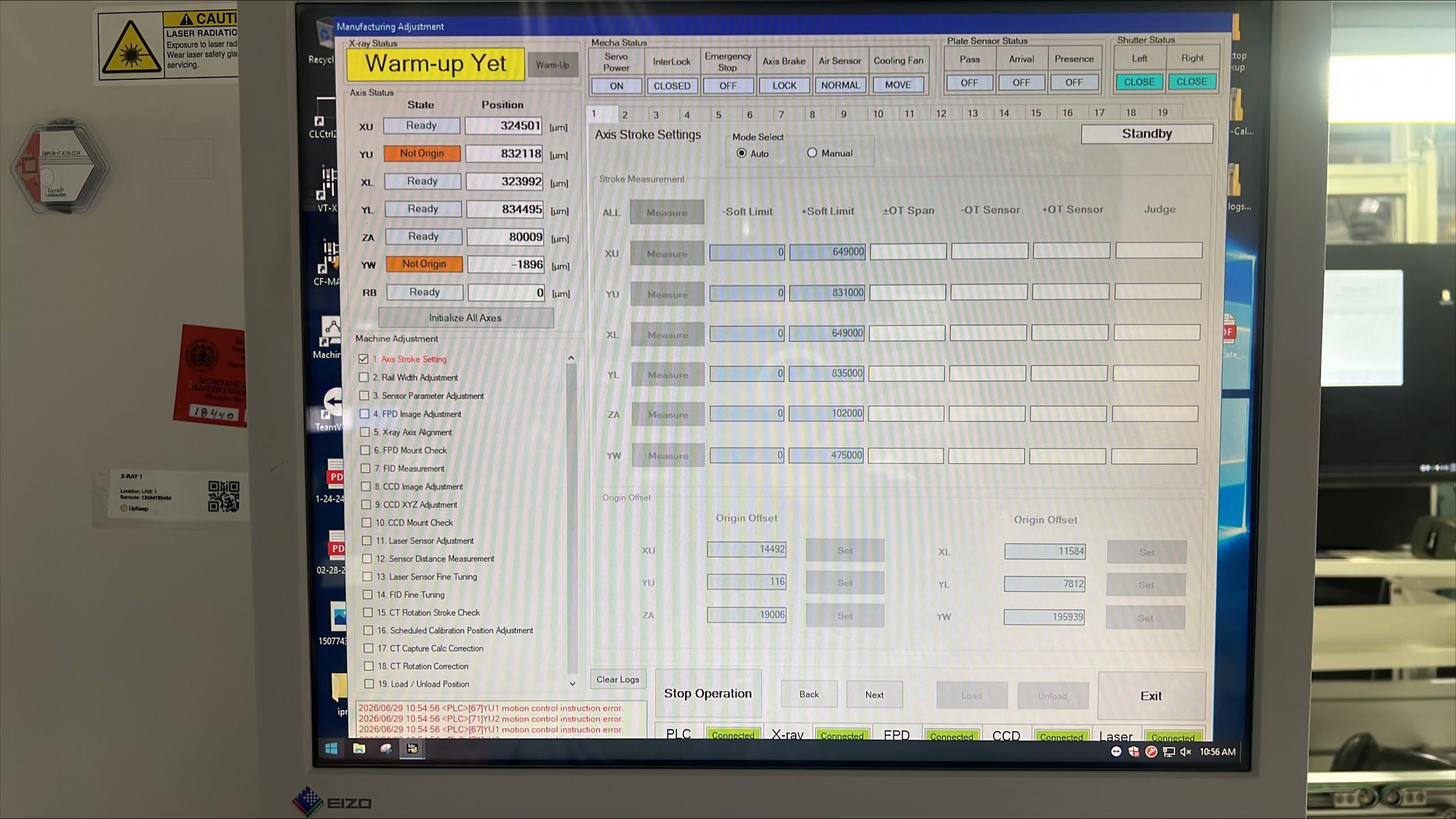
Hello Team, X-ray keeps showing up the following error. Could you please help immediately with this. I have restarted the machine but it did not help. Thank you, Tanush Harish Bhaskar | Senior Engineer HUGHES | 19710 Observation Ln, Germantown, MD 20876 [email] | [phone]
Conversation
Engineer and customer thread
15 messages
OA
Omron Application EngineerOmron reply | Jun 29, 2026 at 10:00 AM
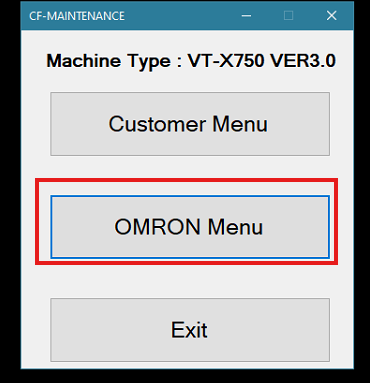
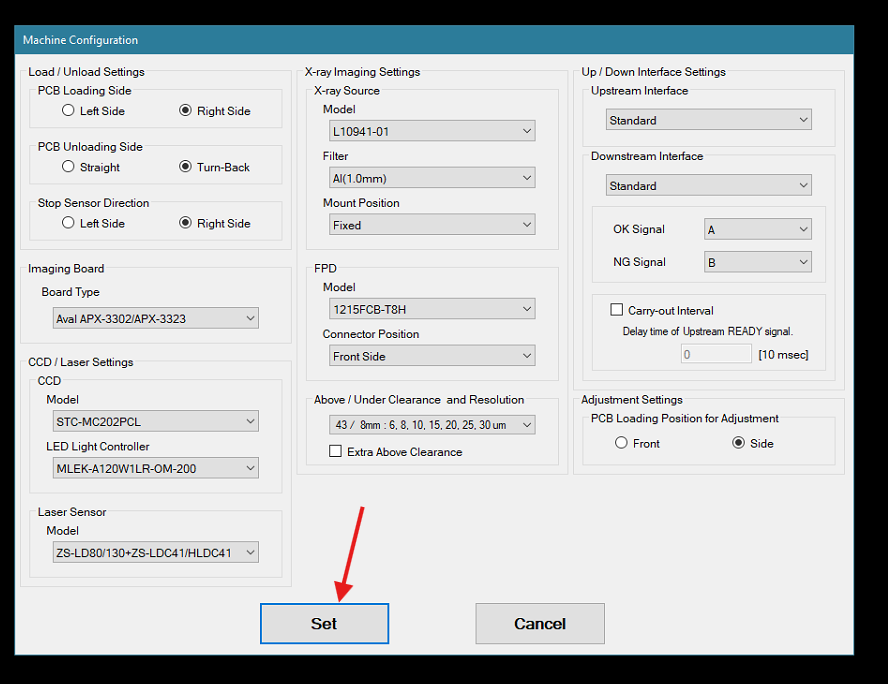
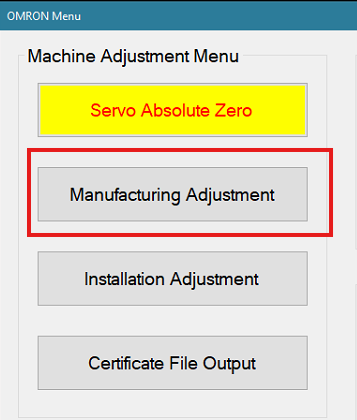
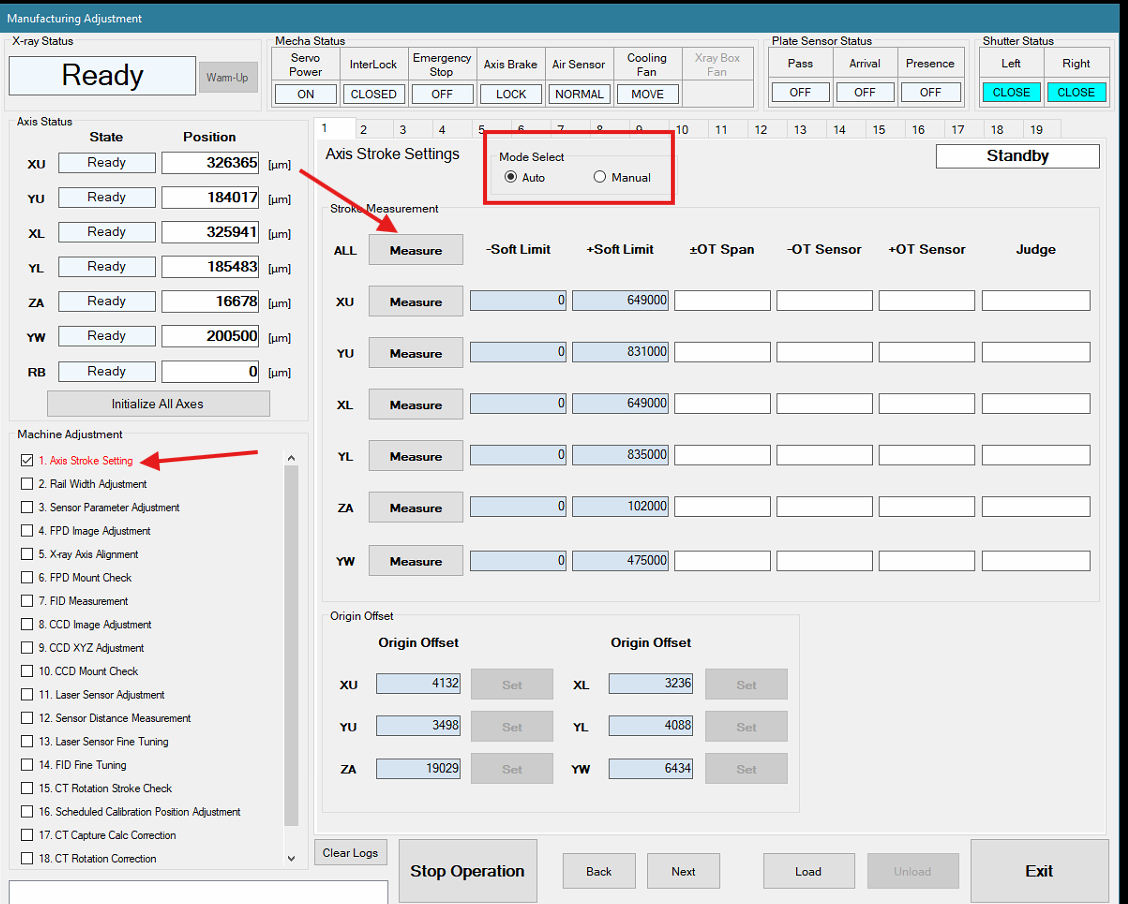
Hello Tanush, Can you close the AXI software to the desktop? Then open: Pick Omron menu and enter in the password Click on Set Click on Manufacturing Adjustment Then select this option and run it? Let us know if this resolved?
C
CustomerCustomer reply | Jun 29, 2026 at 10:07 AM
Jeremiah, For the last step of the measure tab is blanked out. Thank you, Tanush Harish Bhaskar | Senior Engineer HUGHES | 19710 Observation Ln, Germantown, MD 20876 [email] | [phone] ________________________________
Omron Application EngineerOmron reply | Jun 29, 2026 at 12:51 PM
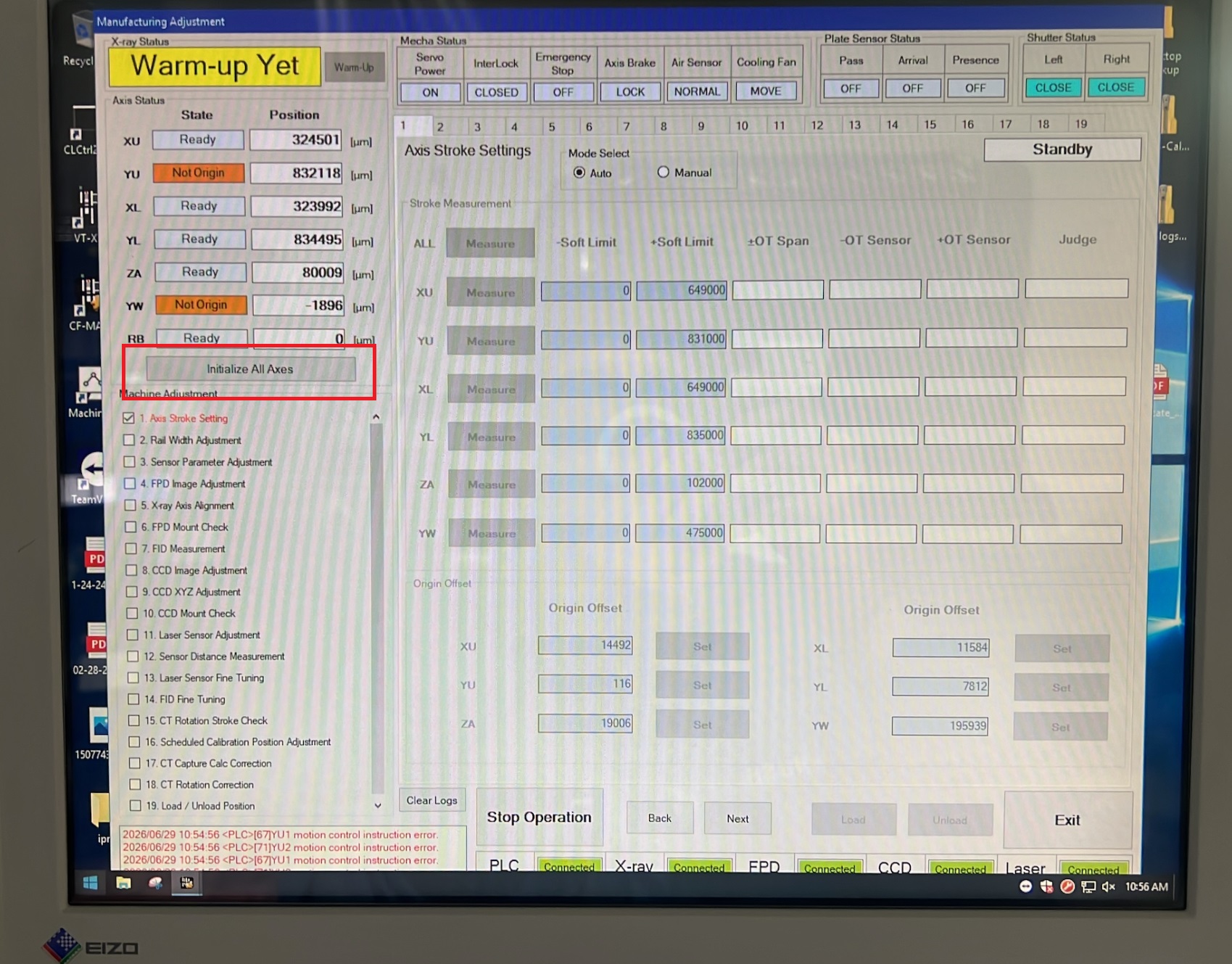
Hello Tanush, First select "Initialize All Axes" as shown in the attached image, then select "Measure". Thank you, Andrew Crossley
Init_All_Axis.jpg
C
CustomerCustomer reply | Jun 29, 2026 at 1:39 PM
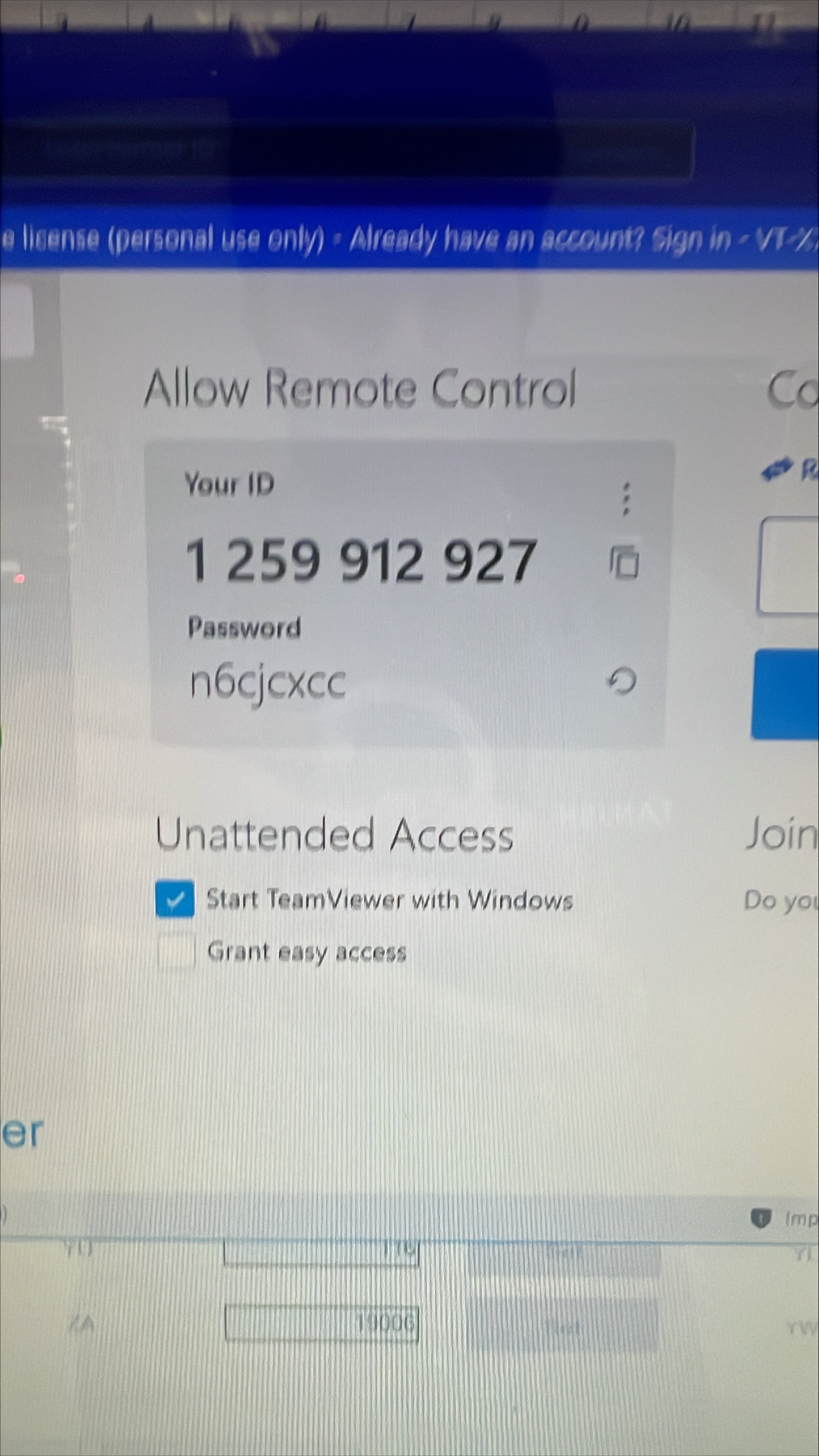
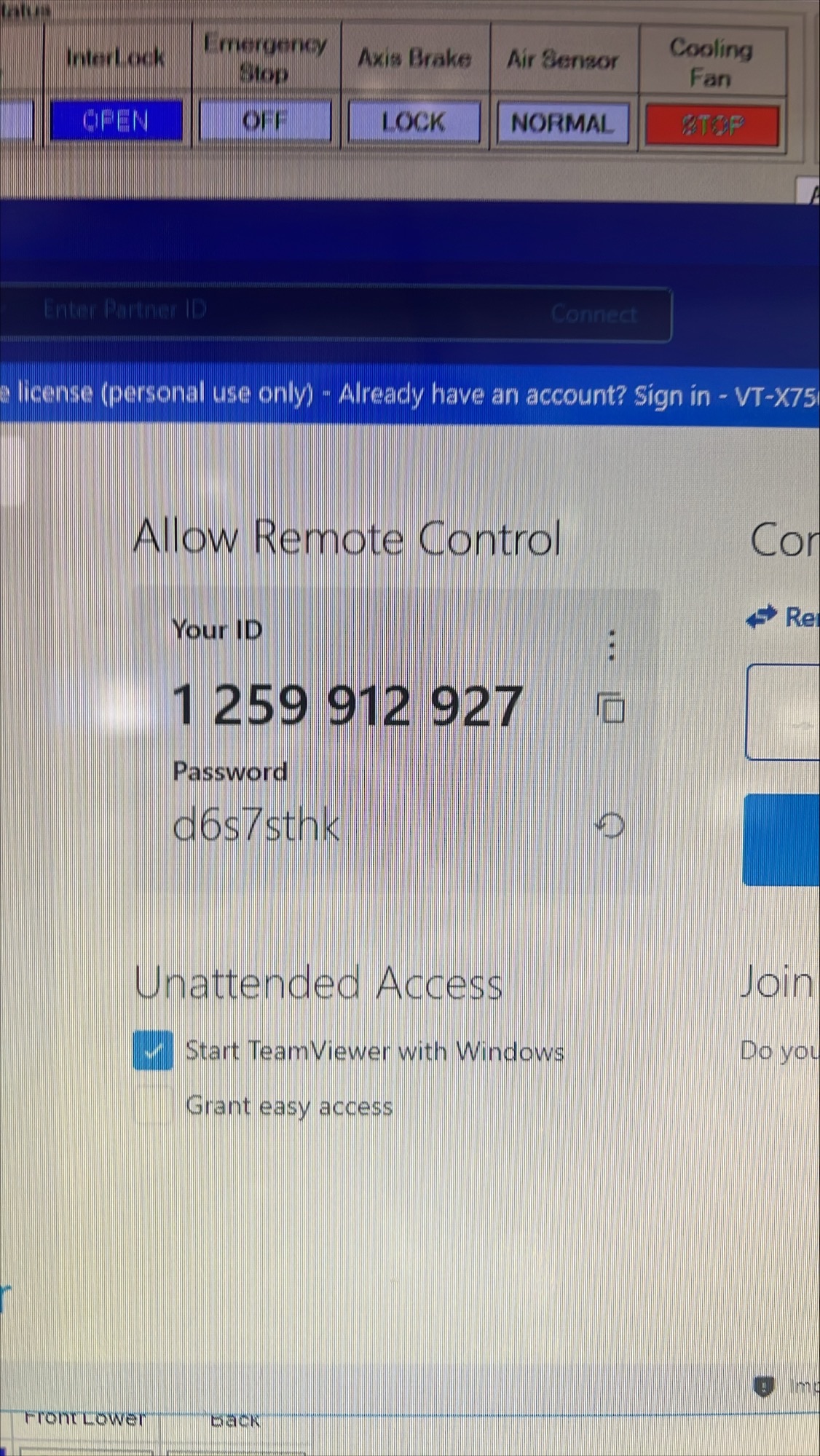
It still doesn’t work. I have attached the TeamViewer info. Could you please remote in and check. Thank you, Tanush Harish Bhaskar | Senior Engineer HUGHES | 19710 Observation Ln, Germantown, MD 20876 [email] | [phone] ________________________________
Omron Application EngineerOmron reply | Jun 29, 2026 at 1:50 PM
Hello Tanush, I've remoted in, and it appears that there is a board in the machine. Please remove the board or verify that no board is in the machine. If there is a board in the machine, this may have been the cause of your errors. Let us know what you find. If a board was in the machine, once it is removed, initialize all axes, and select measure. Thank you, Andrew Crossley
C
CustomerCustomer reply | Jun 29, 2026 at 1:51 PM
Andrew, There is no board inside the machine. Thank you, Tanush Harish Bhaskar | Senior Engineer HUGHES | 19710 Observation Ln, Germantown, MD 20876 [email] | [phone] ________________________________
C
CustomerCustomer reply | Jun 29, 2026 at 2:14 PM
Andrew, I checked even the sensors and I don’t see anything wrong inside the machine. Could you let me know what should I do next. Thank you, Tanush Harish Bhaskar | Senior Engineer HUGHES | 19710 Observation Ln, Germantown, MD 20876 [email] | [phone] ________________________________
OA
Omron Application EngineerOmron reply | Jun 29, 2026 at 2:48 PM
Hello Tanush, Can you open teamviewer for us please?
Hello Jermiah, Let me know when you are free, I will send you the TeamViewer. Thank you, Tanush Harish Bhaskar | Senior Engineer HUGHES | 19710 Observation Ln, Germantown, MD 20876 [email] | [phone] ________________________________
Omron Application EngineerOmron reply | Jun 30, 2026 at 12:20 PM
Hello Tanush, Glad to get this resolved. Had a couple of issues. Ended up having to reset the YW servo, after you checked the parallelism. Also had to adjust the width of the board, and reteach all the fiber sensors. You have confirmed the machine is back up and running, I will resolve the ticket. Reach out if you have anymore issues, thanks!
OA
Omron Application EngineerOmron reply | Jun 30, 2026 at 1:24 PM
No sanitized conversation text indexed.
C
CustomerCustomer reply | Jun 30, 2026 at 1:29 PM
Jeremiah, Thank you for your help. Thank you, Tanush Harish Bhaskar | Senior Engineer HUGHES | 19710 Observation Ln, Germantown, MD 20876 [email] | [phone] ________________________________
OA
Omron Application EngineerOmron reply | Jun 30, 2026 at 3:27 PM