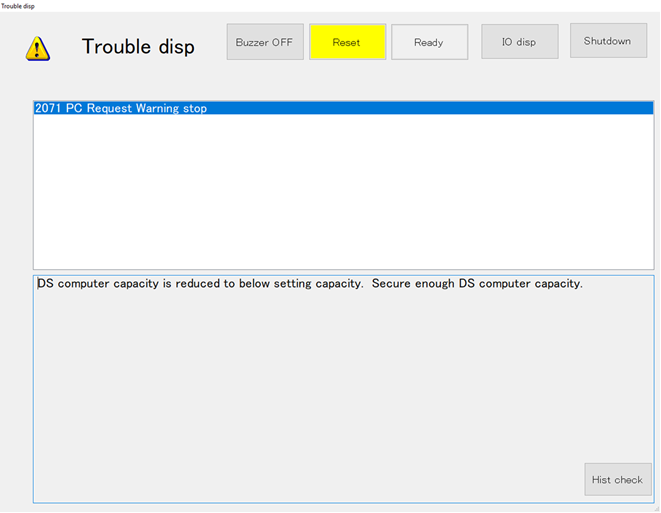
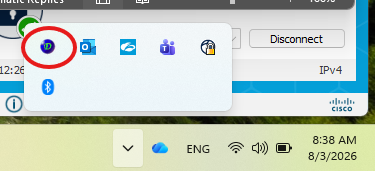
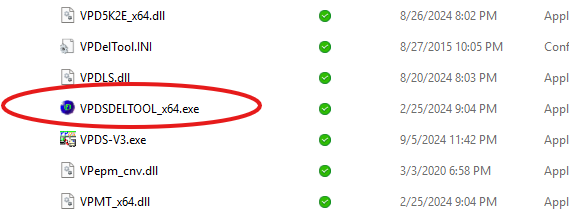
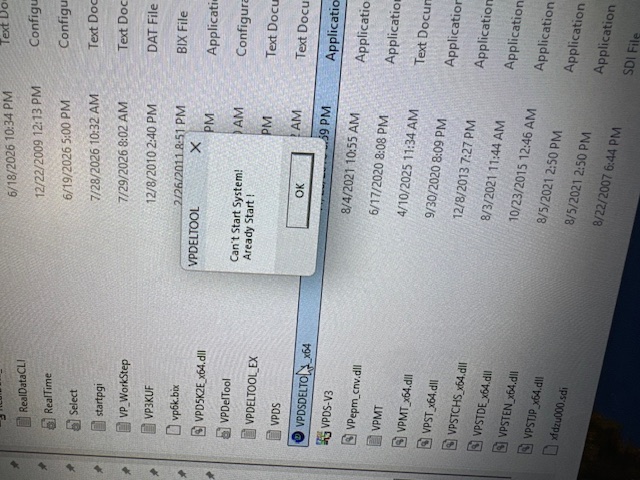
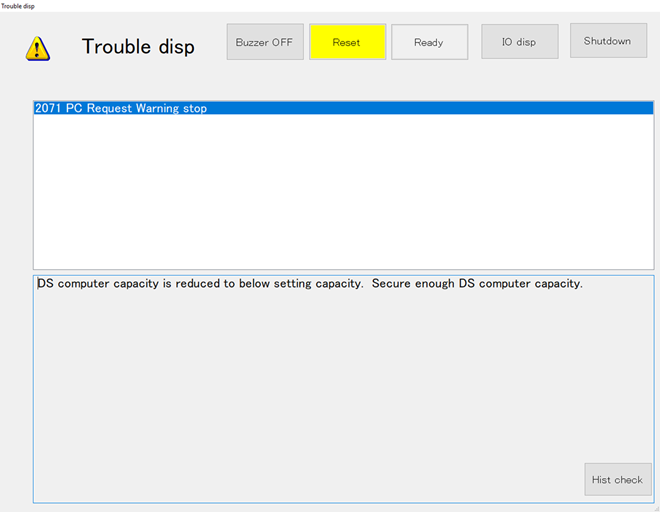
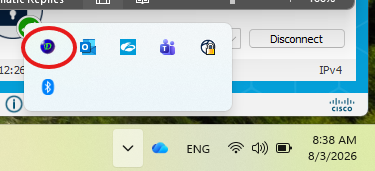
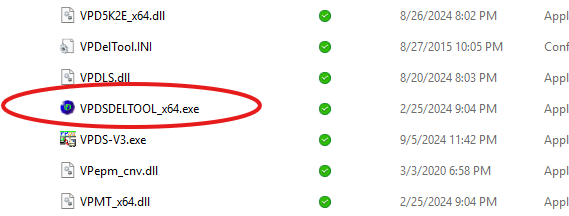
Good morning Saqib/OMRON, We are reaching out because we did what you suggested in the previous email but the software is already working. I closed the services and restarted them and it doesn't seem to do anything. We started deleting old information not needed but it is not enough. We have a possible solution; can we get the directory to be in our servers? We have plenty of space there and will minimize our production delays. Can we someone to assist us with this? Thanks! Ricardo Ortolaza | Inventory Engineer [email] [phone] 400 Caring Dr. Suite 1010 Lake Mary, FL 32746 www.QMSCFL.com [email] [email] [email] [email] QMS is an Employee Owned Company [email] ________________________________ AS9100D Certified [email] [email] The information transmitted, including attachments, is intended only for the person(s) or entity to which it is addressed and may contain confidential and/or privileged material. Any review, retransmission, dissemination or other use of, or taking of any action in reliance upon this information by persons or entities other than the intended recipient is prohibited. If you received this in error, please contact the sender and destroy any copies of this information. From: [email] Sent: Monday, August 3, 2026 8:42 AM To: Ricardo Ortolaza Cc: Randy Prasnauth ; Sebastian Baker Subject: RE: Trouble display in SPI Machine Good morning, This warning means there is not enough disk space on the teaching station. Please check the disk space and clear up some space. There should be a data deletion tool running in system tray. Please check the setting and i Warning: Unusual sender > You don't usually receive emails from this address. Make sure you trust this sender before taking any actions. Good morning, This warning means there is not enough disk space on the teaching station. Please check the disk space and clear up some space. There should be a data deletion tool running in system tray. Please check the setting and if it is not running then please go to c:\VPDS_x64 folder and look for the VPDELTOOL_x64.exe and run it by double clicking on it. It runs in the system tray. Please set it up by right clicking on the blue icon and select settings. This will delete the data from the Data station PC. I will be out of the office, if above does not work then please send an email to [email] for faster response. [email] [email] Best Regards, [email] From: Ricardo Ortolaza > Sent: Monday, August 3, 2026 7:47 AM To: Saqib Toor / OEI > Cc: Randy Prasnauth >; Sebastian Baker > Subject: Trouble display in SPI Machine Good morning Saqib, We are reaching out because we had an error in two of our SPI lines and we are unsure what the error means and how to resolve, can you please advise on this? See attached, thanks! [email] Ricardo Ortolaza | Inventory Engineer [email] [phone] 400 Caring Dr. Suite 1010 Lake Mary, FL 32746 www.QMSCFL.com [email] [email] [email] [email] QMS is an Employee Owned Company [email] ________________________________ AS9100D Certified [email] [email] The information transmitted, including attachments, is intended only for the person(s) or entity to which it is addressed and may contain confidential and/or privileged material. Any review, retransmission, dissemination or other use of, or taking of any action in reliance upon this information by persons or entities other than the intended recipient is prohibited. If you received this in error, please contact the sender and destroy any copies of this information. WARNING! This is an email from an external party. Do not click on any link or open any attachment if you cannot ascertain that it is safe.
Conversation
Engineer and customer thread
5 messages
JS
Jeremiah SolizOmron reply | Aug 6, 2026 at 9:32 AM
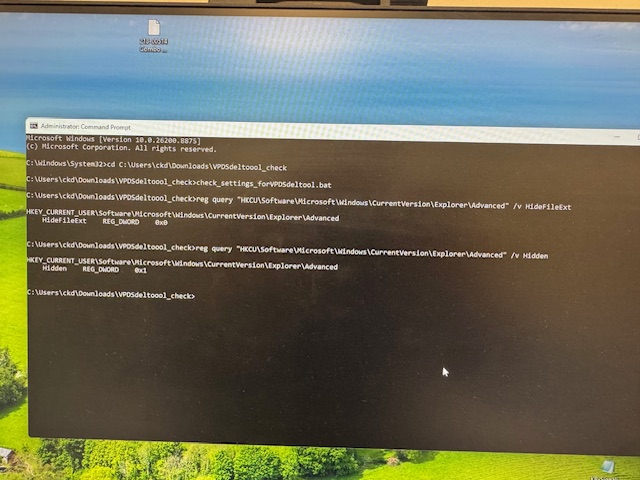
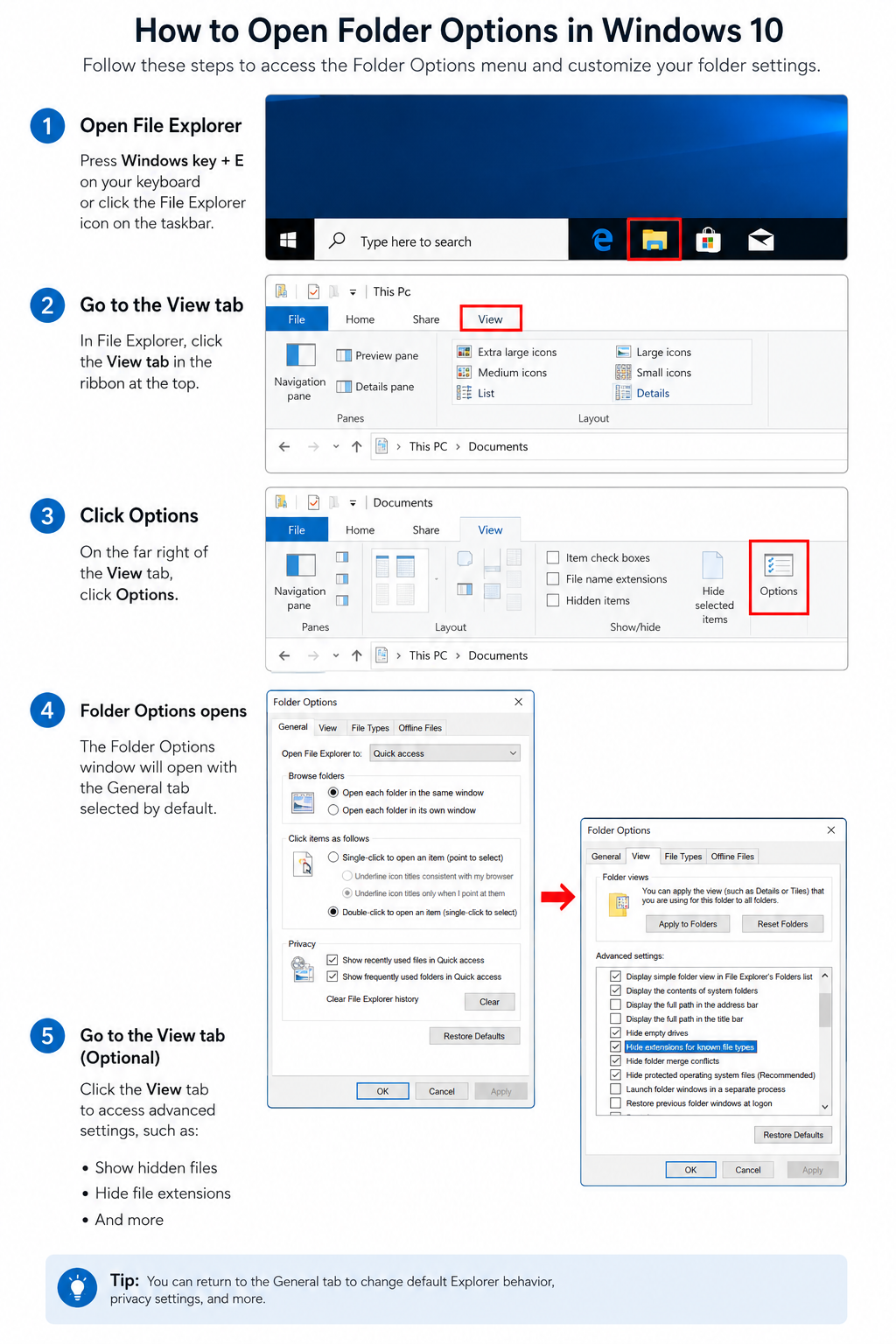
Hello Ricardo, Please extract the attached ZIP file while logged in to the same Windows account normally used to operate VPDS. First, open CMD prompt as admin and run: check_settings_forVPDSdeltool.bat A Command Prompt window will display the current Windows Explorer settings. The expected results are: HideFileExt REG_DWORD 0x0 Hidden REG_DWORD 0x1 These values confirm that: File name extensions are enabled. Hidden files and folders are visible. Please take a screenshot of the Command Prompt results and send it back to us. If either value is different from the expected result, double-click: modify_settings_forVPDSdeltool.bat This file will automatically correct both settings and restart Windows Explorer. The desktop and taskbar may briefly disappear while Explorer restarts; this is expected. After Explorer has restarted, run check_settings_forVPDSdeltool.bat again and confirm that the results now show: HideFileExt REG_DWORD 0x0 Hidden REG_DWORD 0x1 These settings are specific to the Windows user account running the files, so please make sure they are run under the account normally used for VPDS. The VPDSdel tool needs this to be enabled in order for it to properly delete files and make enough room. Can you let us know? Thank you,
C
CustomerCustomer reply | Aug 6, 2026 at 10:44 AM
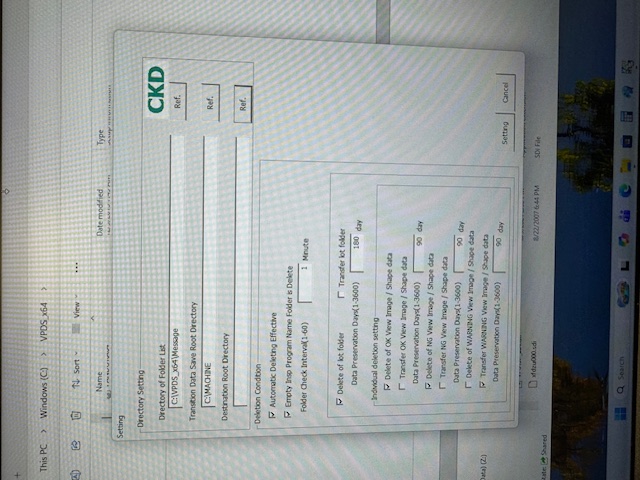
Hello Jeremiah, Attached you can find the results for the CMD as well as some other information about the settings. Looks like it is what it should be, how can we know it is working and creating space? We also had noticed that the VPDS Data Station Data Transfer (PCB, SPEC) is taking at least 2-3 minutes just to load the screen. Changing from lines also adds 2-3 minutes of waiting… At one point it was taking 5-15 minutes to load… This is too slow for our work. We need to speed up the Data Station. Otherwise, we want to point the station directory to our server. Please advise for better performance, thanks! Ricardo Ortolaza | Inventory Engineer [email] [phone] 400 Caring Dr. Suite 1010 Lake Mary, FL 32746 www.QMSCFL.com [email] [email] [email] [email] QMS is an Employee Owned Company [email] ________________________________ AS9100D Certified [email] [email] The information transmitted, including attachments, is intended only for the person(s) or entity to which it is addressed and may contain confidential and/or privileged material. Any review, retransmission, dissemination or other use of, or taking of any action in reliance upon this information by persons or entities other than the intended recipient is prohibited. If you received this in error, please contact the sender and destroy any copies of this information.
Francisco VillalpandoOmron reply | Aug 6, 2026 at 4:13 PM
Hello Ricardo, Uncheck the option "Hide extension for known files." To change save location there are couple files you need to edit on the machine and on the data station: [ Data Station Close the main software and move the C:\Machine folder to the new location. Back up the following file: C:\VPDS_x64\Host.ini Open Host.ini and update the following line so that it points to the new location: REALDATAROOT=C:\Machine Change only the drive or path. Do not change the Machine folder name. Save the file and launch the software. VP9000 Close the main software. Back up the following file: D:\VP9000\VP9000.ini Open VP9000.ini and update the following line: HOSTDATADIR=\\192.168.1.1\machine\machine01\RealData Change only the IP address. Do not change any of the folder names. Save the changes and launch the software. Important Notes Before saving the Windows credentials for the new location, run the following batch file to disable C: drive protection: E:\uwf-enable\uwf-disable.bat After completing the changes, reload the inspection program so the new configuration is reflected in the software. Francisco Villalpando Engineering Supervisor Direct: +[phone] [email]
freshdesk-inline-150173124771.png
C
CustomerCustomer reply | Aug 19, 2026 at 8:43 AM
Hi OMRON/Jeremiah, Just following up on my last email. We are still experiencing delays on the Data Station; can someone help us with what we asked in the previous email? Ricardo Ortolaza | Inventory Engineer [email] [phone] 400 Caring Dr. Suite 1010 Lake Mary, FL 32746 www.QMSCFL.com [email] [email] [email] [email] QMS is an Employee Owned Company [email] ________________________________ AS9100D Certified [email] [email] The information transmitted, including attachments, is intended only for the person(s) or entity to which it is addressed and may contain confidential and/or privileged material. Any review, retransmission, dissemination or other use of, or taking of any action in reliance upon this information by persons or entities other than the intended recipient is prohibited. If you received this in error, please contact the sender and destroy any copies of this information.
Hello Ricardo, Please verify whether the data deletion process is functioning correctly and freeing up storage space. Open File Explorer and check the available disk space. There is a possibility that the data deletion utility is still running in the background and causing the slow response. Please access the machine and transfer the data using the Data Transfer Utility installed on the system. If the machine is also experiencing slow performance, it may indicate that a data station resource is being heavily utilized by another application. Please open Resource Monitor and identify which application is consuming the system resources. If there is insufficient disk space on the data station, please manually delete data from c:\machine folder.